How To Edit Side Menu In Wordpress with Robert Fernandez blog

Looking for How To Edit Side Menu In Wordpress? Here It Is
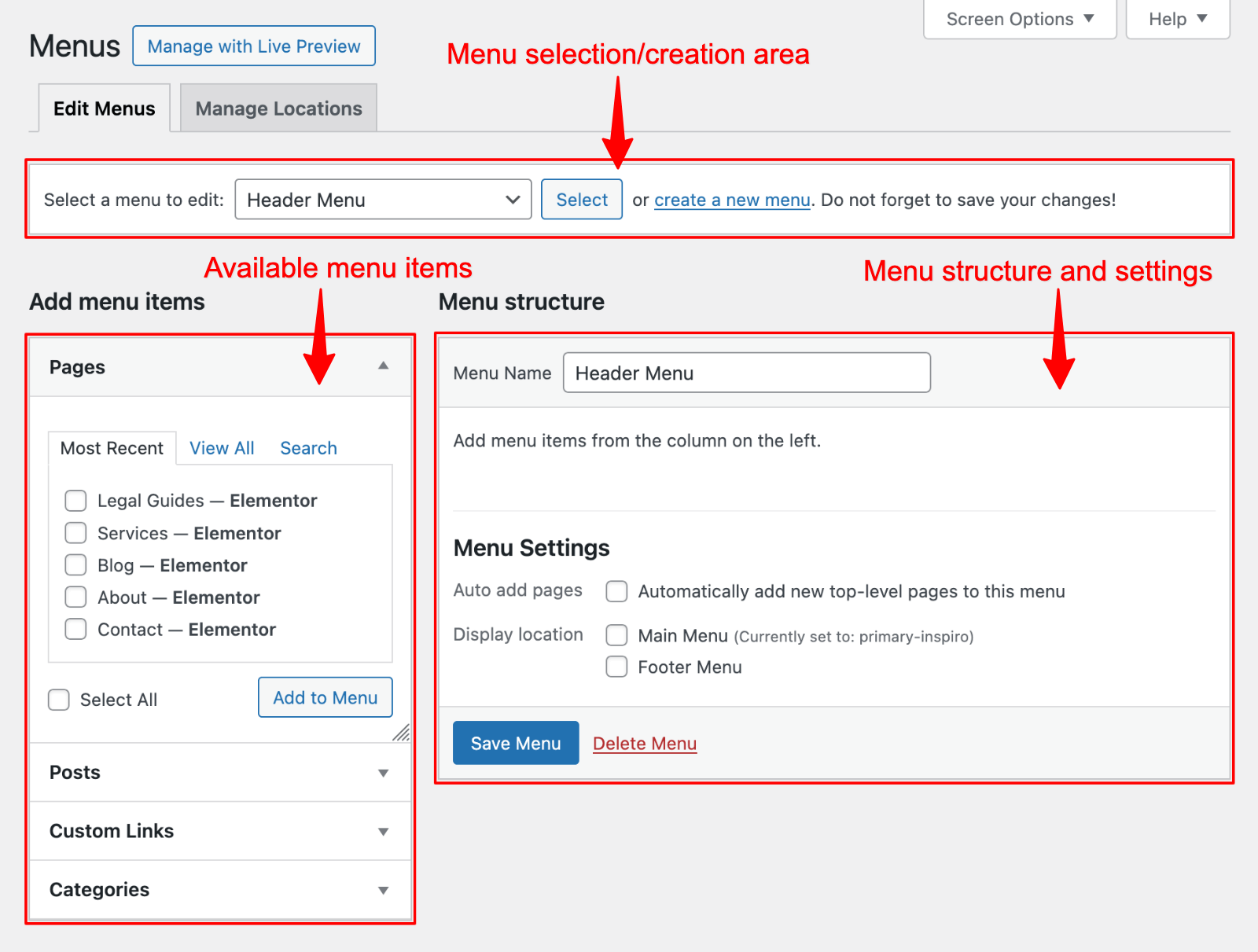
WordPress Navigation Menu Tutorial: How to Create, Edit, and Customize ...

How To Edit Side Menu In Wordpress is what brought you here, and this page delivers it, with a growing collection of example images collected as visual reference.

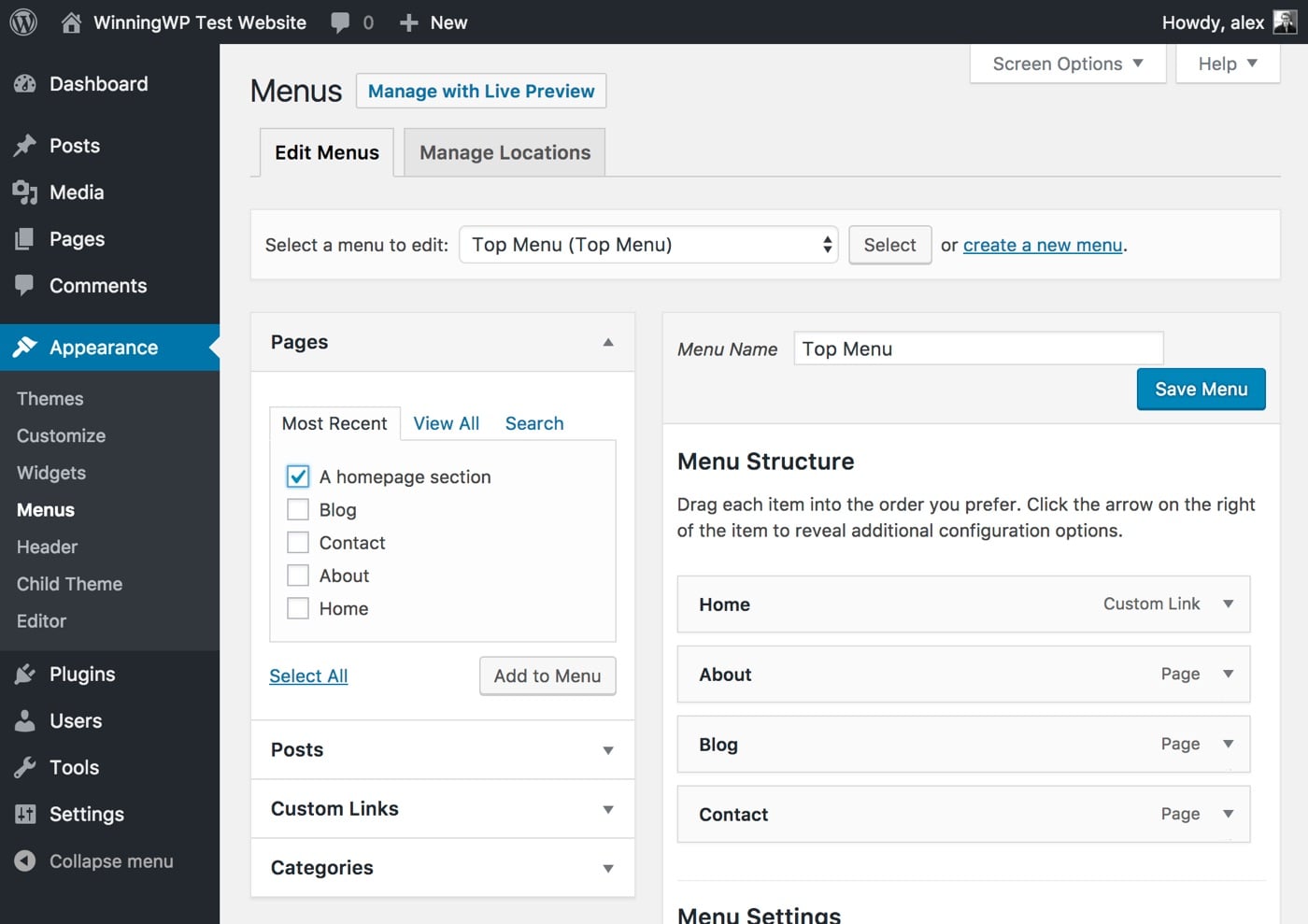
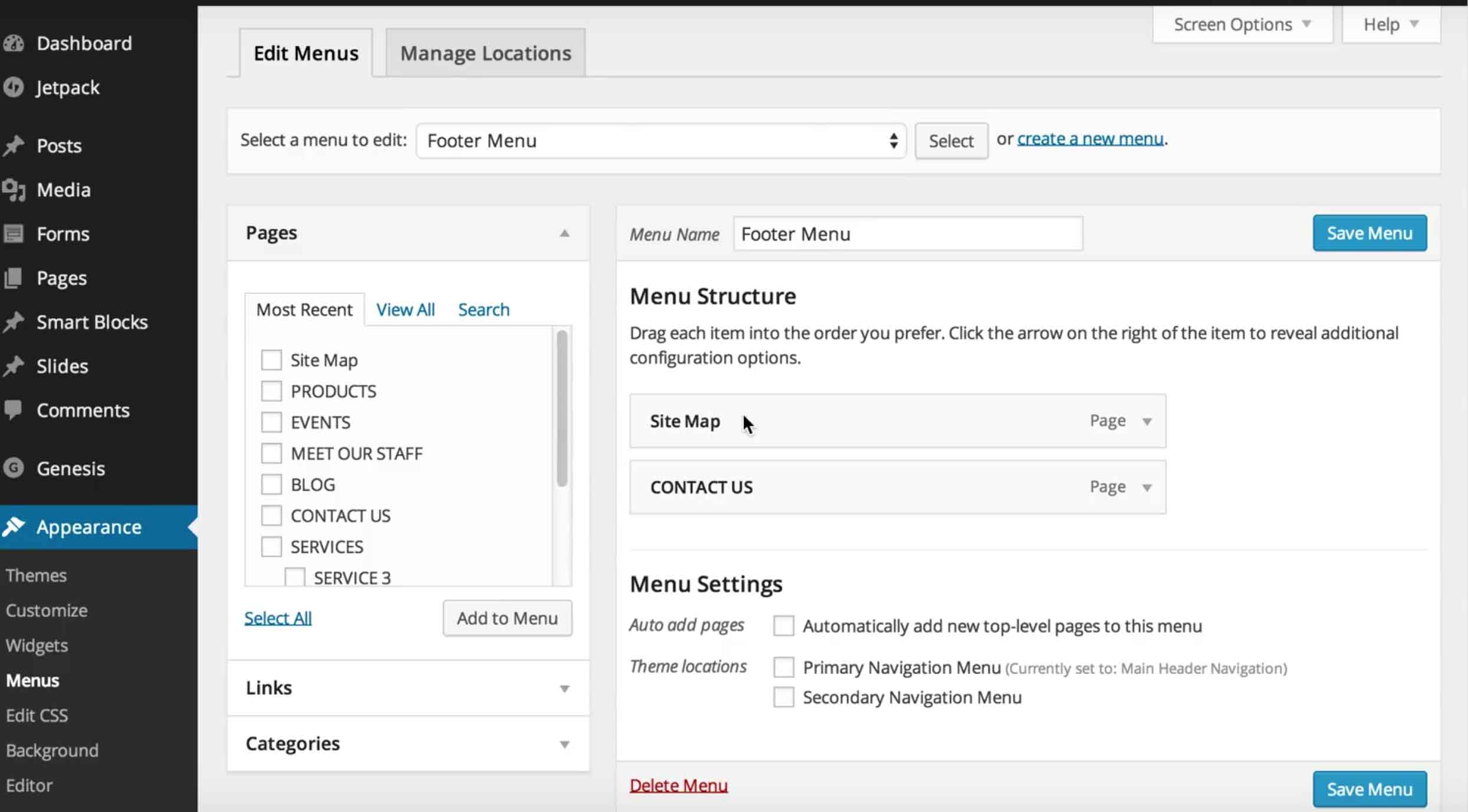
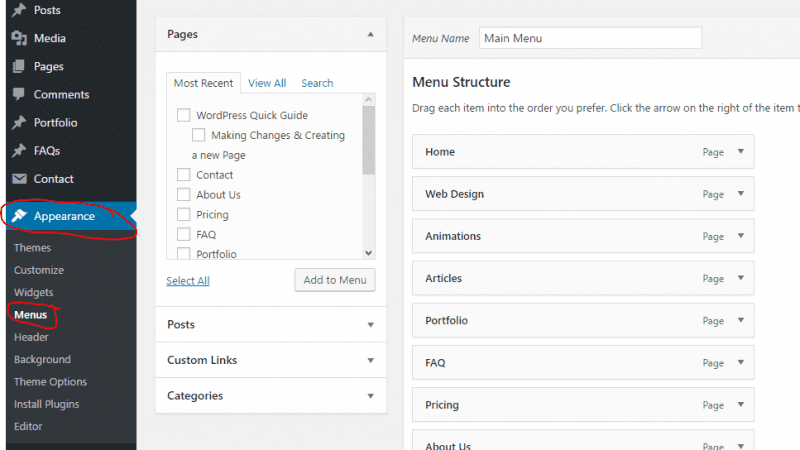
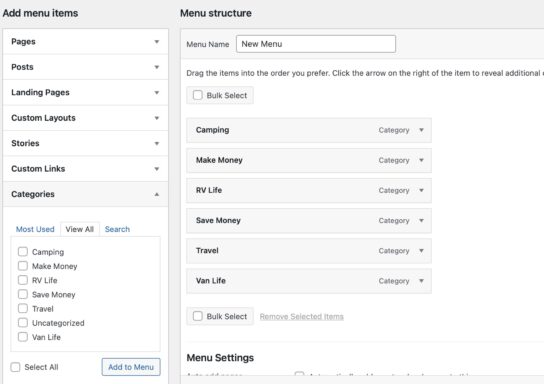
How to Edit the Menu in WordPress

A description can only go so far before a picture does the job better, which is why browsing through the images is often the fastest way to understand it.

A Visual Collection of How To Edit Side Menu In Wordpress

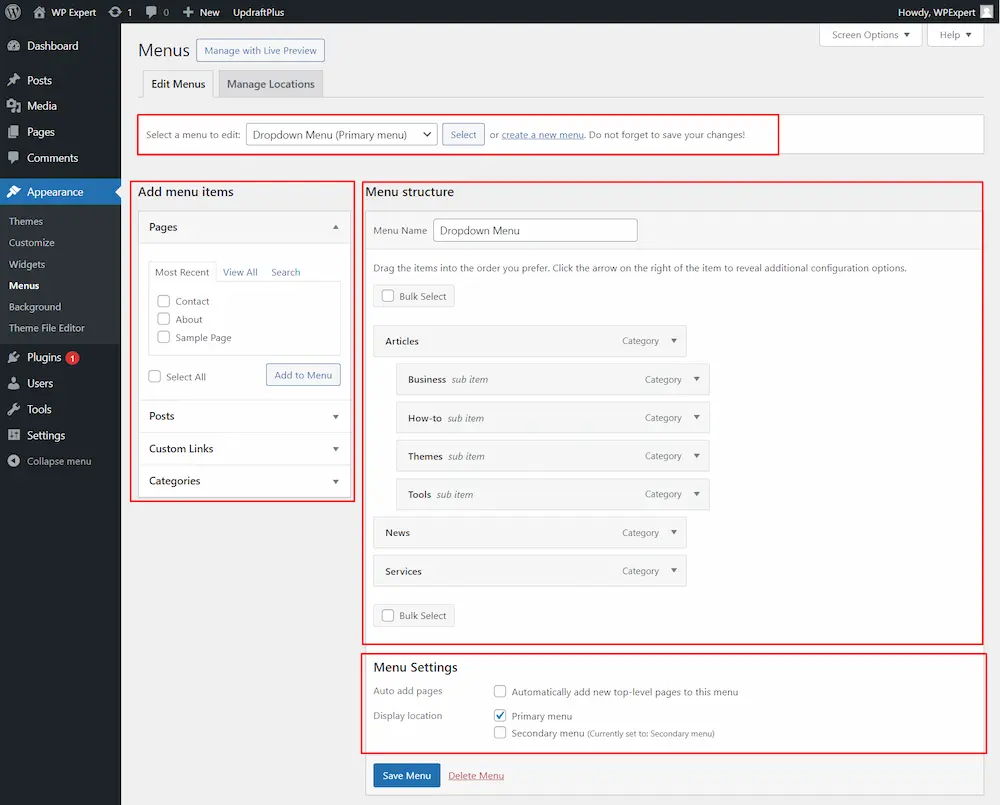
How to Edit The Menu in WordPress: BEST Step-by-Step Tutorial for 2026

This collection gathers all kinds of How To Edit Side Menu In Wordpress in one scrollable view, and you will quickly see how much variety exists.

Take your time moving through the collection, since patterns start to appear after just a few examples.
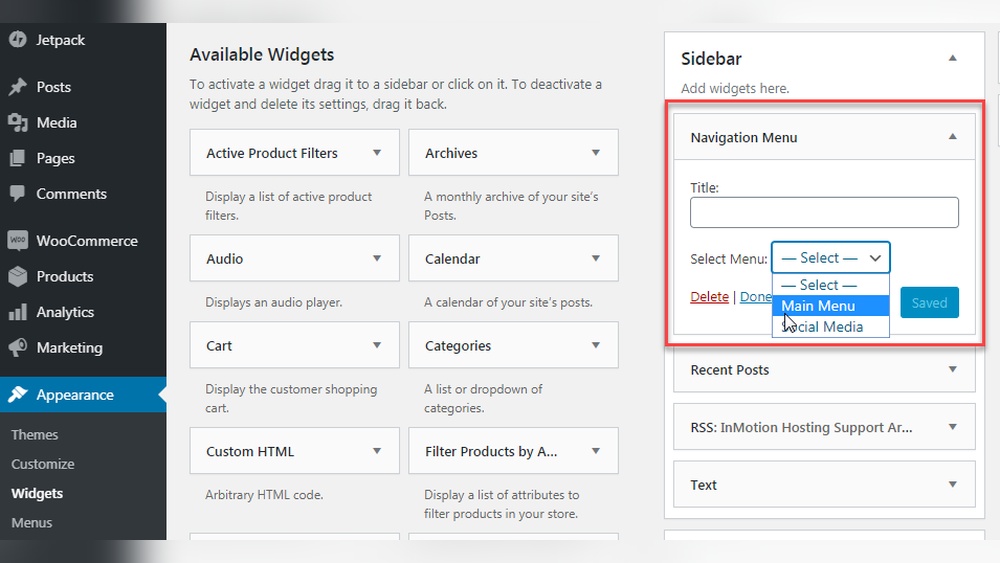
How to Add a Side Menu in WordPress: Easy Steps to Boost UX - Web Tool Plex

Reading How To Edit Side Menu In Wordpress Through Images

Think of each example as a visual definition, making it much easier to judge what fits your needs.

Watch for the elements that appear again and again, because consistent details are usually the essential ones.
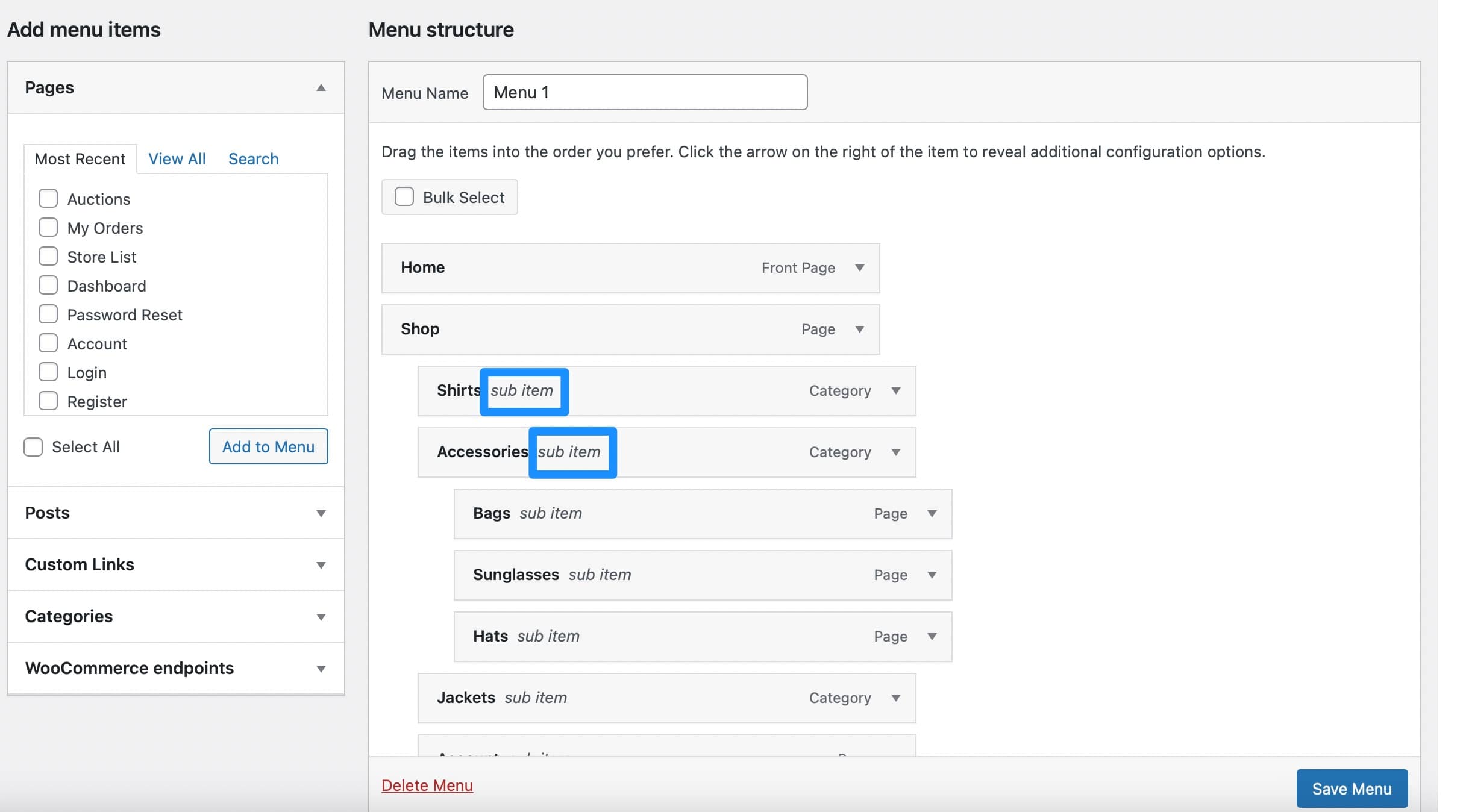
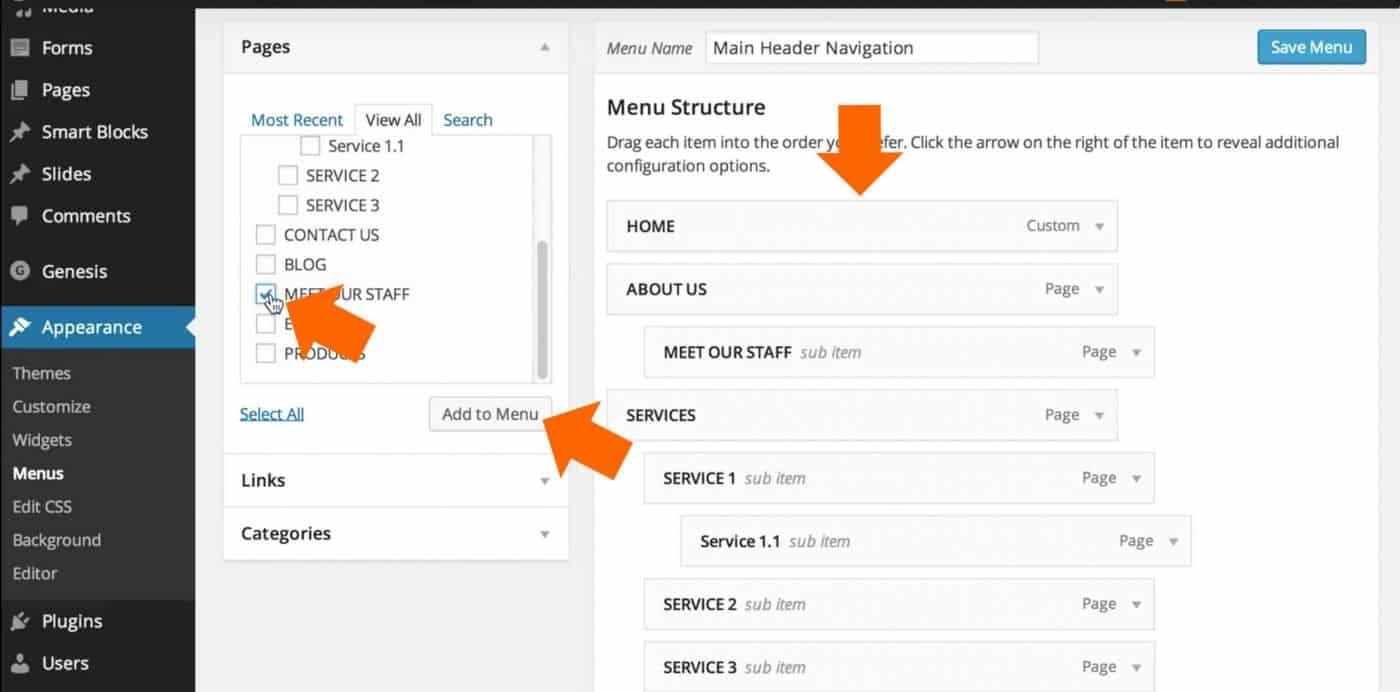
How to Edit a Menu on WordPress (4 Easy Ways)

From One Style to Another

No two examples in the gallery look exactly the same, some are simple and minimal, others are bold and detailed, so studying the range helps you identify which style suits you best.

Whenever a particular picture stands out, stop and study it, since your natural preference reveals itself faster than you think.

Wordpress Sidebar Menu Color at Jay Hunter blog

Making the Most of the Gallery

These images are meant to be used, not just viewed, for instance, keeping a shortlist of your favorite pictures.

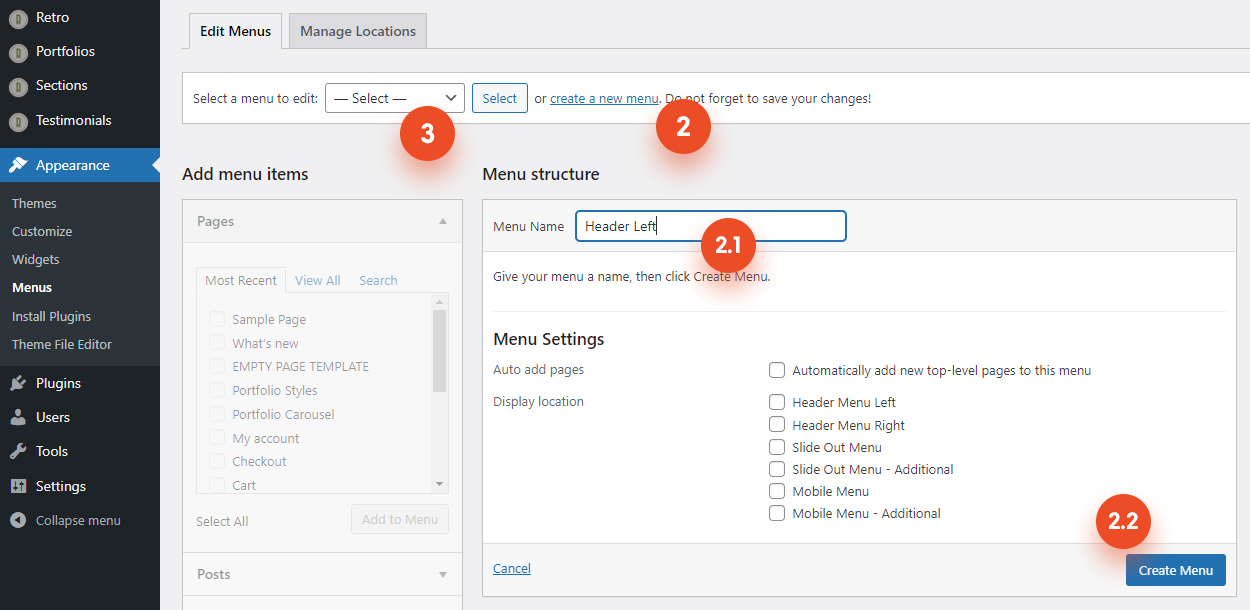
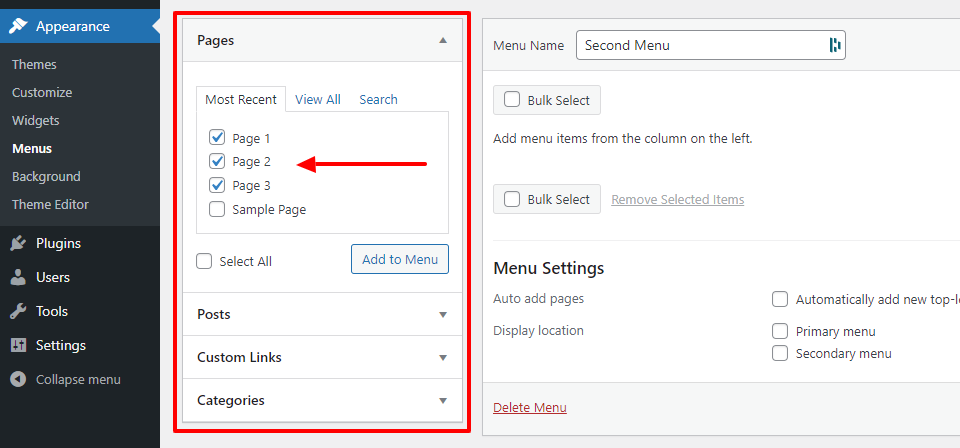
How to Edit a Menu on WordPress (4 Easy Ways)
Retro – Vintage WordPress Theme / Menus - Olegnax
How to Change the Sidebar Side in WordPress (4 Easy Ways)
Appearance Menus Screen – Documentation – WordPress.org
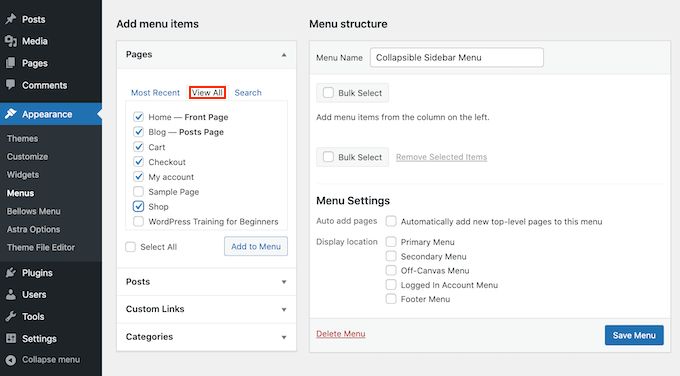
How to Add a Collapsible Side Menu in WordPress?
How to Add and edit the WordPress Menu - YouTube
How To Edit Side Menu In Wordpress - Design Talk
Wordpress Sidebar Menu Color at Jay Hunter blog
How to Create Menu in WordPress | Add & Edit Menu Like a Pro ( Step-by ...
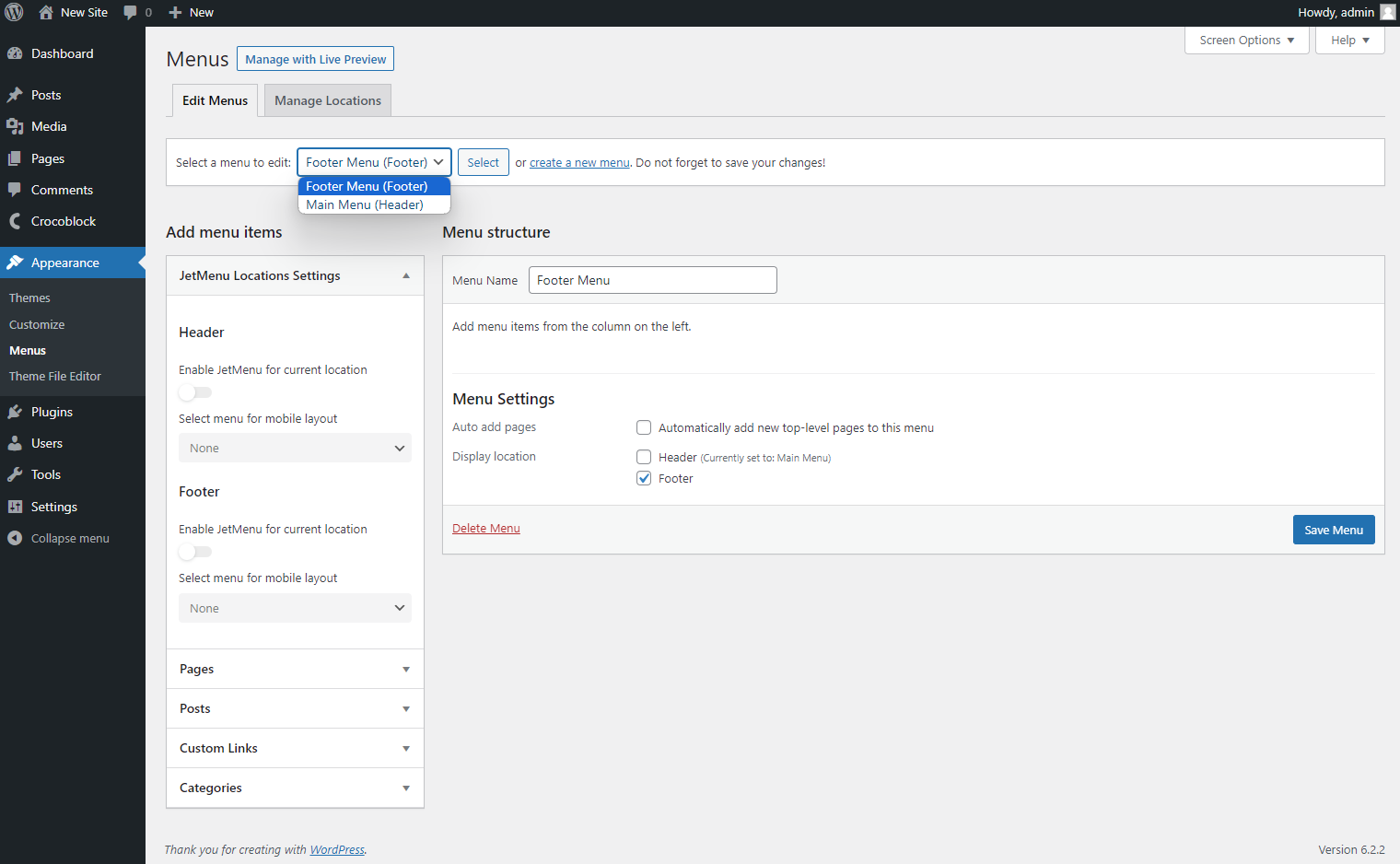
How to Create a WordPress Menu | Crocoblock
How To Edit Menu In WordPress? Edit Menu Items And Manage Menu Easily ...
Edit WordPress Navigation Header Menu Guide - Visualmodo
How to Add Free Side Menu in WordPress (Step-by-Step Guide) - Unlimited ...
How To Customize Wordpress MENU Navigation - YouTube
How To Change The Look And Feel Of A WordPress Website
How to Edit The Menu in WordPress: BEST Step-by-Step Tutorial for 2026
WordPress Navigation Menu Tutorial: How to Create, Edit, and Customize ...
Edit Menu in WordPress: Built-in, Plugin, Page Builder - WP Thinker
How to Edit a WordPress Menu: Screenshots and Video
How to Add / Edit Menus in WordPress
How To Add A Side Menu In Wordpress Website 2022 - YouTube
Navigation Menu in WordPress: Essential Steps to Create, Add, and Enhance
How to Edit a WordPress Menu: Screenshots and Video
Changing a Menu in Wordpress - Watermark Web Design Maitland ...
How to Edit The Menu in WordPress: BEST Step-by-Step Tutorial for 2026
How to add and edit a WordPress menu - SiteGround Tutorials
How to Create a WordPress Menu? Human-Friendly Guide - MotoPress
How To Edit Menu In WordPress Website - YouTube
How to Create a Collapsible Sidebar Menu in WordPress (The Easy Way ...

Pictures remove the guesswork from conversations, so the other person sees exactly what you see.

The Small Details That Matter

Every example rewards a second, closer look, noting the choices that give each example its character.

A closer look at one good image beats skimming twenty, and let a few carefully chosen references guide your direction.

Why Visual References Work So Well

Visual search exists because the human brain processes pictures instantly, an image delivers the subject directly with no filter.

That is the strength of having many examples side by side, be it ideas, verification, or simply knowing what to call it.

Keep Exploring the Collection

Keep this gallery close for whenever the question resurfaces, since every revisit tends to surface details you missed.

The more examples you absorb, the sharper your eye becomes, so treat every revisit as a chance to see something you skipped.