How To Freeze 3 Columns with Robert Fernandez blog

How To Freeze 3 Columns: Right Where You Need It
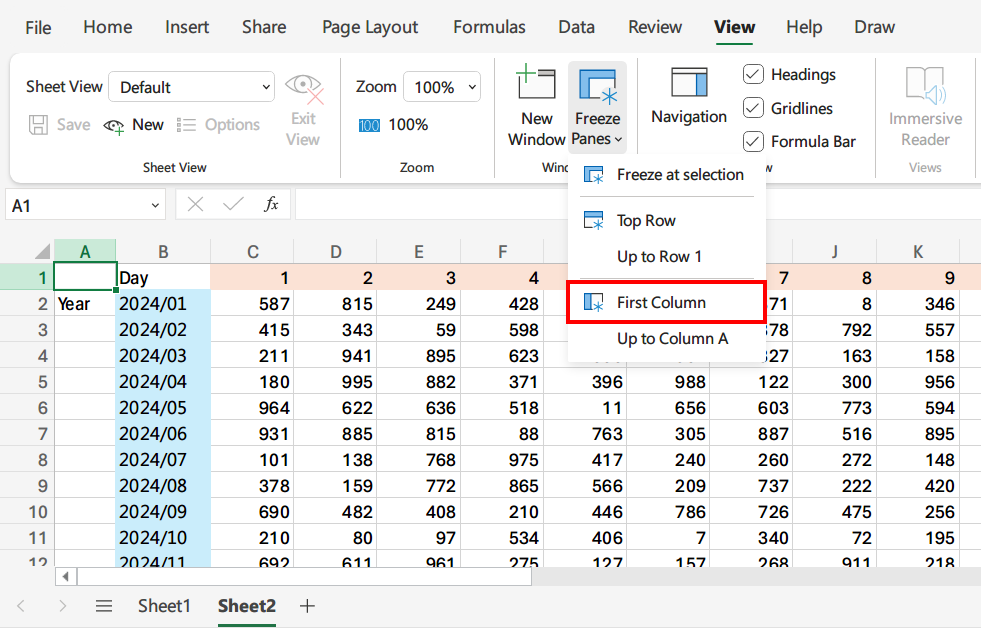
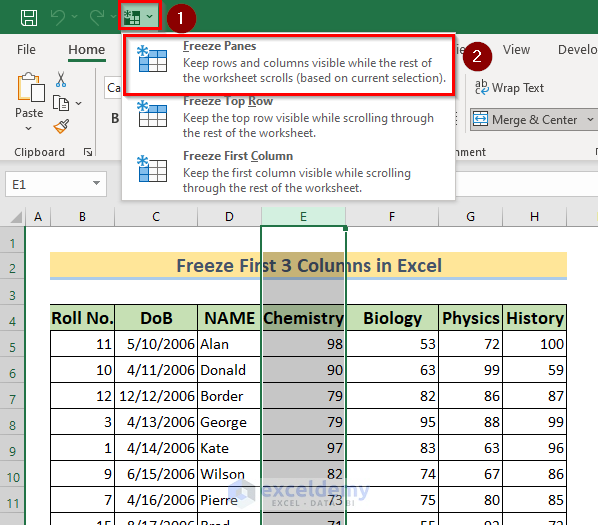
Excel online - Freeze row and column at the same time

You came here for How To Freeze 3 Columns, and everything below is exactly that, presented through a broad set of image examples you can browse freely.
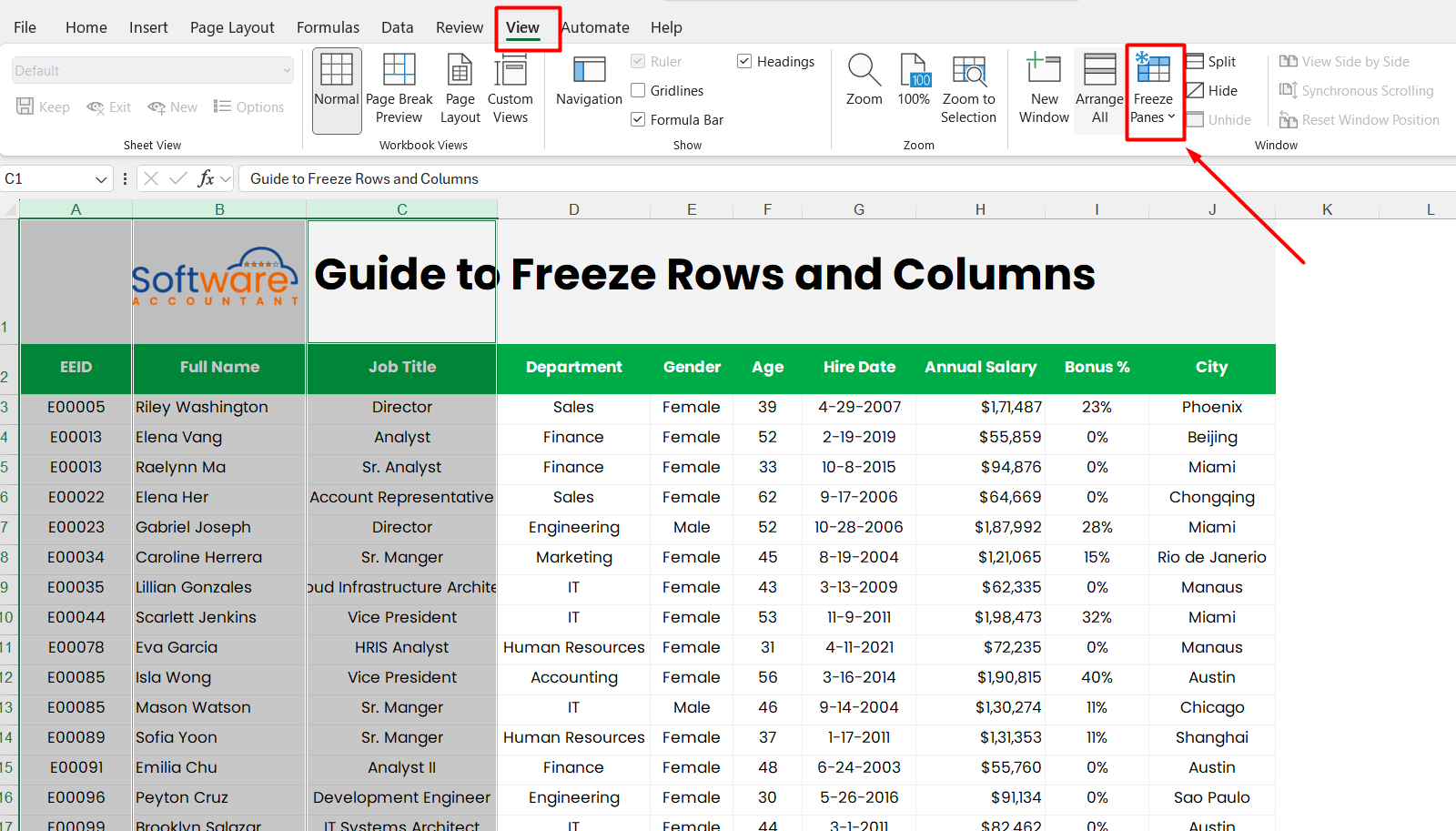
How to Freeze Rows & Columns in Excel - Ultimate Guide 2024

Text can only take your search so far, so looking at real examples explains far more than any description can.

How To Freeze 3 Columns in Actual Pictures
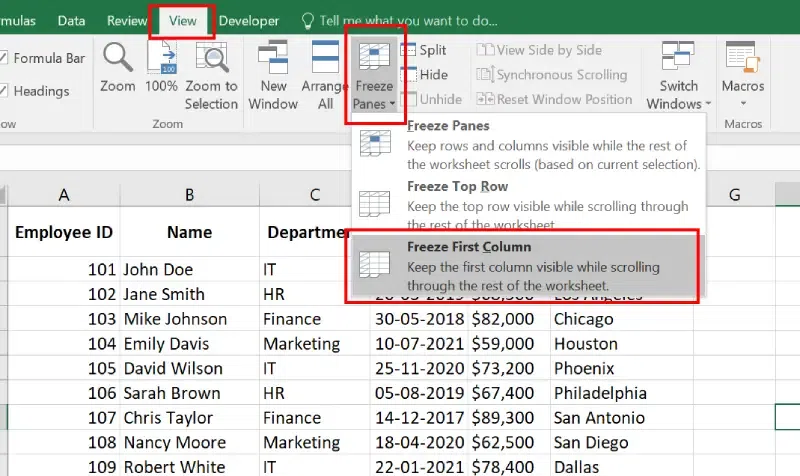
How to Freeze and Unfreeze Columns in Excel (With Step-by-Step Examples ...

The images below show How To Freeze 3 Columns in many different forms and settings, and you will quickly see how much variety exists.

Scroll slowly and let each image register, and repeated details across images reveal what truly matters.
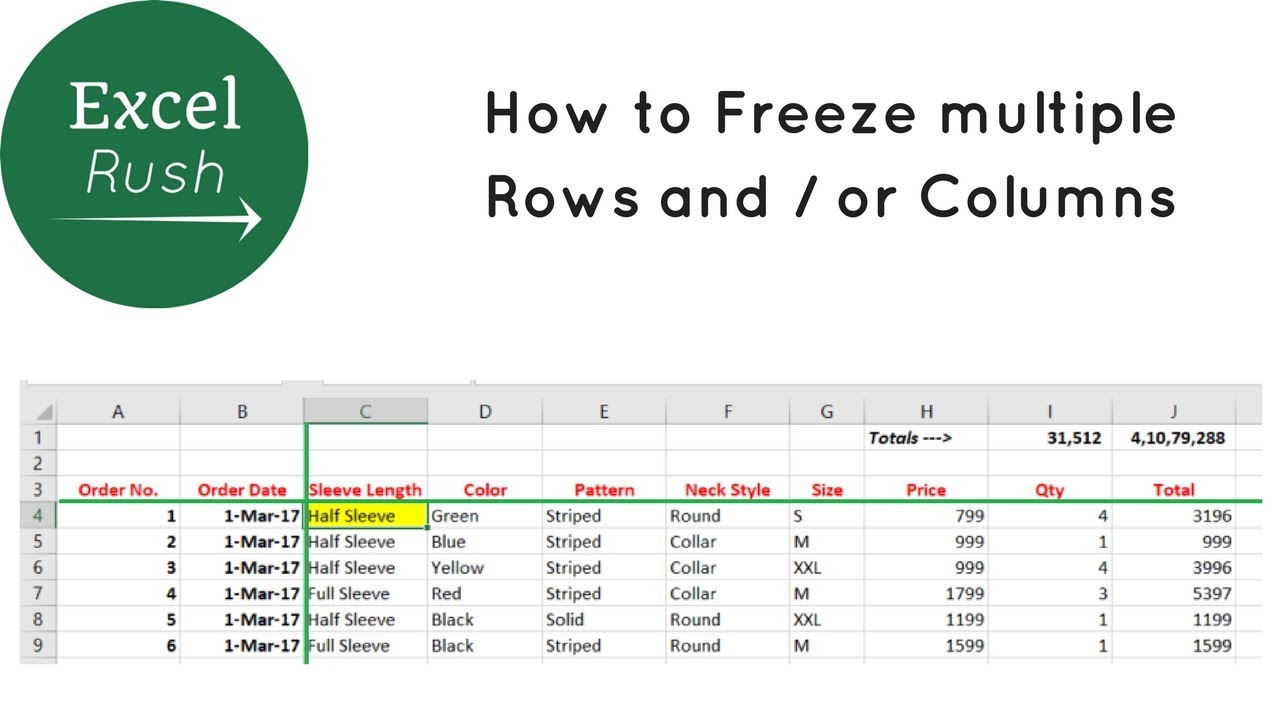
How Can You Freeze Columns In Excel - Design Talk

What These Pictures Explain

Think of each example as a visual definition, making it much easier to judge what fits your needs.

Look at how the same subject changes from image to image, because consistent details are usually the essential ones.
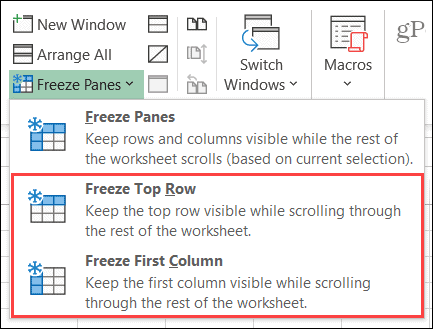
How to Freeze, Hide, and Group Columns and Rows in Excel

Many Forms and Variations

There is a surprising range of styles and interpretations here, each one leans toward a slightly different taste, which helps you quickly narrow down what you actually want.

If one image catches your eye, pause on it and ask why, and it often matches what you will want in the end.
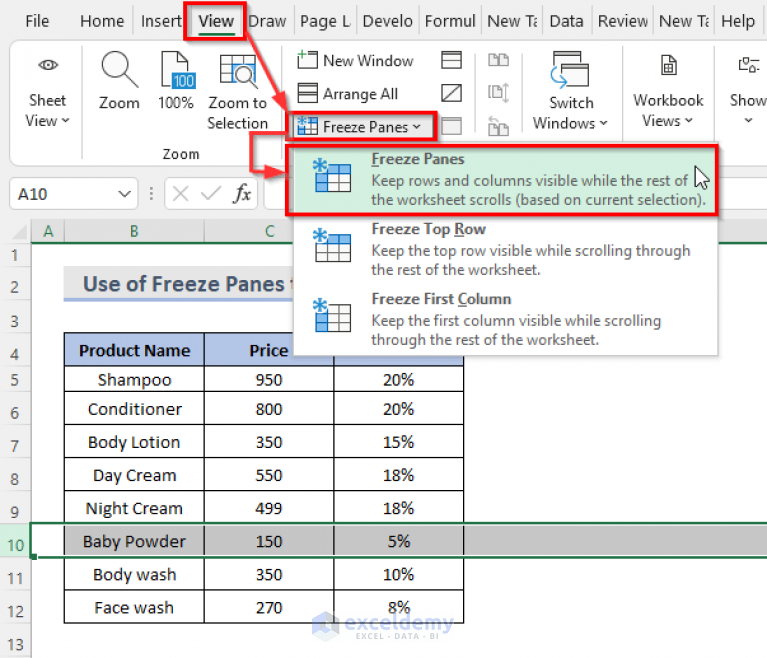
How To Freeze Pane 3 Columns In Excel at Hector Dwight blog

Getting Practical Value From the Images

These images are meant to be used, not just viewed, like marking the images that match your idea.

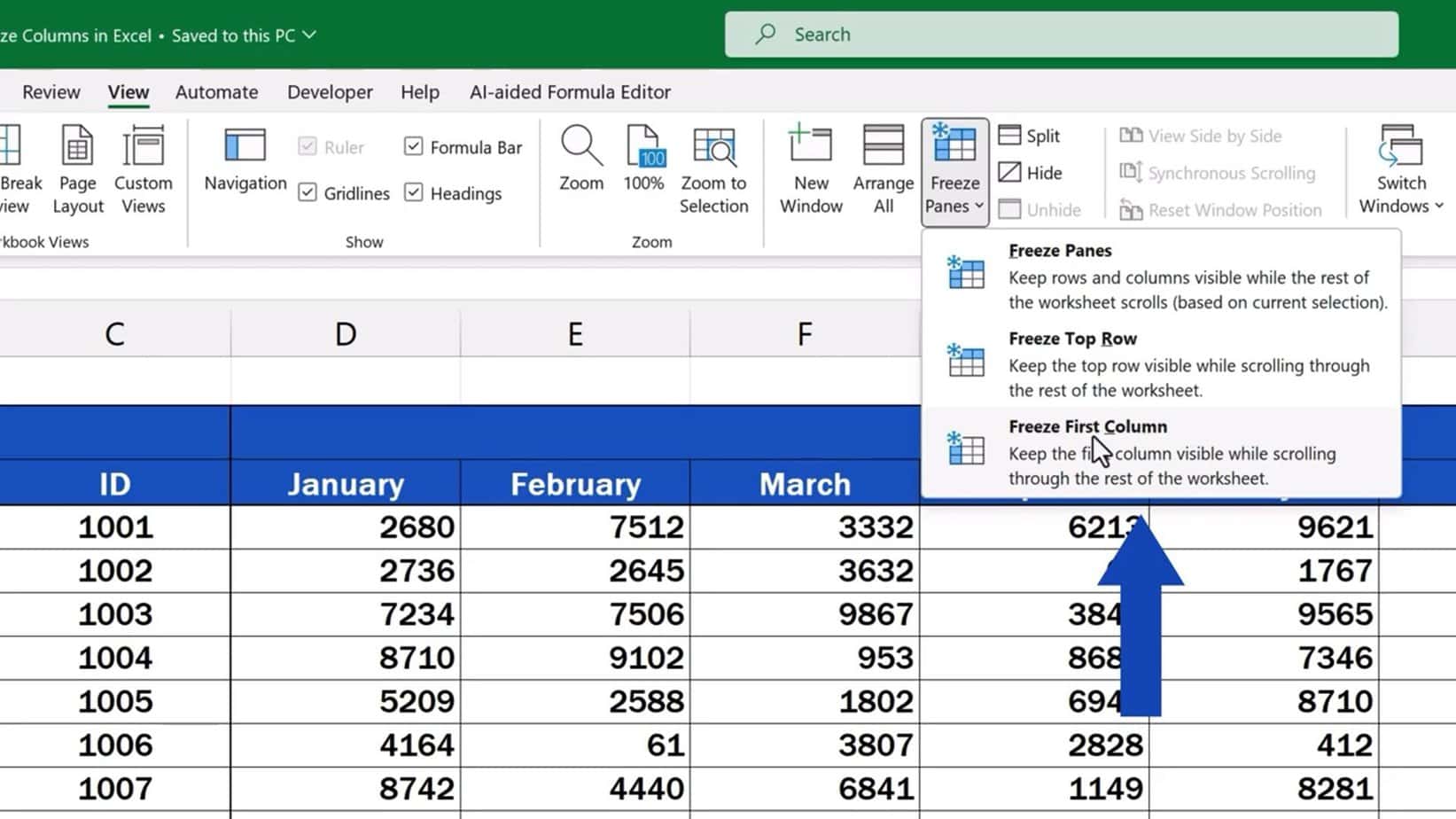
Freeze Columns In Excel - Examples, Unfreeze, How to Use?
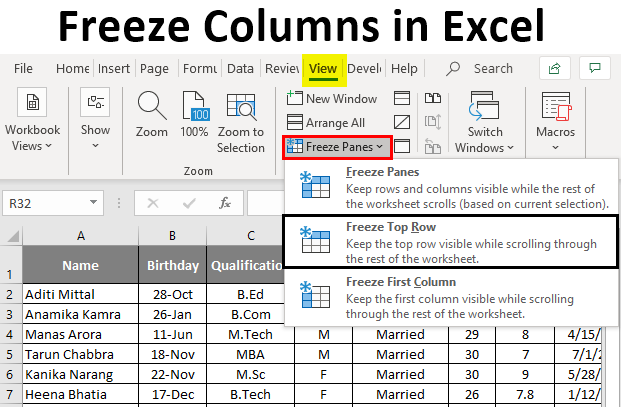
How to Freeze Columns in Excel (A Single or Multiple Columns ...
How to freeze columns in Excel: easy step by step guide
How to Freeze Columns in Excel (A Single or Multiple Columns) - YouTube
Freeze Columns In Excel - Examples, Unfreeze, How to Use?
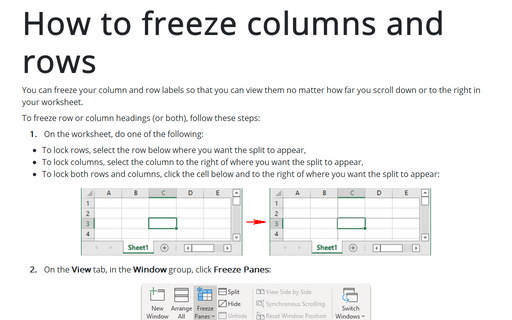
How to freeze rows and columns in Excel
Excel Tutorial: How To Freeze 3 Columns In Excel – DashboardsEXCEL.com
How to Freeze First 3 Columns in Excel (4 Quick Ways) | Excel shortcuts ...
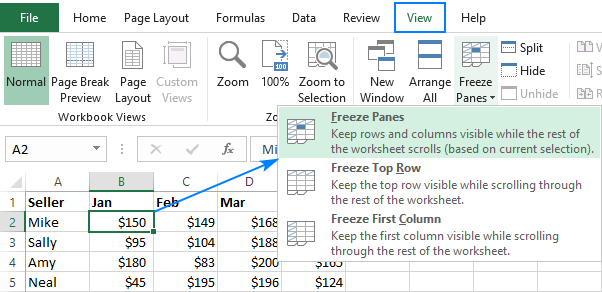
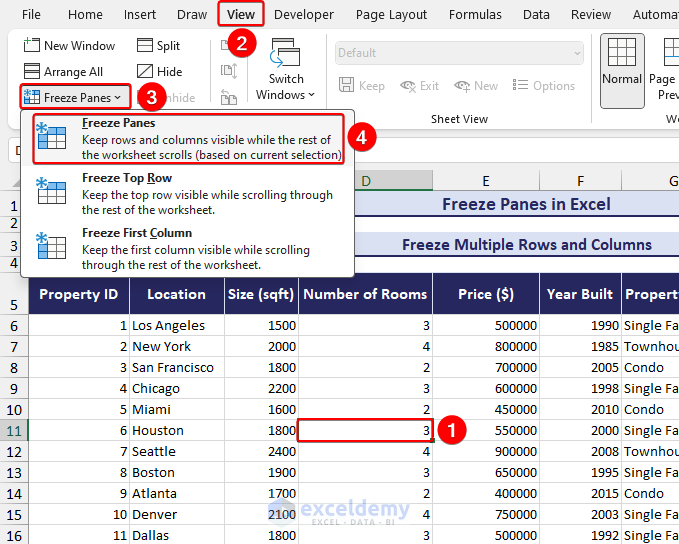
How to Freeze First 3 Columns in Excel (4 Quick Ways) - ExcelDemy
Freeze Rows and Columns in Excel (With Examples)
How To Freeze Pane 3 Columns In Excel at Hector Dwight blog
How to Freeze Top 3 Rows in Excel (3 Methods) - ExcelDemy
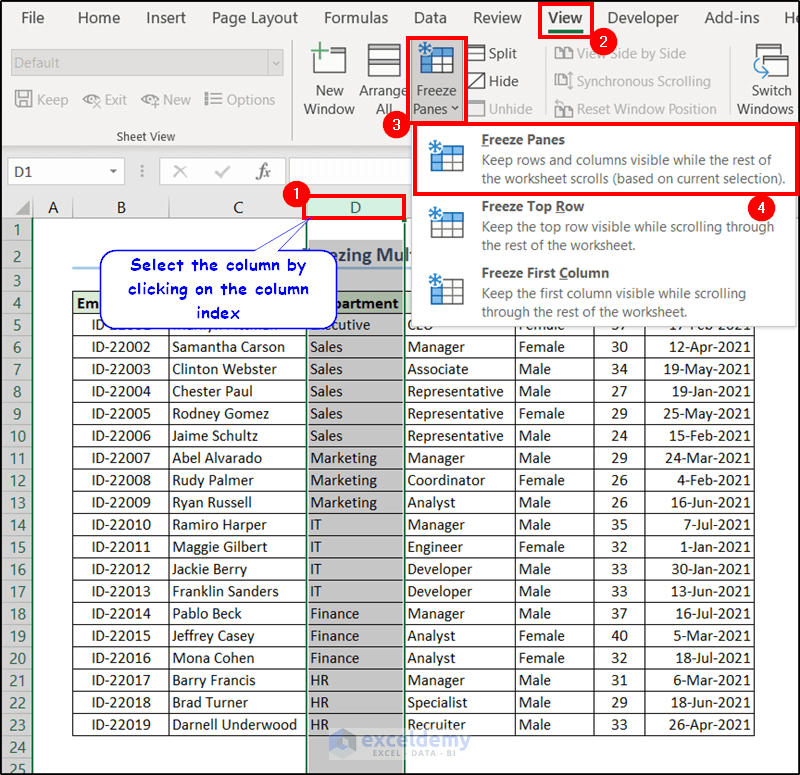
How to Freeze First 3 Columns in Excel (4 Quick Ways) - ExcelDemy
How To Freeze Pane 3 Columns In Excel at Hector Dwight blog
How To Freeze Column In Excel For Printing at NETBRIDGETBLOG Blog
How to Freeze First and Multiple Columns in Excel
How to freeze columns and rows - Microsoft Excel 365
Freeze Columns In Excel Pivot Table at Samuel Skeyhill blog
Freeze Top Row And Third Column In Excel - Infoupdate.org
How To Freeze Pane 3 Columns In Excel at Hector Dwight blog
Column Freeze - Learn How to Freeze Columns in Excel | Educba
How To Freeze Top Row And First Three Columns In Excel - Infoupdate.org
How to Freeze First 3 Columns in Excel (4 Quick Ways) - ExcelDemy
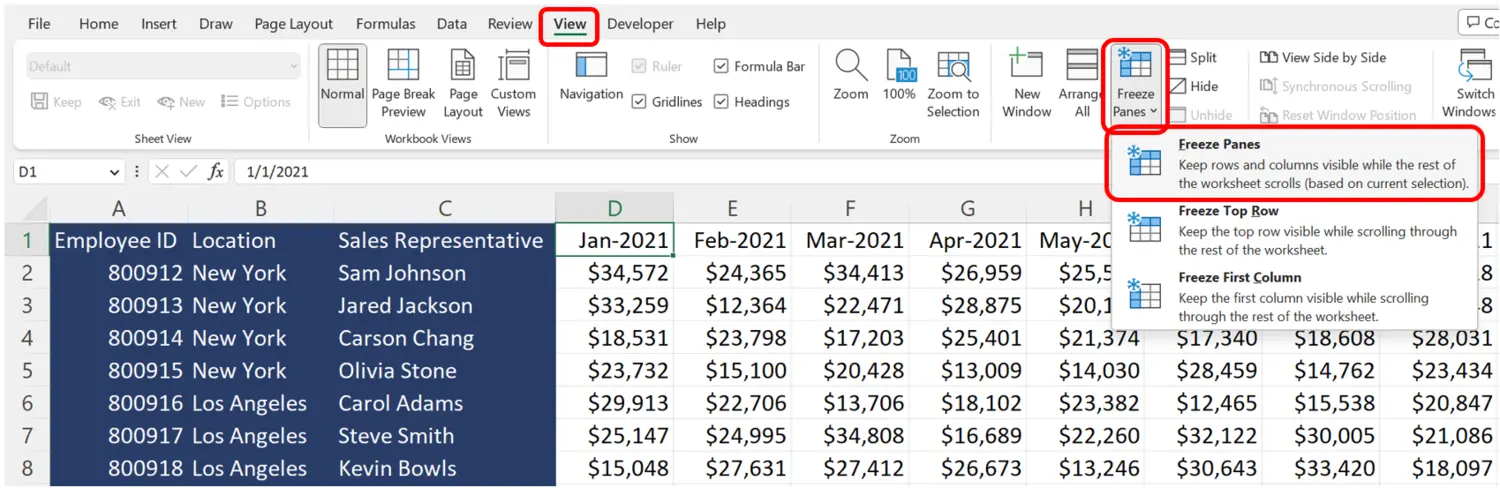
How to Freeze Rows and Columns in Excel (Step-by-Step Tutorial)
A Comprehensive Guide on How to Freeze Selected Columns in Excel - Earn ...
How to Freeze First 3 Columns in Excel (4 Quick Ways) - ExcelDemy
Excel Tutorial: How To Freeze First 3 Columns In Excel ...
How to Freeze Rows and Columns in Excel
How to Freeze Rows and Columns in Excel | Excel tutorials, Excel, Excel ...

You can also use the images to explain the idea to someone else, which prevents most of the usual misunderstandings.

Closer Looks at the Examples

Beyond the first impression, each image contains useful details, paying attention to textures, proportions, colors, and how things are arranged.

The images you linger on will shape your understanding most, so choose the closest matches and examine those thoroughly.

Pictures Explain Faster Than Words

Visual search exists because the human brain processes pictures instantly, a real example eliminates the gap between description and reality.

That is the strength of having many examples side by side, whether you need inspiration, confirmation, or a clearer definition of what you want.

Keep Exploring the Collection

Whenever How To Freeze 3 Columns comes up again, these images will be here, as your preferences may shift the second time you look.

The more examples you absorb, the sharper your eye becomes, so scroll back up and give the collection another look.