Tutorial Python

Paso 3 INSTALAMOS PYTHON CON WINDOWS Una vez termine la instalación , abrimos Windows, escribimos cmd y enter. Al escribir: python --version, veremos que versión se instaló. Y al escribir python solo entraremos a su línea de comando.
This document provides an overview of Google Colab and how it can be used for deep learning and Python programming. It discusses how Colab provides free GPU access in the cloud and can be connected to Google Drive. It also demonstrates how to set up a Colab notebook, access files from Drive, clone GitHub repos, check the GPU status, and restart sessions. The document is a classroom ...
Google colab introduction

Google Colab is a free Jupyter notebook environment that allows users to write and execute Python code in their browser, with free access to GPUs. It offers programmers the ability to write and execute Python code, document notebooks with mathematical equations, import and export notebooks to Google Drive and GitHub, integrate popular machine learning libraries like TensorFlow and PyTorch, and ...
This document discusses using Google Colab for Python programming. It explains that Google Colab allows for collaboration and runs code on Google servers without needing to install anything. Notebooks are saved to the user's Google Drive account. The document then provides steps for creating folders and notebooks in Google Drive, setting the runtime to use GPU hardware acceleration, opening ...

Google colab get started
This document provides instructions for using Google Colab notebooks. It outlines steps to open a new notebook, rename it, write and execute Python code. It also describes how to add and delete code cells, as well as change the execution order of cells by moving them up or down. - Download as a PPTX , PDF or view online for free
OBJETIVOS DE LA CLASE • Entender qué es Python y por qué usarlo. • Conocer Google Colab y su funcionamiento. • Aprender los fundamentos de Python (variables, operaciones, condicionales). • Aplicar conceptos en ejercicios prácticos.

Introduction to Google Colab and Python
Week4_01_ Introdcution to Google Colab - Free download as Powerpoint Presentation (.ppt / . pptx ), PDF File (.pdf), Text File (.txt) or view presentation slides online. Google Colab is a free cloud-based Jupyter notebook environment that allows users to write and execute Python code, collaborate in real-time, and utilize popular machine learning libraries. It supports various functionalities ...
Once you got the code, it should be using the python - pptx library Then, go to the bottom line and paste code below that you got from ChatGPT. If it works, it shall save in the "Files" tab, where you can right click the pptx , and download it.

Google Colab
Introduction to Google Colab - Free download as Powerpoint Presentation (.ppt / . pptx ), PDF File (.pdf), Text File (.txt) or view presentation slides online. Google Colab is a cloud-based Jupyter Notebook environment that allows users to run Python code for free, with access to GPUs and TPUs. It offers features such as integration with Google Drive, collaborative coding, and basic operations ...

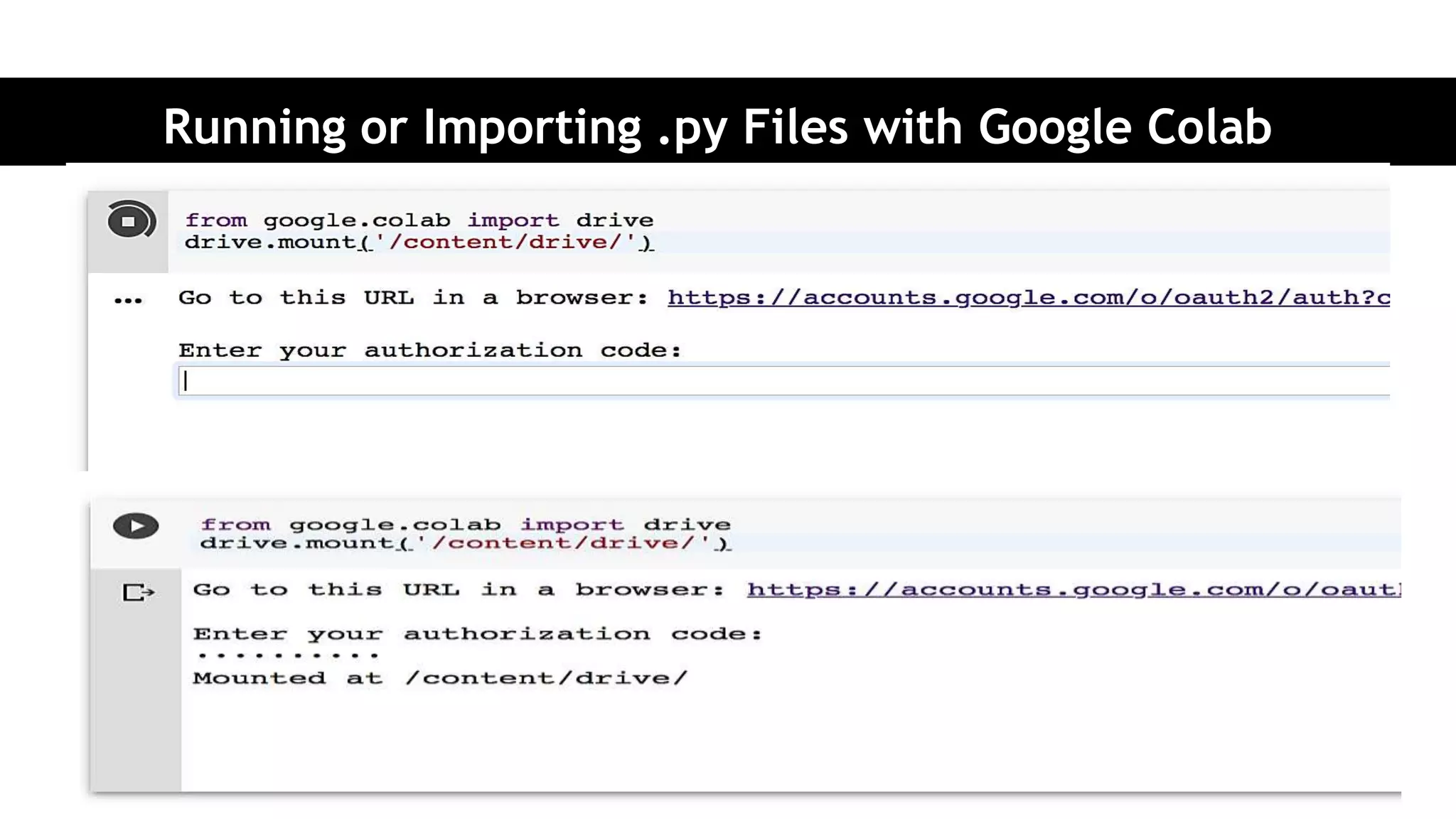


Esto lo haremos principalmente en el lenguaje de programación Python usando notebooks de Google Colab (cuadernos de código como este que estás leyendo). A continuación, comenzaremos con una breve introducción sobre Python y el uso básico de esta herramienta. ¿Qué es programar?