Featured Article

Keyboard Shortcut For Magnifier Mac with Kevin Thompson blog

Kevin Thompson Nov 13, 2026

Looking for Keyboard Shortcut For Magnifier Mac? Here It Is
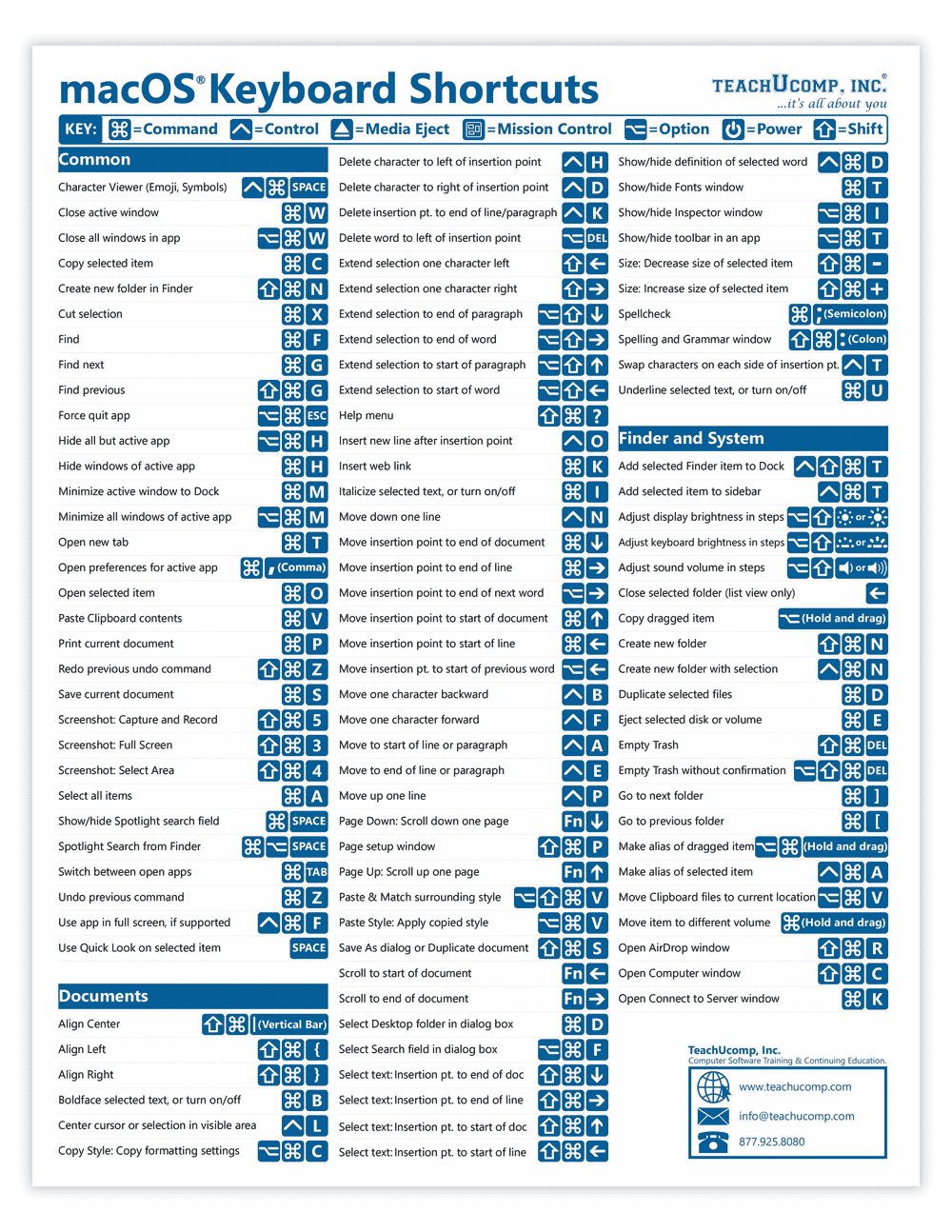
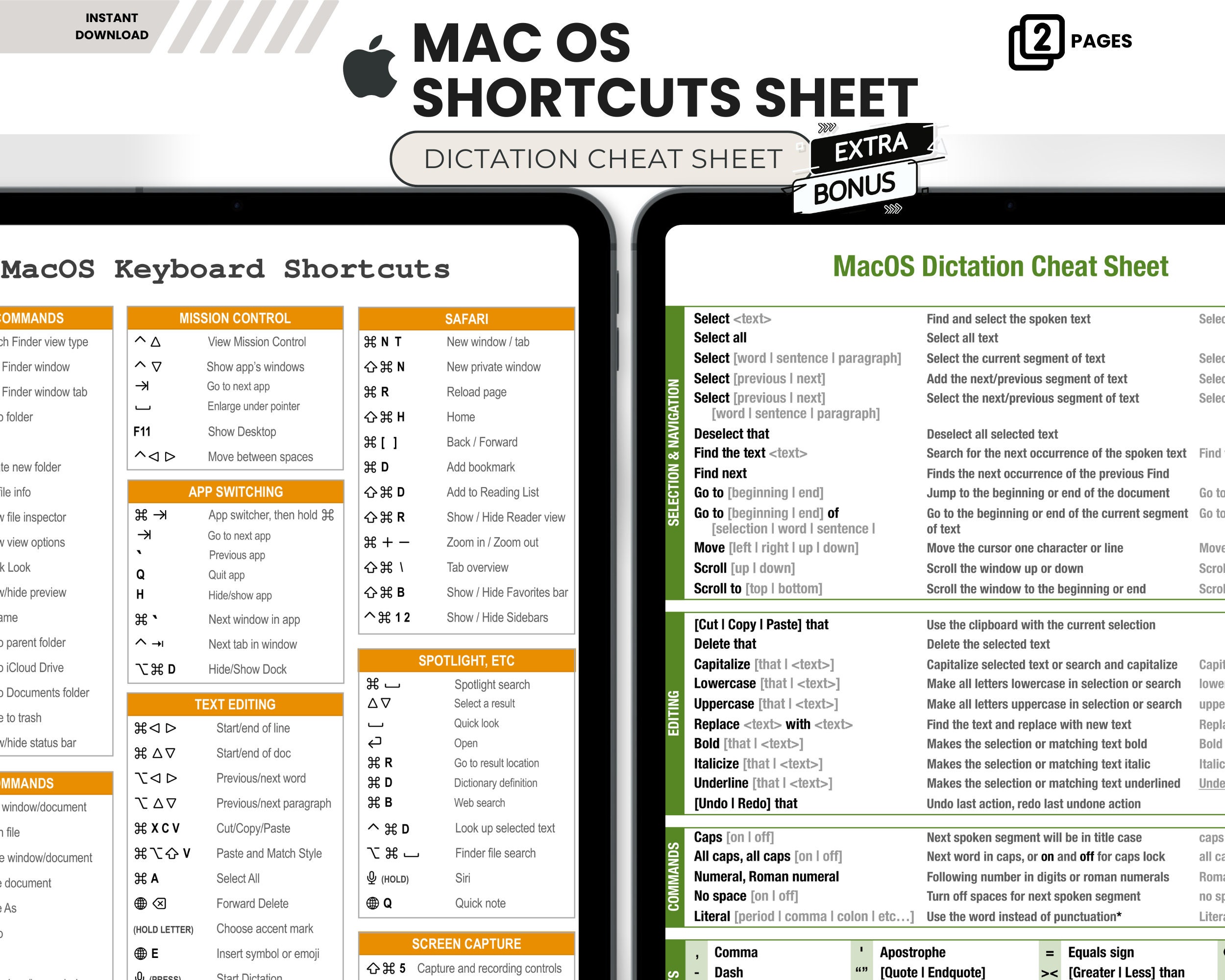
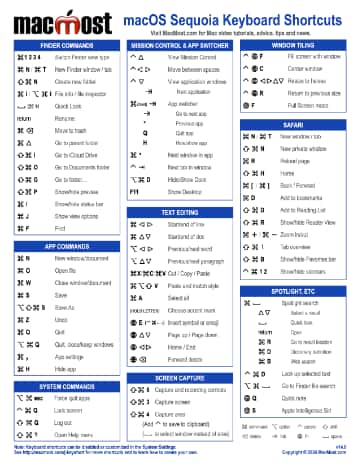
macOS Keyboard Shortcuts Quick Reference Guide

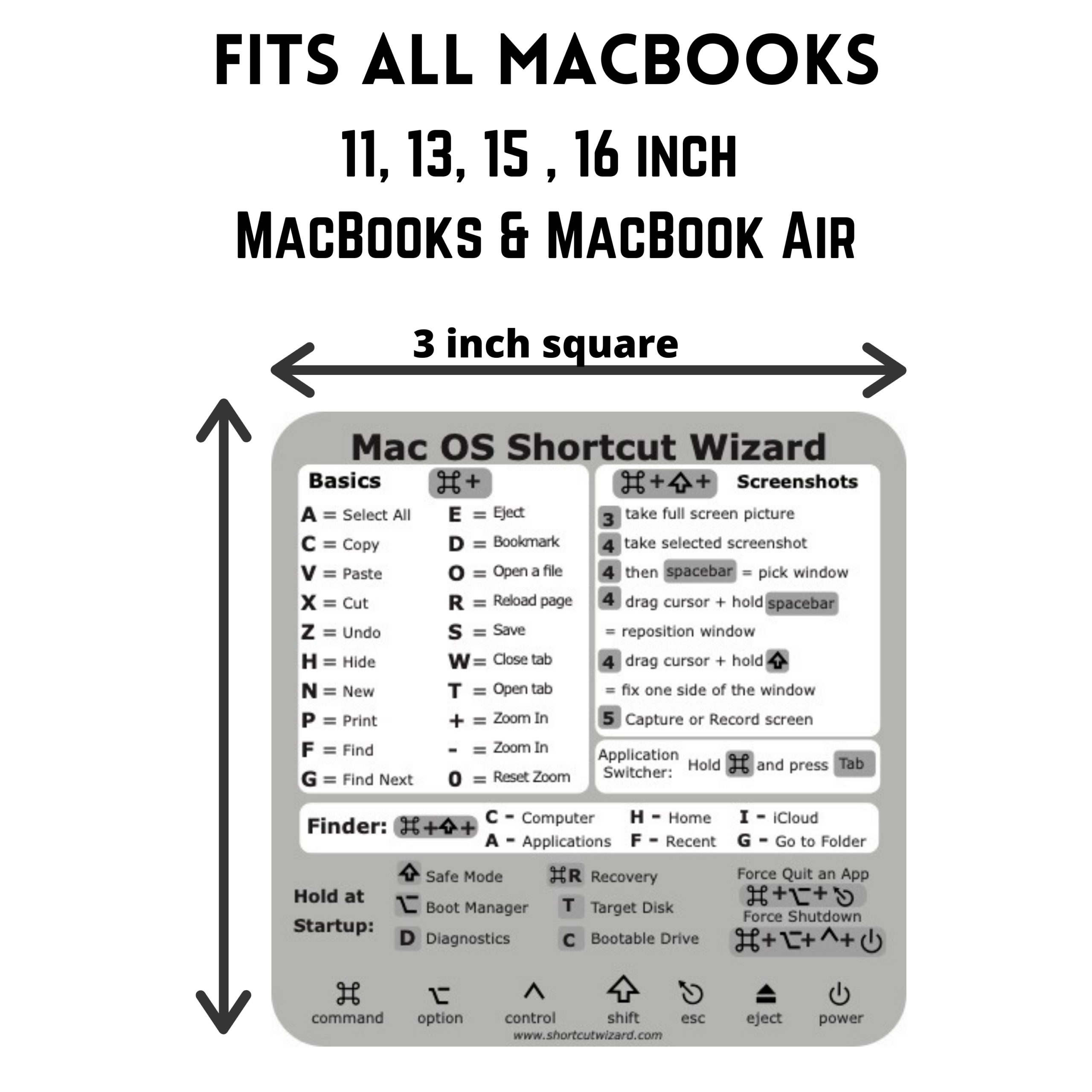
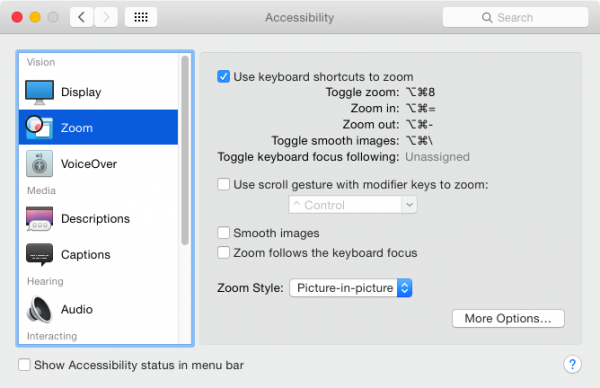
Since you are searching for Keyboard Shortcut For Magnifier Mac, this page was made for you, supported by a wide range of real example pictures for reference.

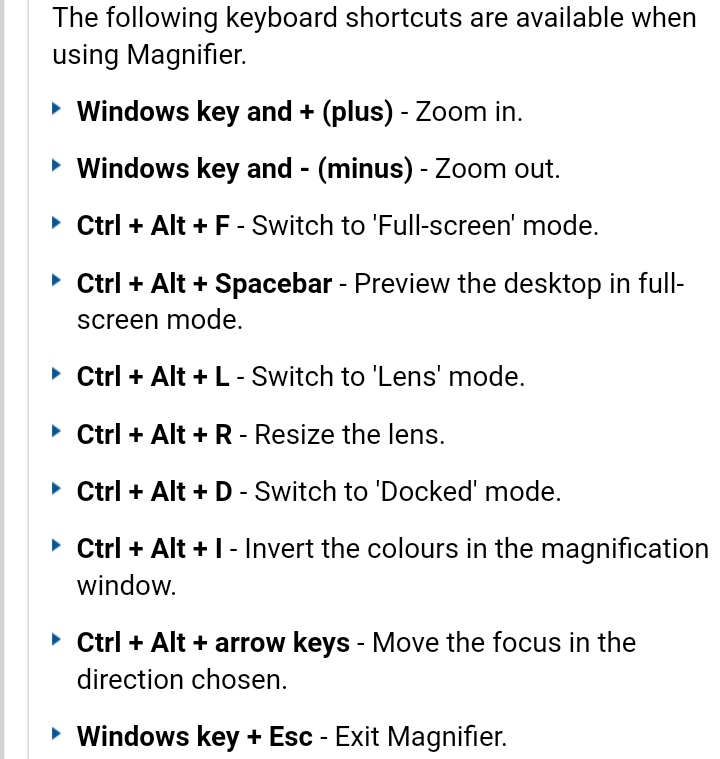
How to Use the Windows 10 Magnifier Feature?

Text can only take your search so far, so looking at real examples explains far more than any description can.

Example Images of Keyboard Shortcut For Magnifier Mac
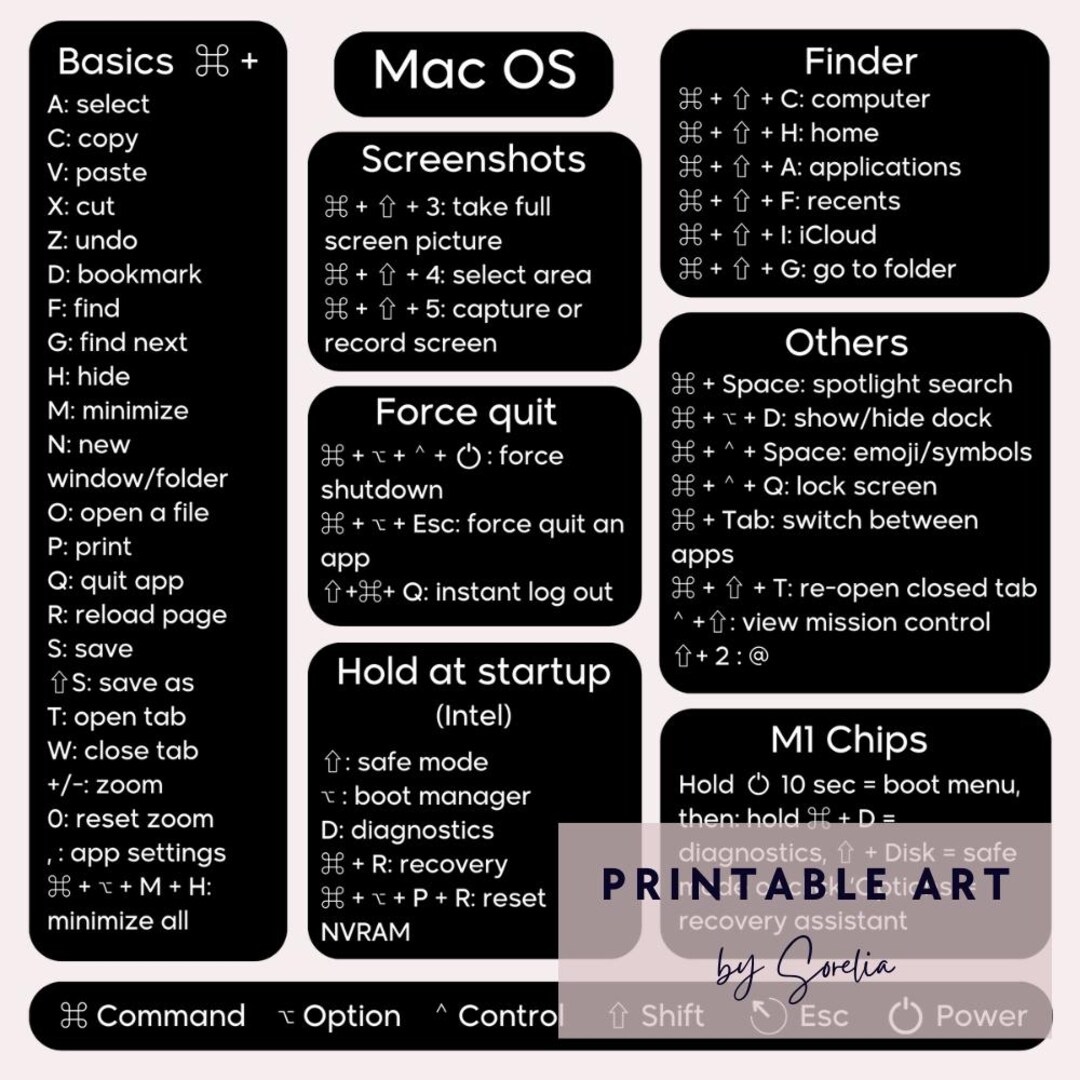
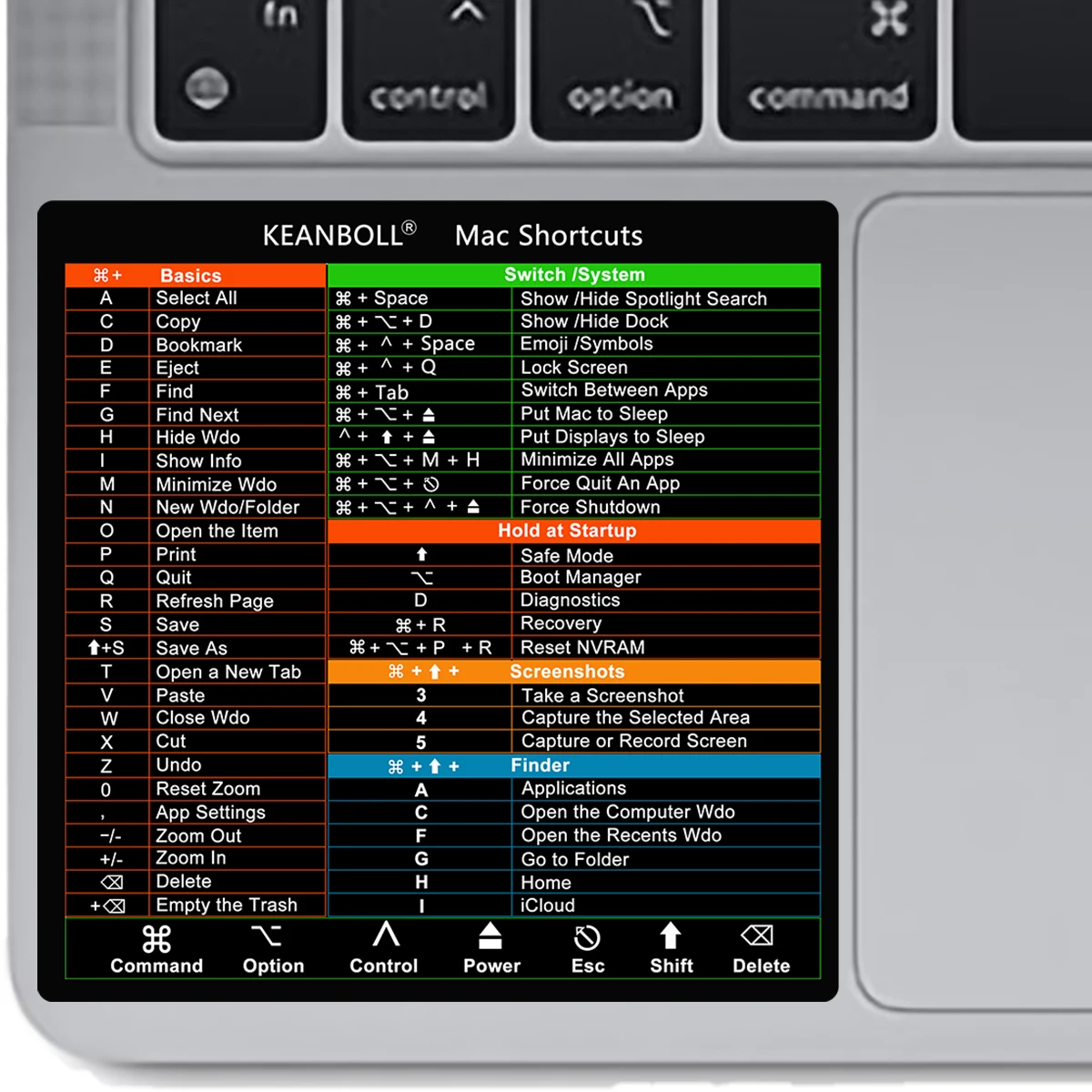
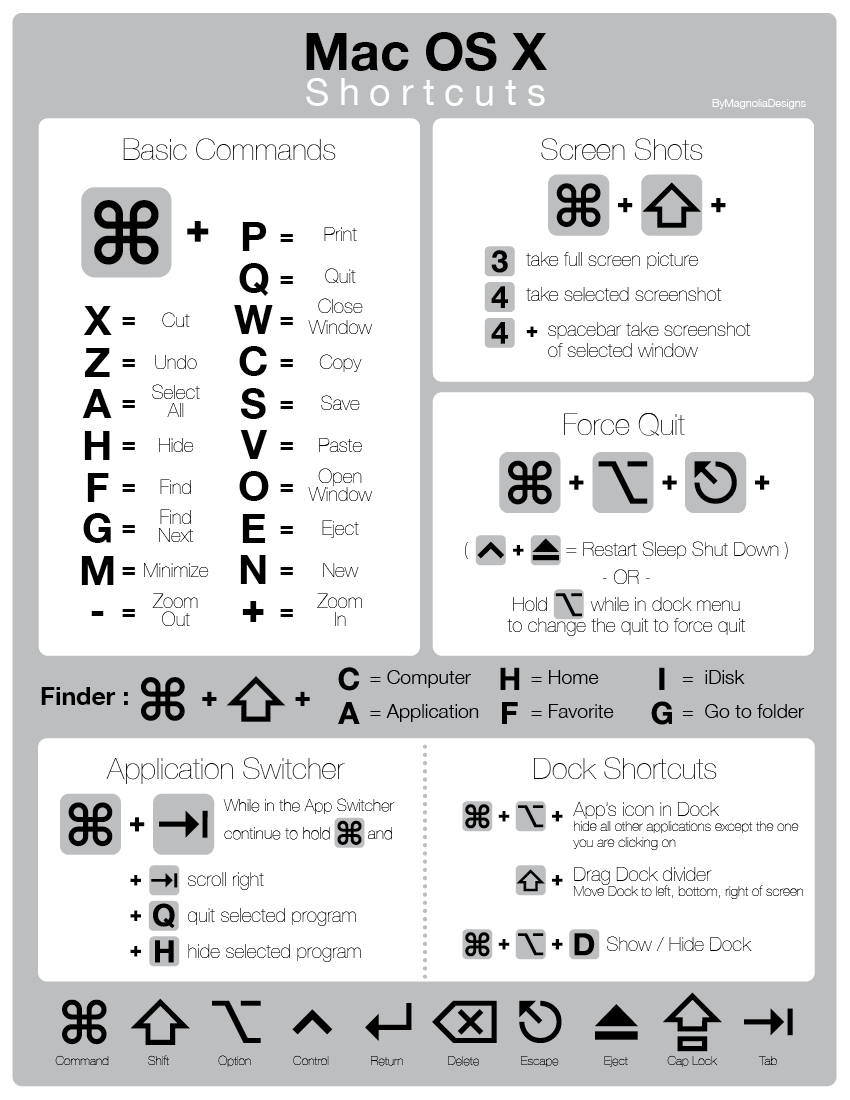
Black Mac OS Keyboard Shortcuts Guide Printable for MacBook Air/pro, M1 ...

Each picture captures Keyboard Shortcut For Magnifier Mac from a different angle or context, and you will quickly see how much variety exists.

Scroll slowly and let each image register, and repeated details across images reveal what truly matters.
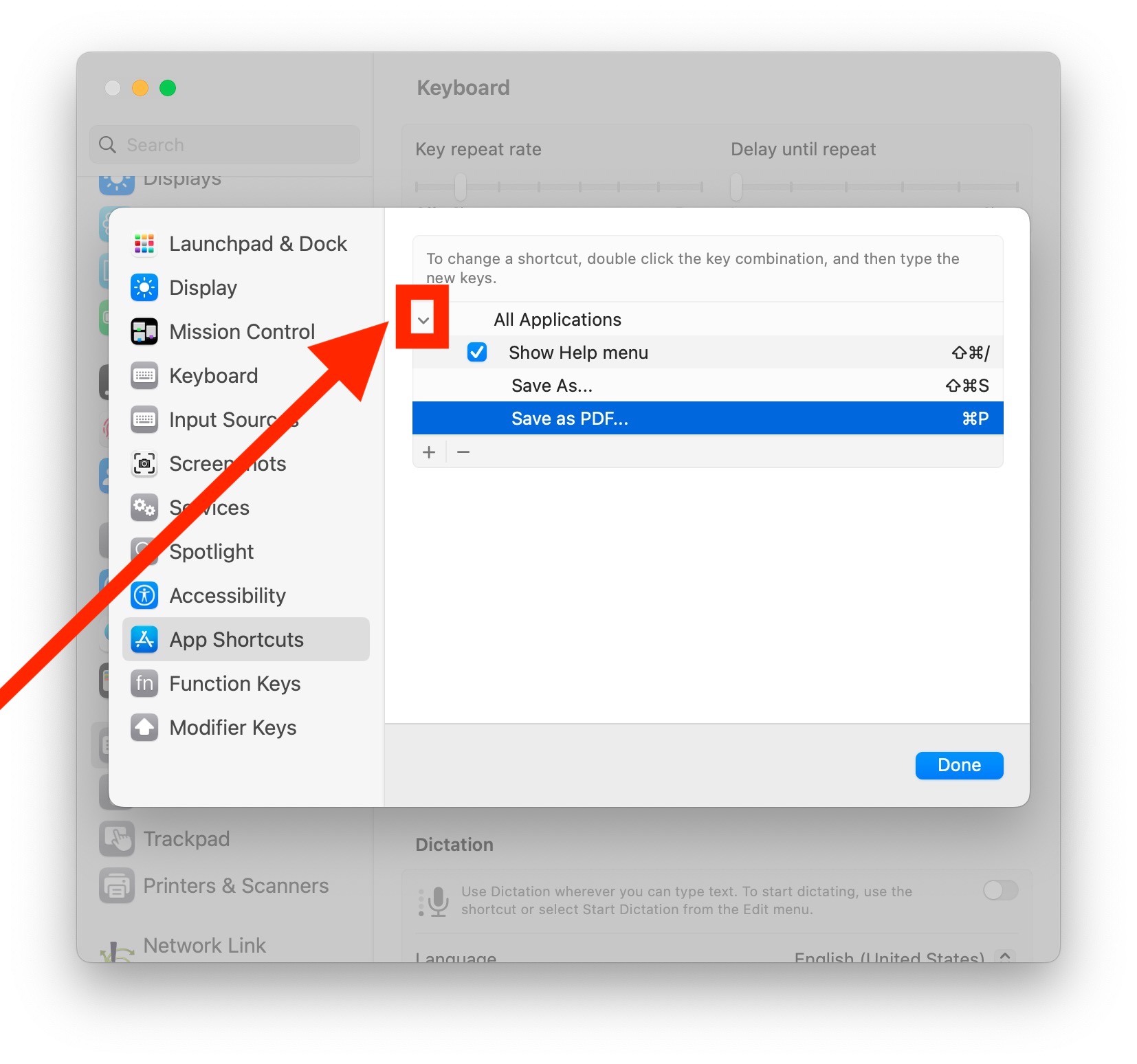
How to See Keyboard Shortcuts in macOS Sonoma & Ventura - OS X Daily

What the Images Can Show You

Every photo tells you something a description would miss, making it much easier to judge what fits your needs.

Notice which details stay consistent across the pictures, and these shared traits are your best guide.

How to magnify the screen in macOS 11 Big Sur | AbilityNet

All the Different Looks of Keyboard Shortcut For Magnifier Mac

The differences between examples are part of what makes browsing useful, some are simple and minimal, others are bold and detailed, so studying the range helps you identify which style suits you best.

A strong reaction to one example is always useful information, and it often matches what you will want in the end.
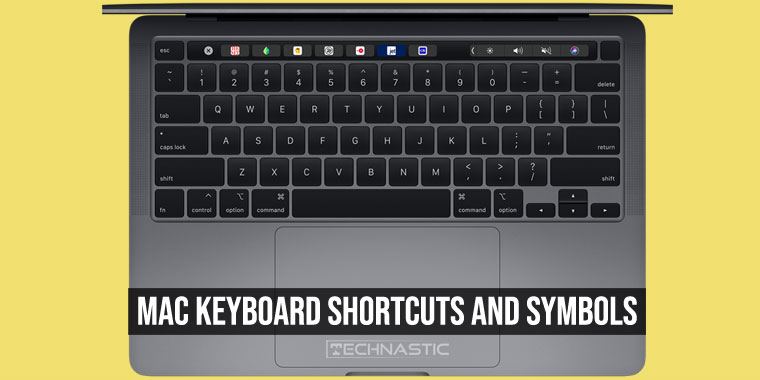
MAC OS X Archives - Technastic

Making the Most of the Gallery

Treat the gallery as a practical tool rather than decoration, like marking the images that match your idea.

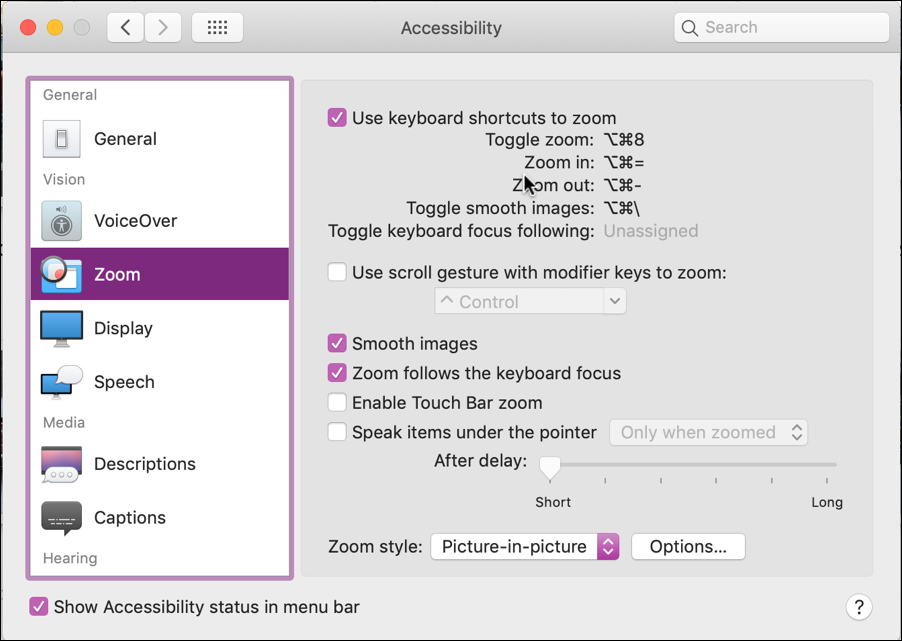
Mac Magnifier Keyboard Shortcut at Jesse Gisborne blog
How to Zoom Your Mac Screen: Magnifier or Full Screen - La De Du
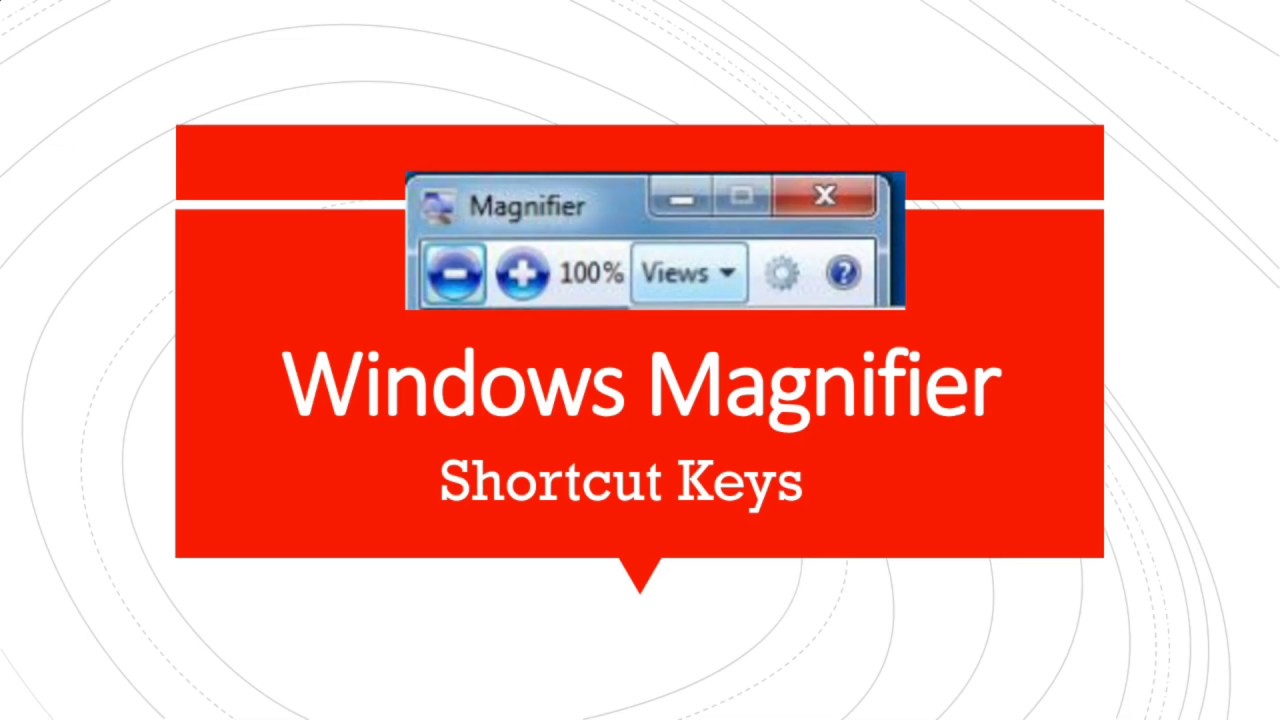
Windows 10 build 16184 (and earlier) for PC: Everything you need to ...
Apple Shortcuts Mac OS Keyboard Shortcuts Mac OS Shortcuts Mac Keyboard ...
Printable Macbook Keyboard Shortcuts
How To Use Zoom, Apple's Built-in Screen Magnifier
List of 65 Most Useful Mac Keyboard Shortcuts - Dr.Buho
Mac Shortcut Sticker for MacBook | Mac shortcuts cheat sheets, Mac ...
Mac Shortcuts Cheat Sheet: Printable Mac Keyboard Poster, Mac Keyboard ...
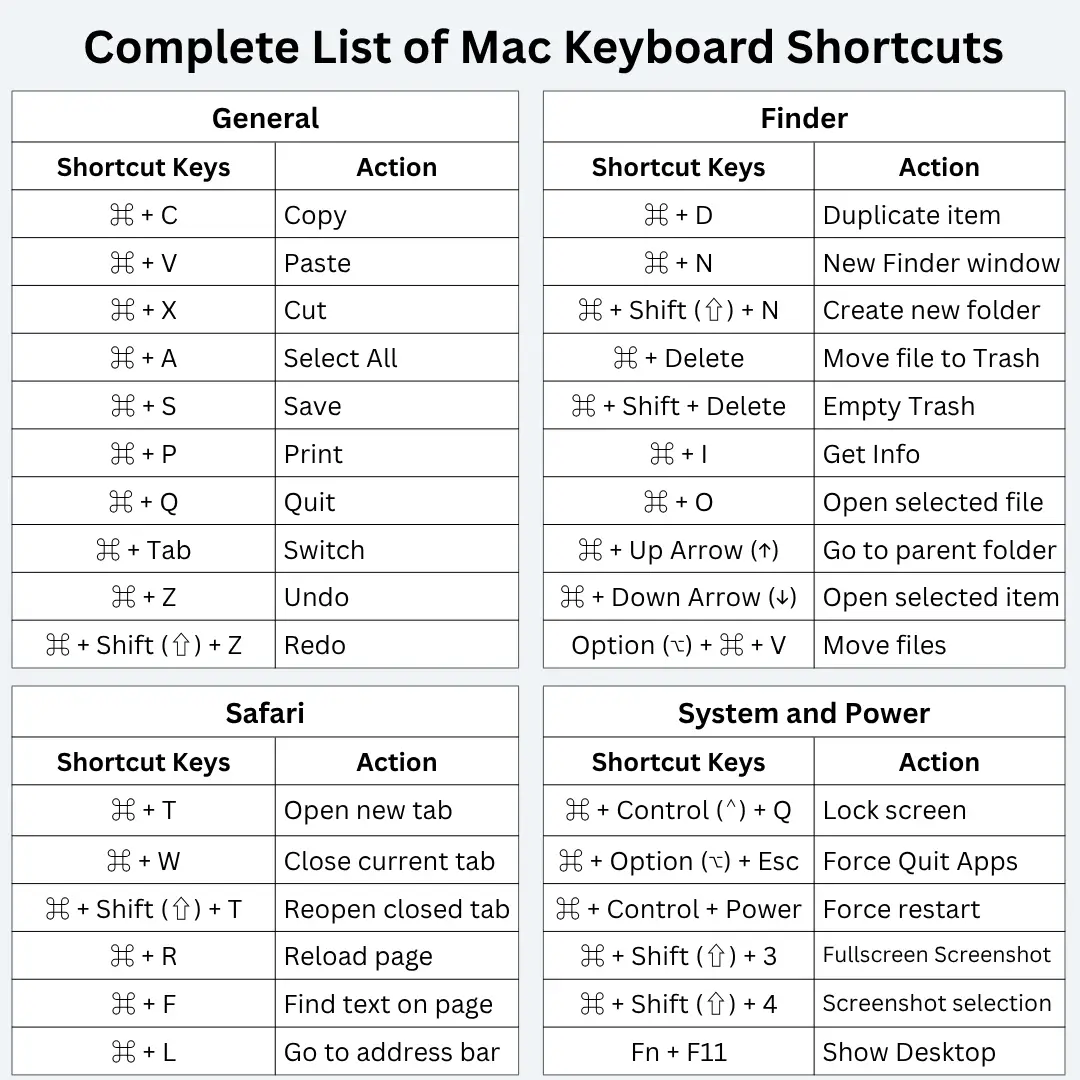
Complete List of Mac Keyboard Shortcuts + Free PDF
SYNERLOGIC Mac OS Reference Keyboard Shortcut Sticker - Universal for ...
Mac Magnifier Keyboard Shortcut at Jesse Gisborne blog
2 PCS Mac OS Keyboard Shortcuts, M1/M2/M3/ Intel Laptop PVC Keyboard ...
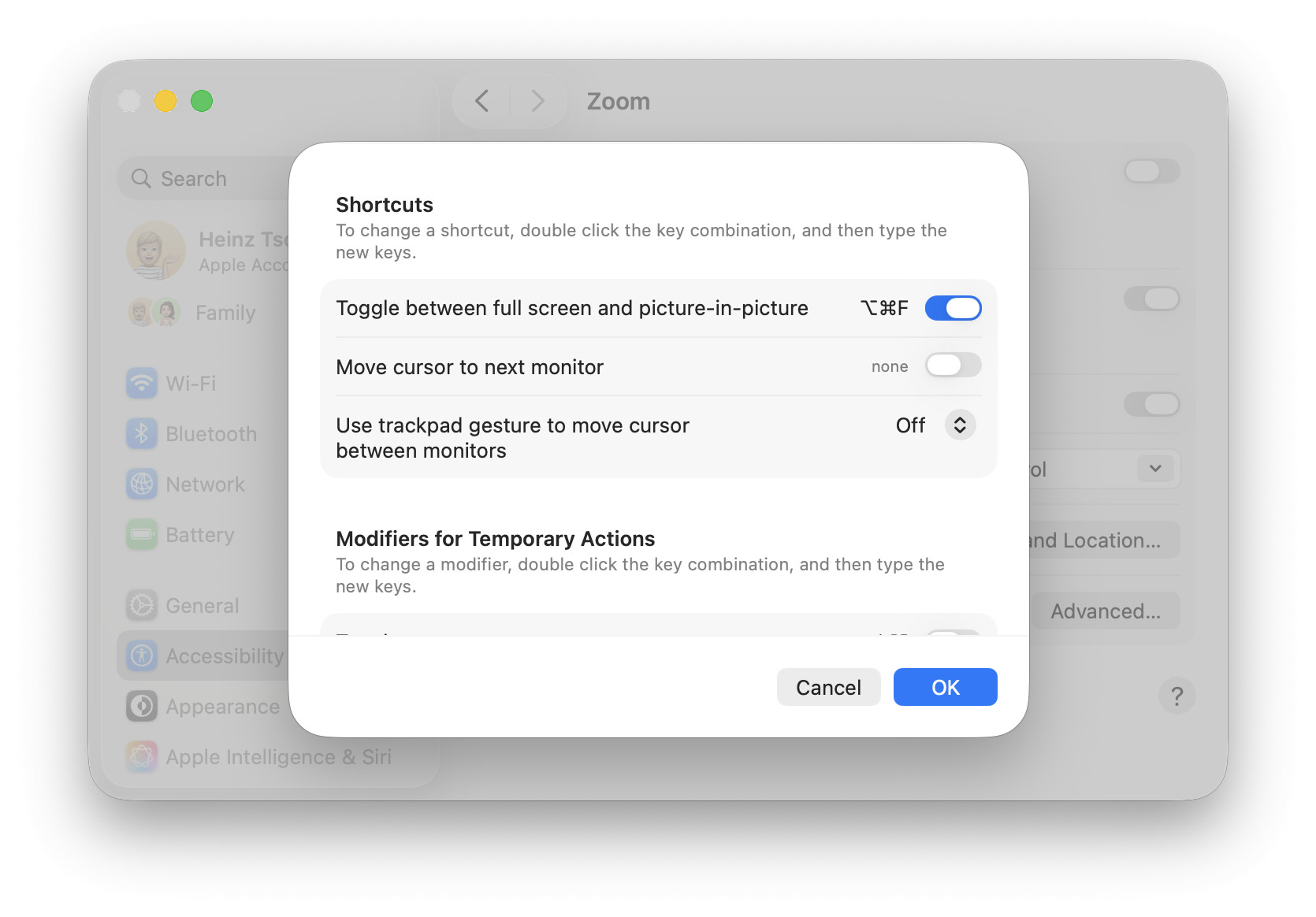
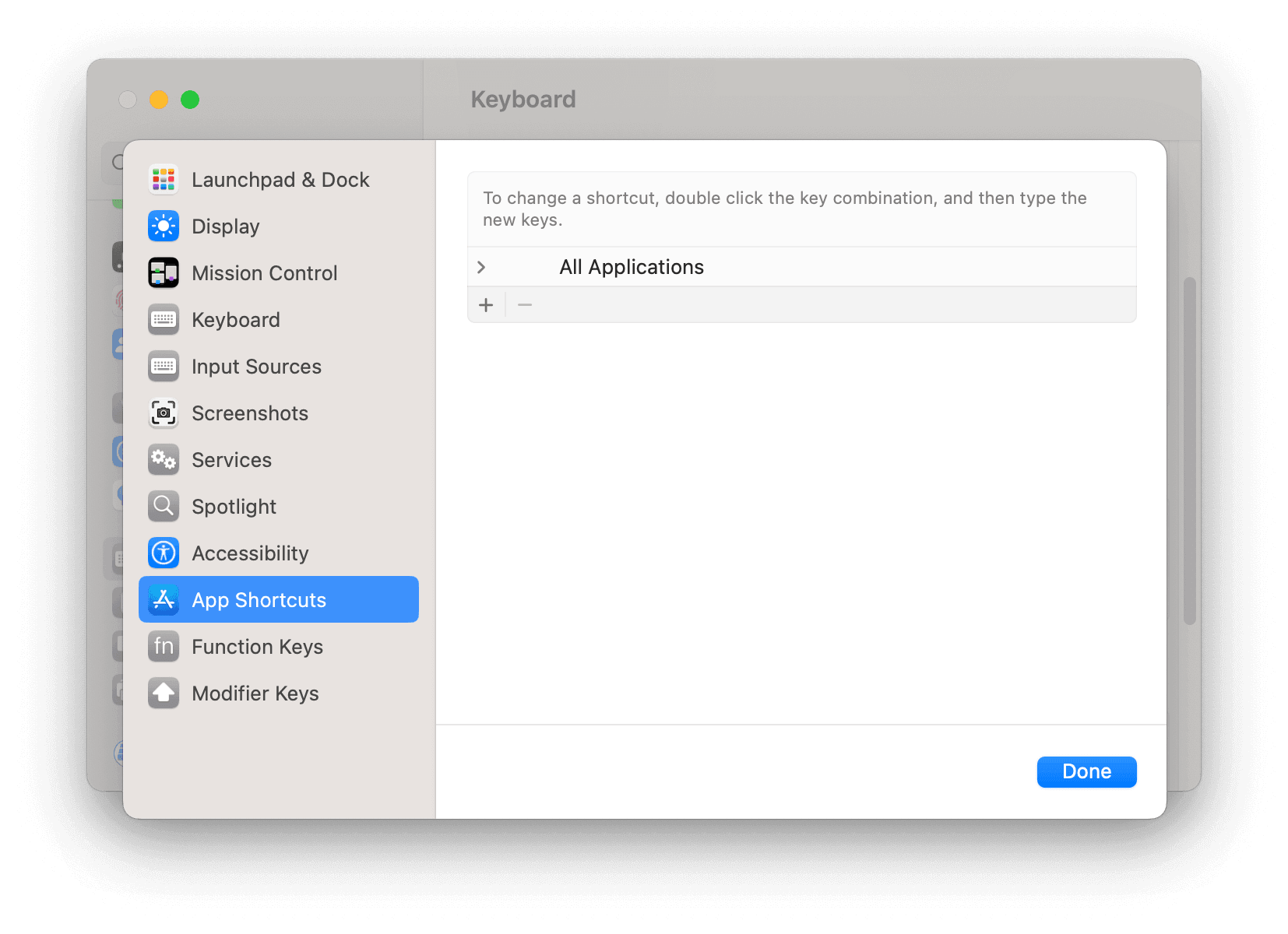
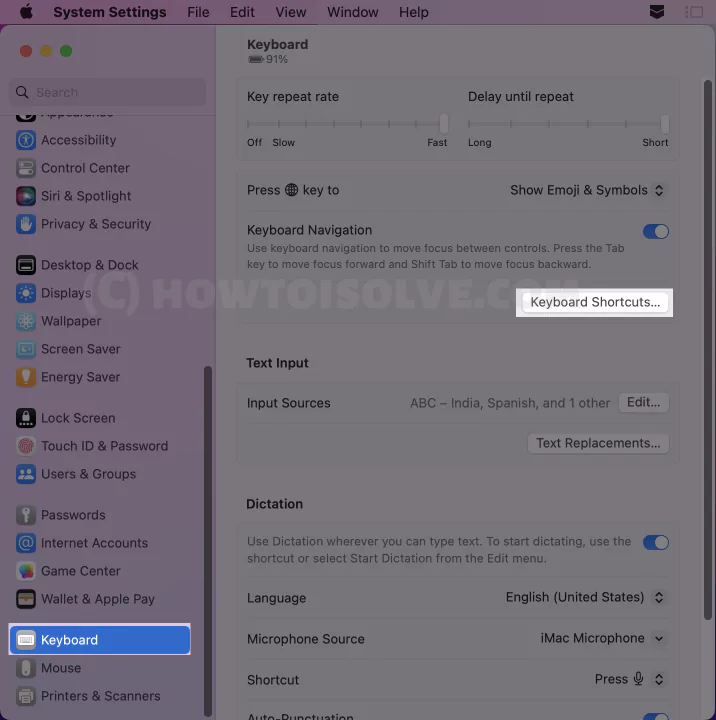
Keyboard Settings on Mac Sonoma that you Must Know
Club MacMost Exclusive: 10 New Features of macOS 15.4
Magnifier Keyboard Shortcuts | How to use Magnifier reading – YEFW
How to Change the Magnifier Reading Keyboard Shortcut in Windows 11 ...
Windows Magnifier Keyboard Shortcut at Mary Reilly blog
Windows 11 Magnifier Keyboard Shortcuts at Danica Jones blog
Printable Mac Keyboard Shortcuts
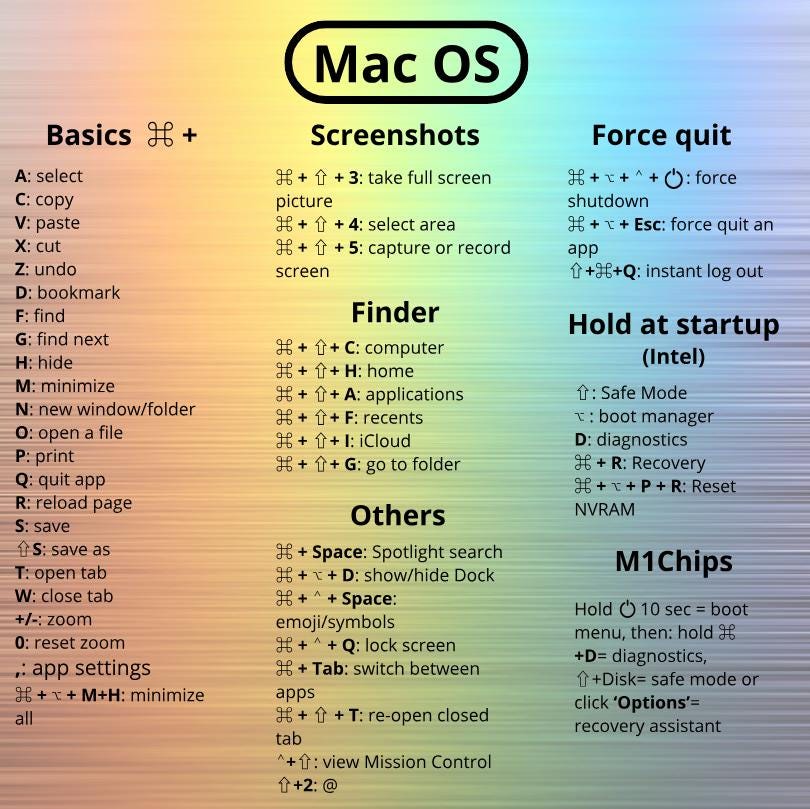
Rainbow Printable Mac OS Keyboard Shortcuts Guide M1/m2/m3/intel ...
Mac Magnifier Keyboard Shortcut at Jesse Gisborne blog
How to Use the Magnifier Tool on Windows, Mac, and Mobile | PCMag
The Ultimate Guide to Mac Keyboard Shortcuts 2026 (inc. PDF, Symbols ...
How to Magnify Your Screen Display

Visual references make it much easier to describe what you want, which prevents most of the usual misunderstandings.

Details Worth Zooming In On

The second viewing always reveals more than the first, such as positioning, scale, material feel, and overall balance.

Depth beats speed when it comes to visual learning, and let a few carefully chosen references guide your direction.

Why Visual References Work So Well

There is a simple reason image searches are so popular, a picture removes interpretation and shows the thing itself.

That is the strength of having many examples side by side, be it ideas, verification, or simply knowing what to call it.

Browse More Images Whenever You Need

Keep this gallery close for whenever the question resurfaces, and a fresh look at the same gallery often reveals something new.

Repeated exposure quietly builds real visual understanding, and each pass through the images adds to what you already know.