You Searched for Mac Os Installation Steps — Here It Is

You came here for Mac Os Installation Steps, and everything below is exactly that, supported by a wide range of real example pictures for reference.

Reading about something is one thing; seeing it is another, because one clear image can answer what paragraphs cannot.
Mac Os Installation Steps in Actual Pictures

This collection gathers all kinds of Mac Os Installation Steps in one scrollable view, giving you a fuller picture than any single example could.
Take your time moving through the collection, and repeated details across images reveal what truly matters.
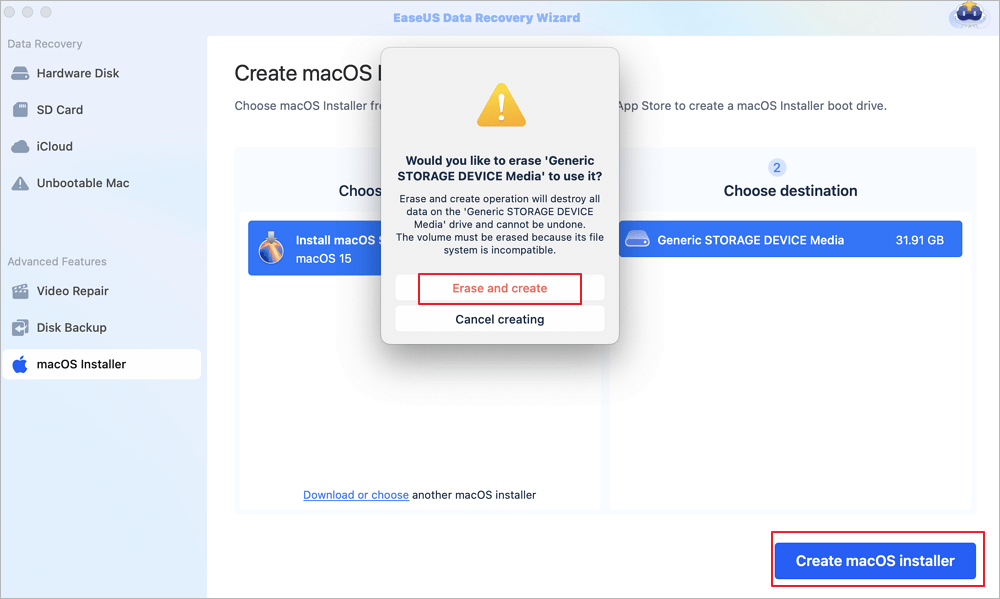
What the Images Can Show You
Think of each example as a visual definition, making it much easier to judge what fits your needs.
Compare a few examples and observe what repeats, and those repeated features are what make it recognizable.

Different Variations, Different Styles
There is a surprising range of styles and interpretations here, each one leans toward a slightly different taste, and that discovery is exactly what a reference gallery is for.
If one image catches your eye, pause on it and ask why, and it often matches what you will want in the end.

Turning Pictures Into Useful Reference
The collection works best when you do something with it, for instance, keeping a shortlist of your favorite pictures.


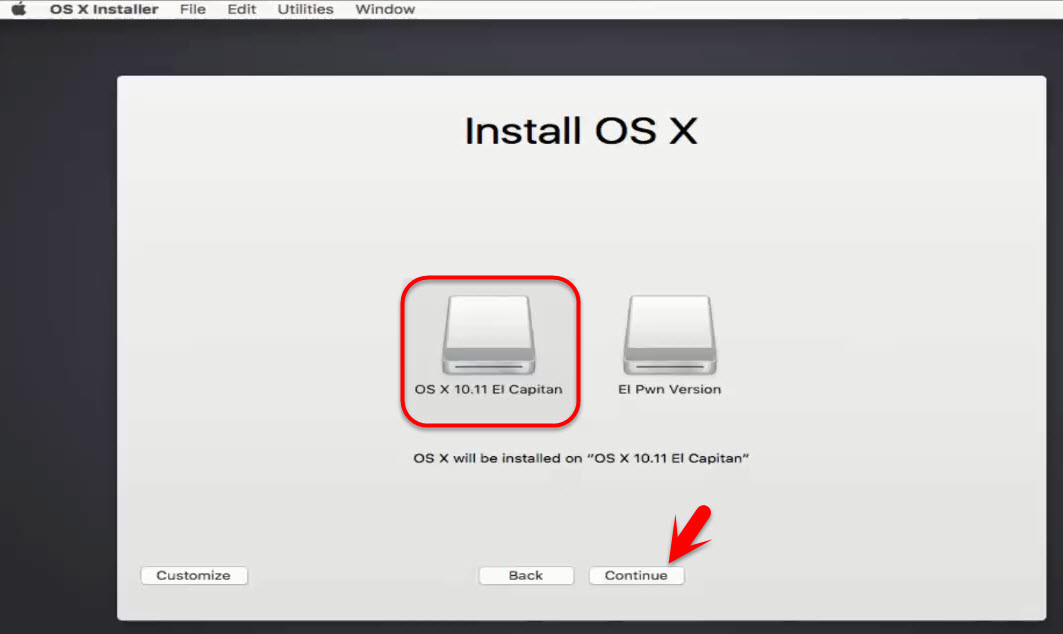

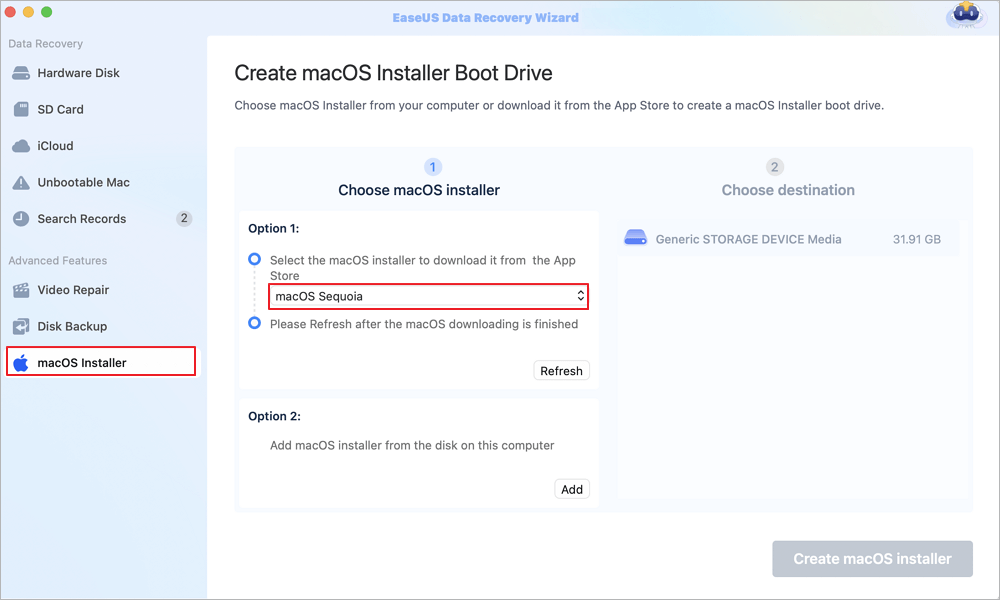
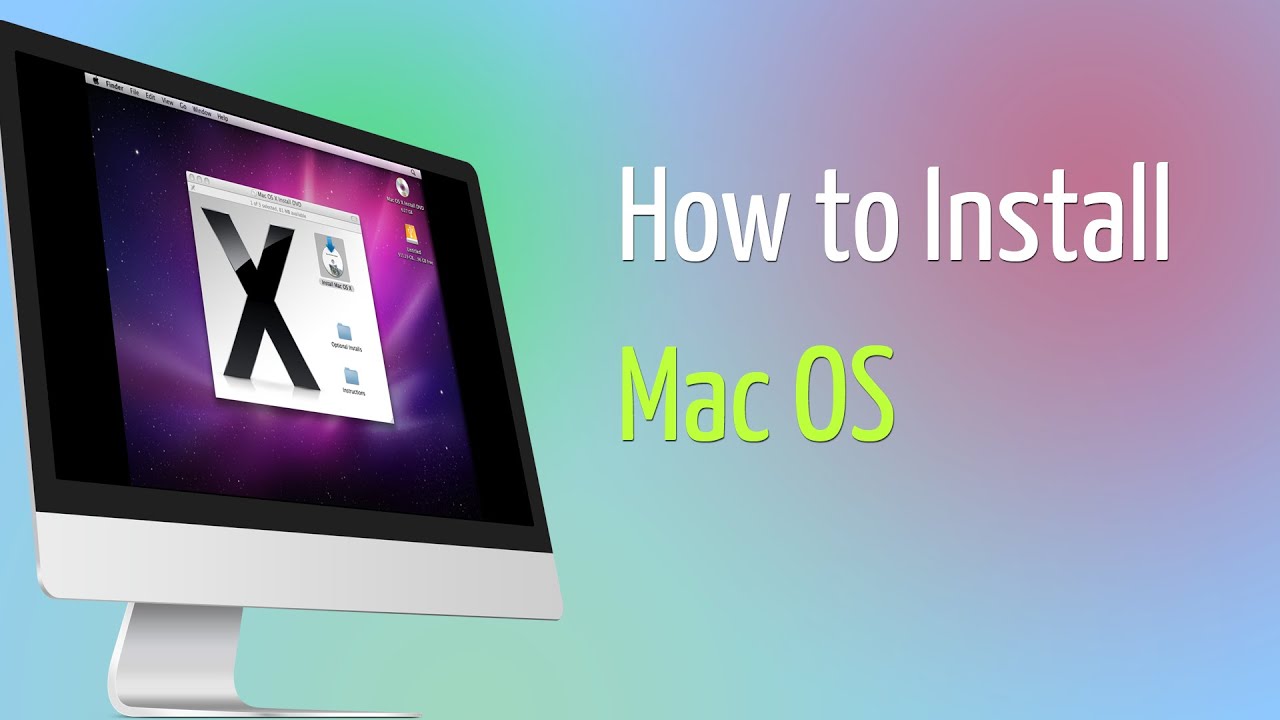


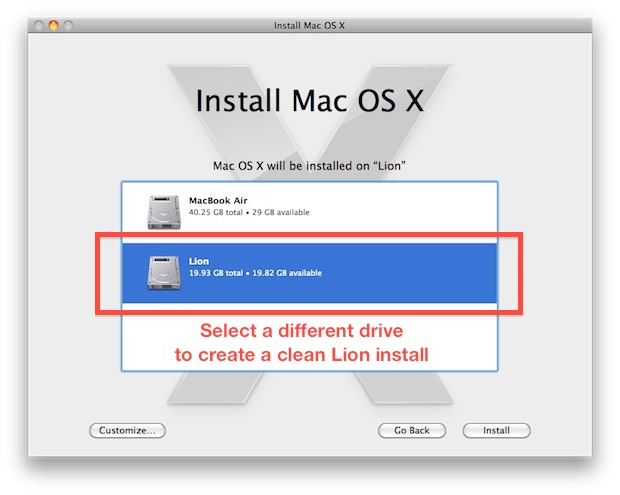

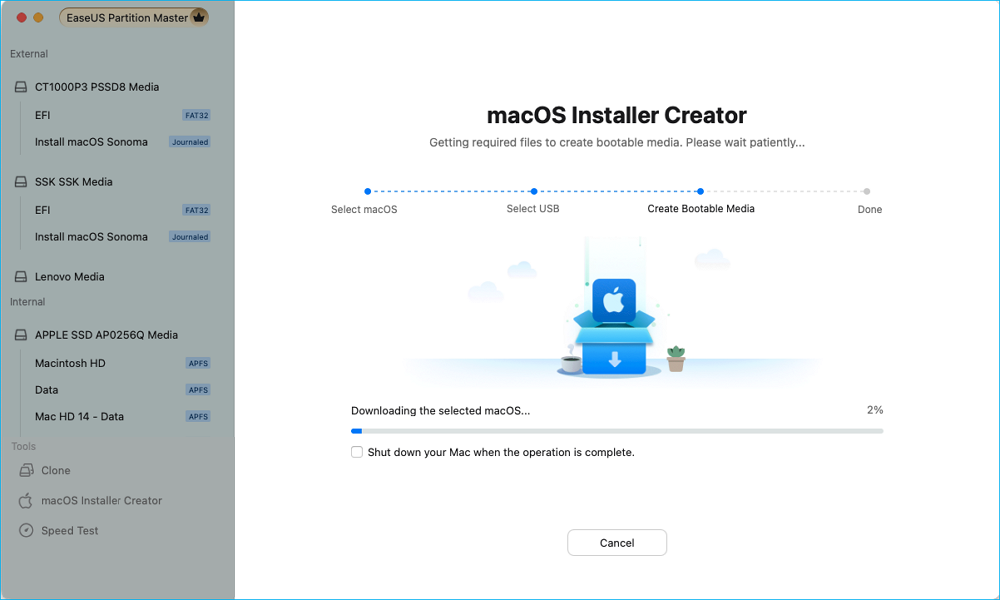
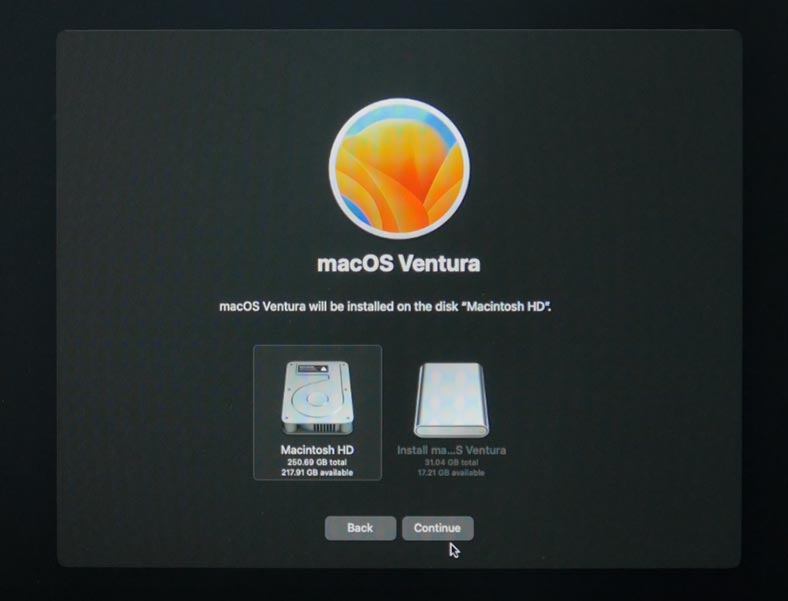

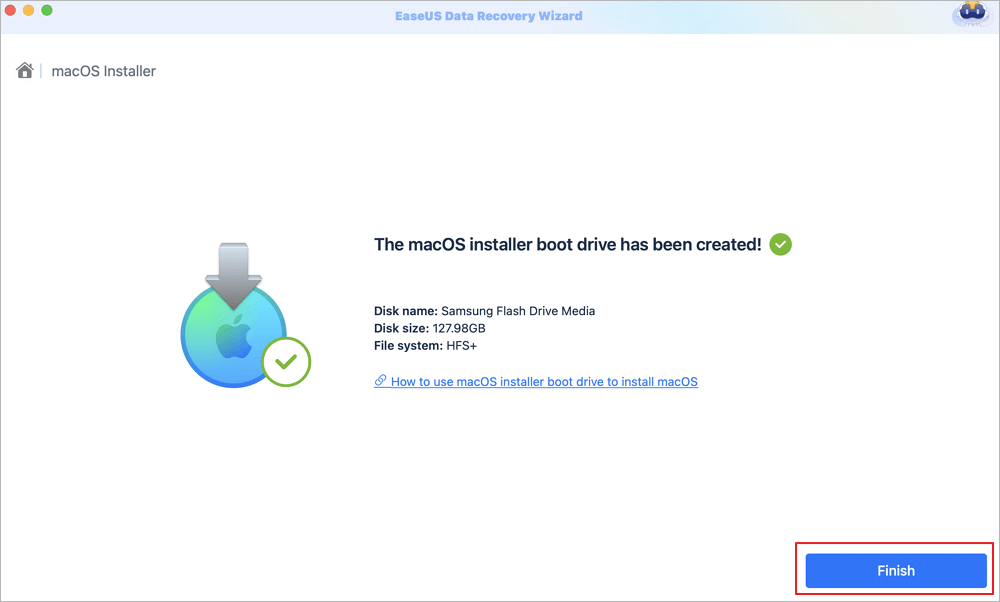

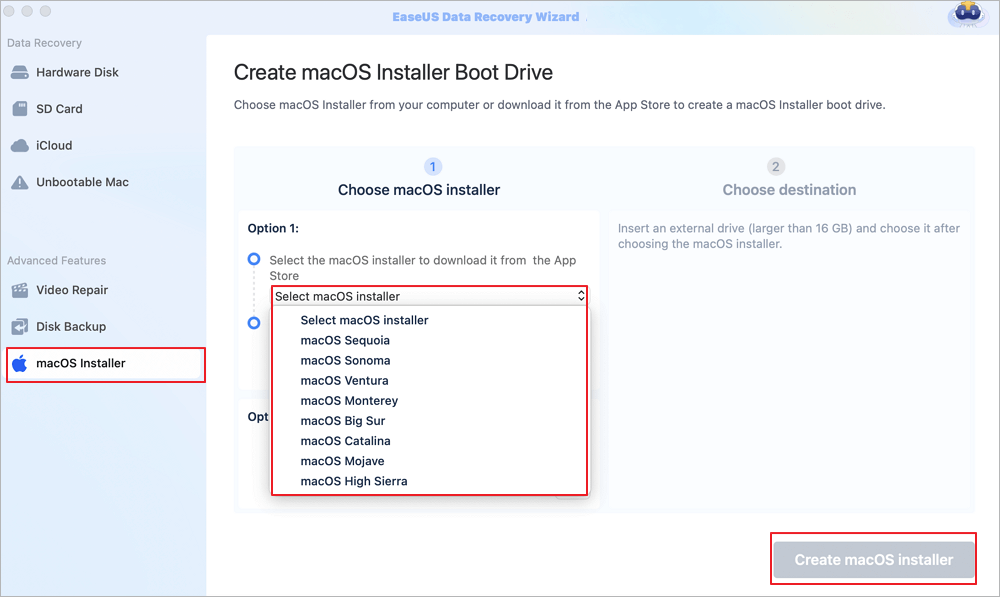


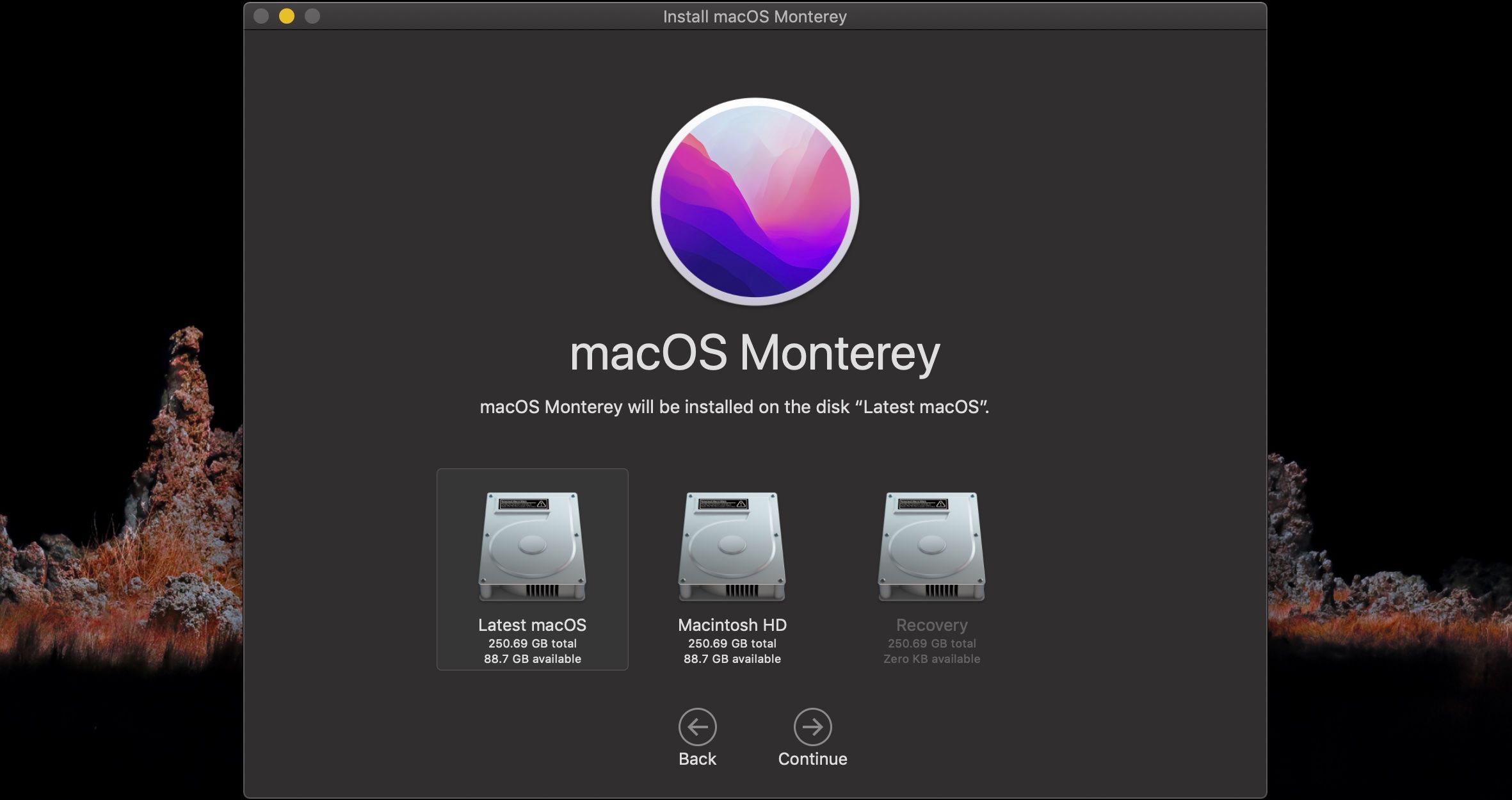
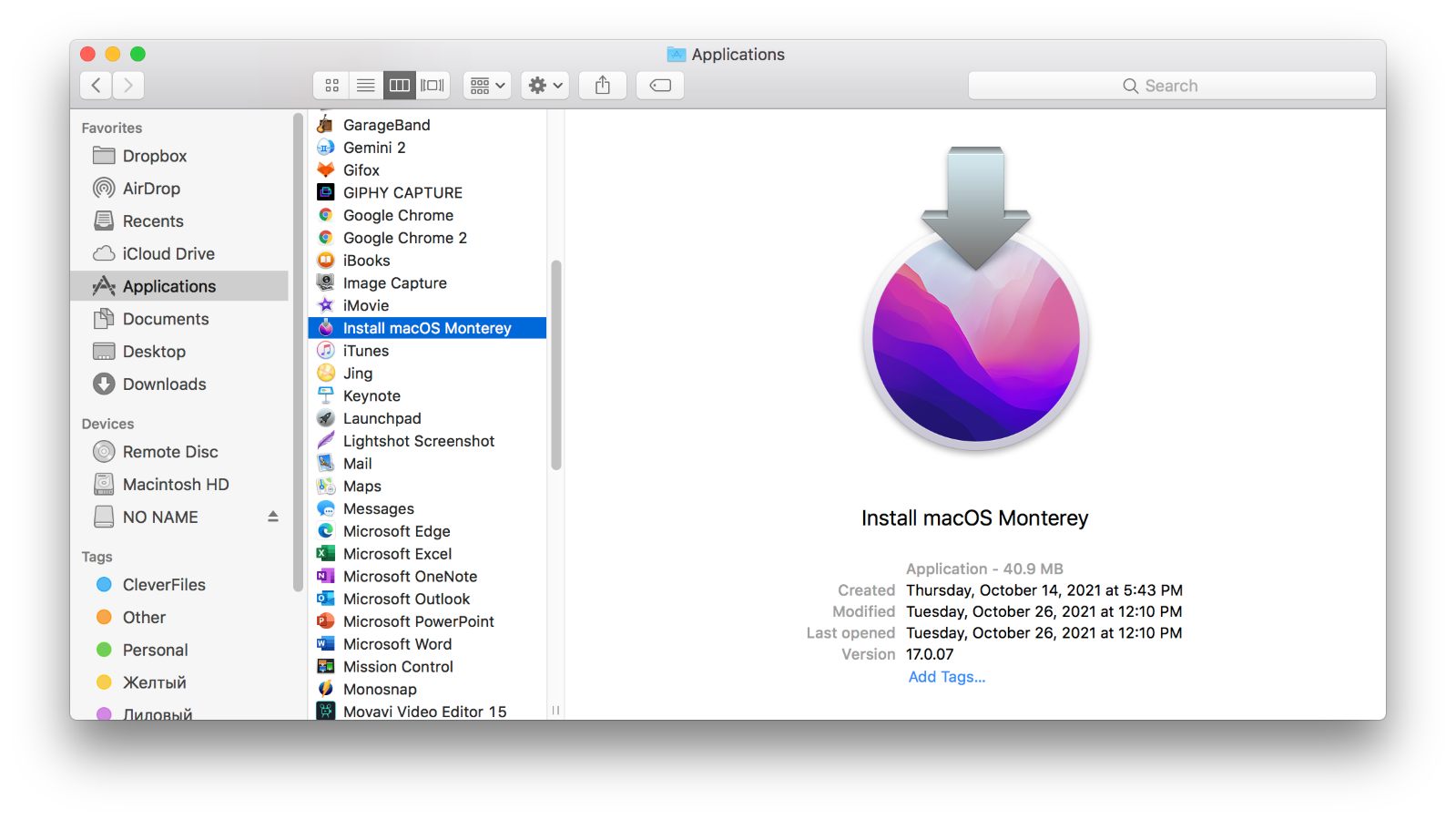



Pictures remove the guesswork from conversations, so the other person sees exactly what you see.
Closer Looks at the Examples
Every example rewards a second, closer look, looking at how each part relates to the whole.
The pictures you look at longest often teach the most, so choose the closest matches and examine those thoroughly.
Why Visual References Work So Well
Our preference for images is not a trend, it is how understanding works, an image delivers the subject directly with no filter.
This is precisely why galleries like this one are valuable, so whatever brought you here, the images can carry you the rest of the way.
Keep Exploring the Collection
You can return to this page of Mac Os Installation Steps images anytime, because needs change and new examples make old ones more useful.
Every return visit trains your judgment a little further, and each pass through the images adds to what you already know.