You Searched for How To Change Range In Excel Pivot Table — Here It Is
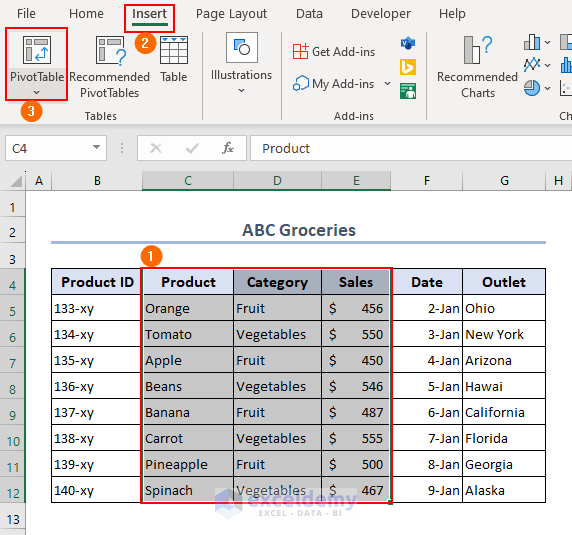
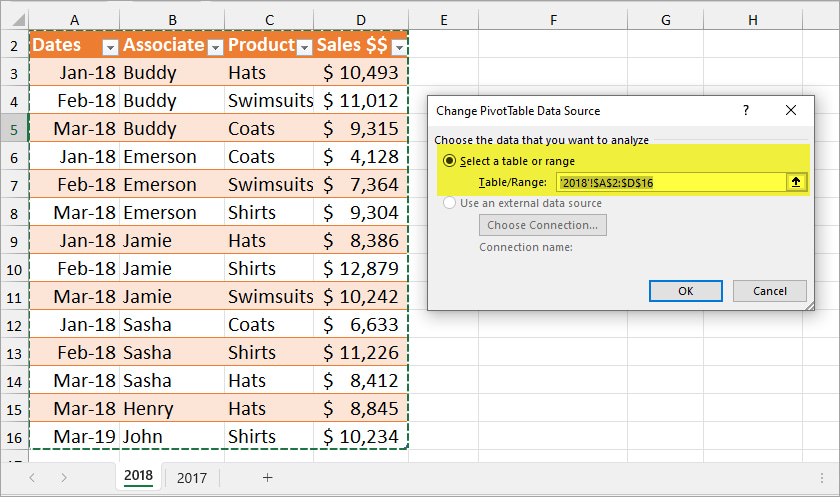
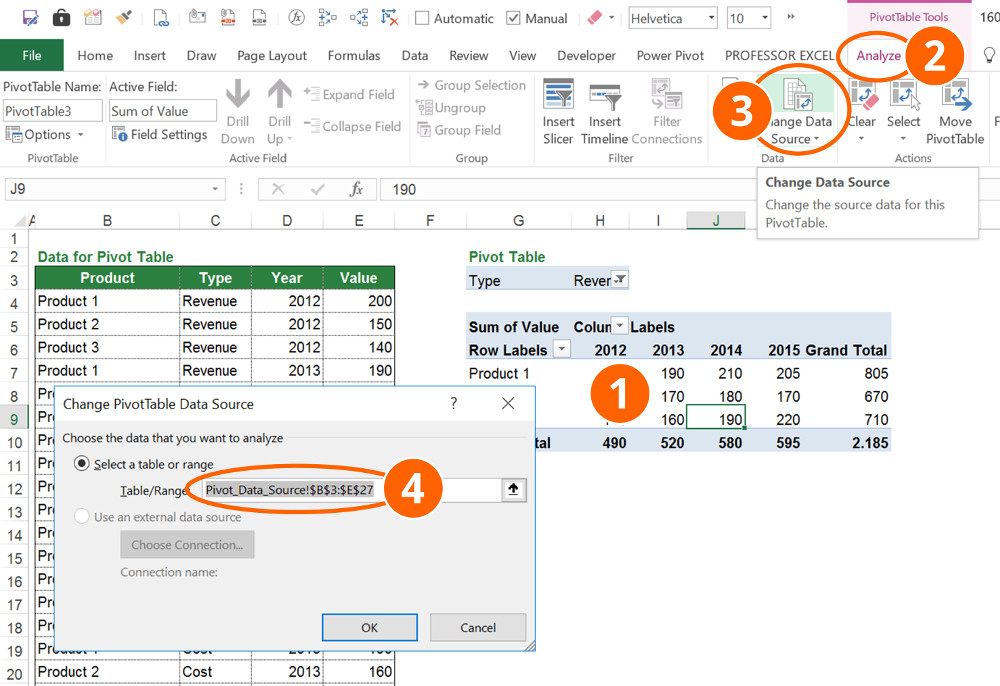
How To Change Range In Excel Pivot Table is what brought you here, and this page delivers it, shown here as a varied gallery of reference images.
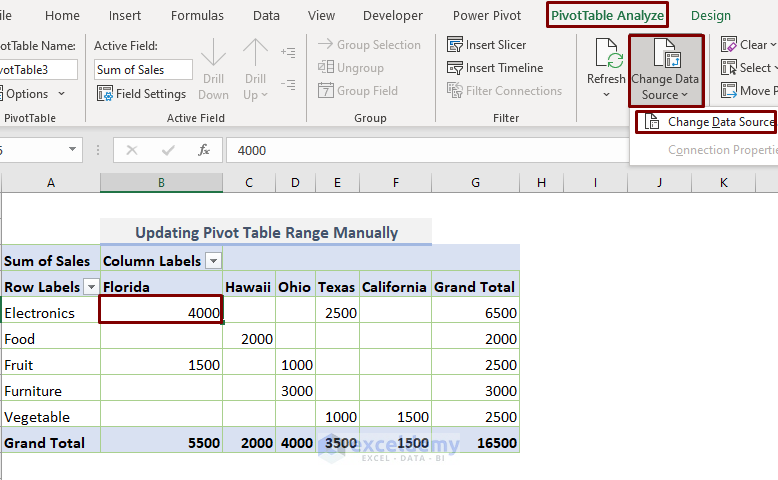
Sometimes words are not enough to describe what you have in mind, which is why browsing through the images is often the fastest way to understand it.
Real Picture Examples for How To Change Range In Excel Pivot Table

The images below show How To Change Range In Excel Pivot Table in many different forms and settings, which makes it easy to spot the differences between variations.
There is no need to rush past the pictures, because the more images you see, the clearer the overall idea becomes.
Reading How To Change Range In Excel Pivot Table Through Images
Each image works as a small explanation of its own, showing details that are hard to put into words.
Look at how the same subject changes from image to image, since repetition across images signals what defines it.

Many Forms and Variations
Variety is the whole point of a reference collection, a few lean traditional while others feel modern, and seeing them together makes your own preference obvious.
If one image catches your eye, pause on it and ask why, and it often matches what you will want in the end.
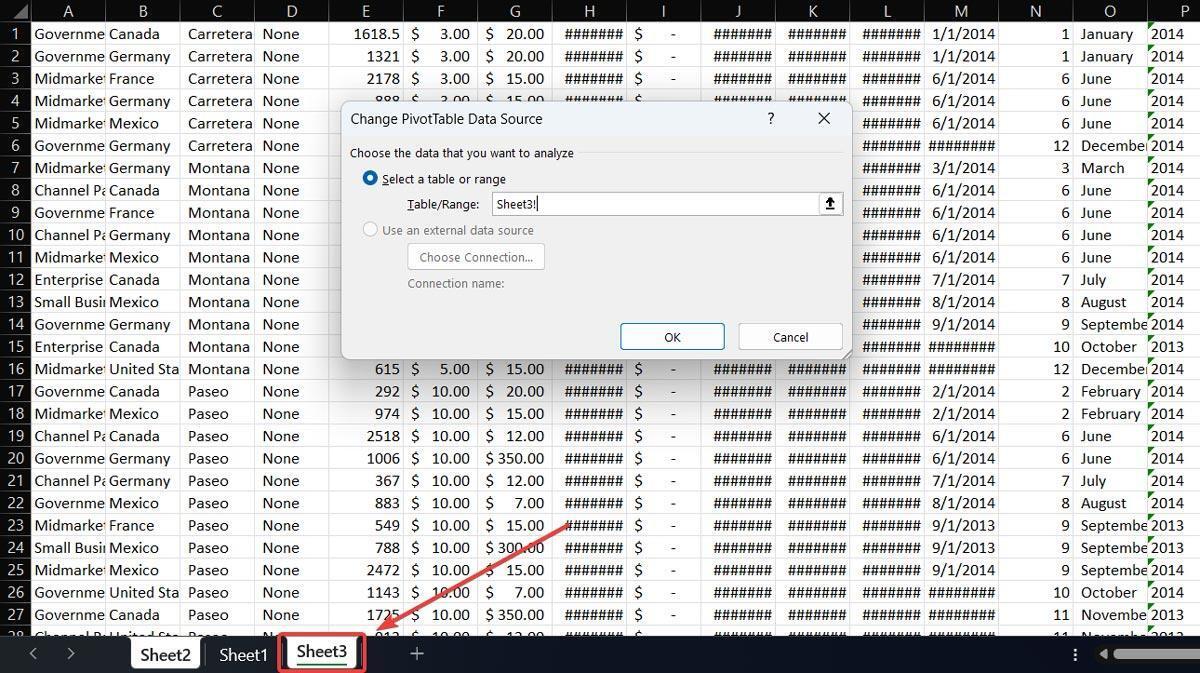
How to Use These Examples for Reference
Every picture here can serve as a working reference, such as saving the examples closest to what you need.

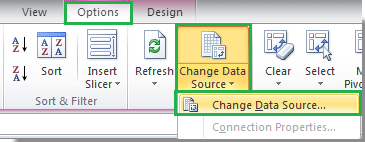


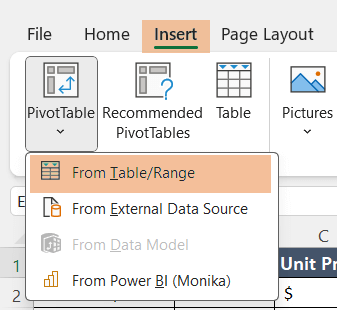
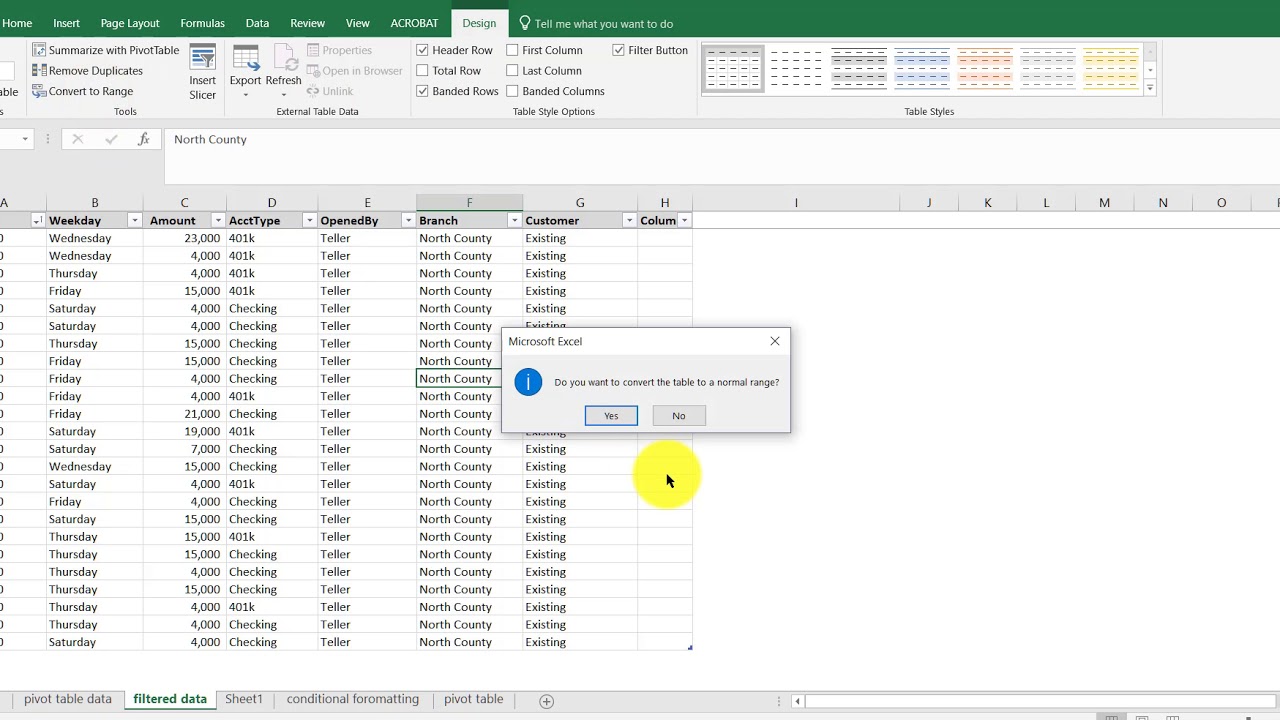


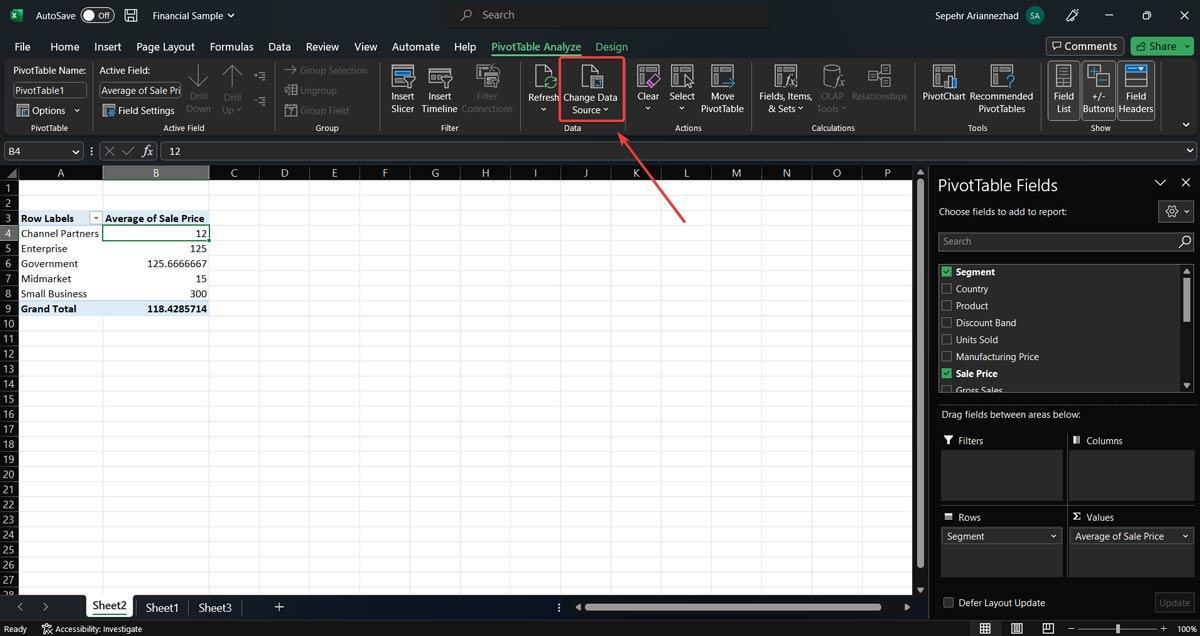
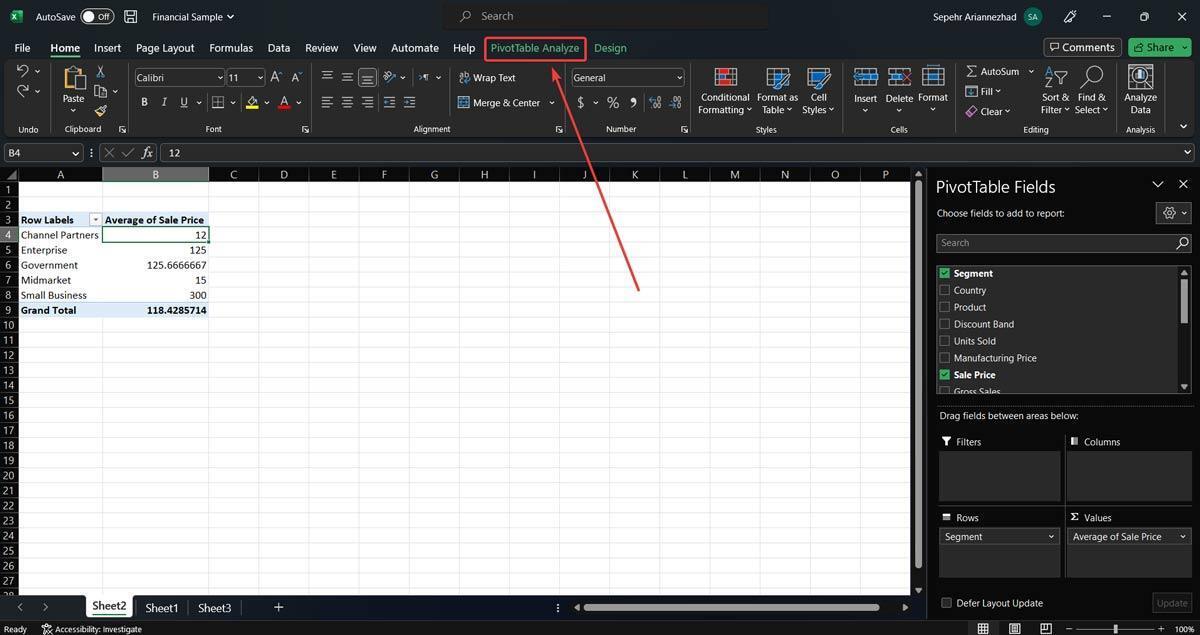
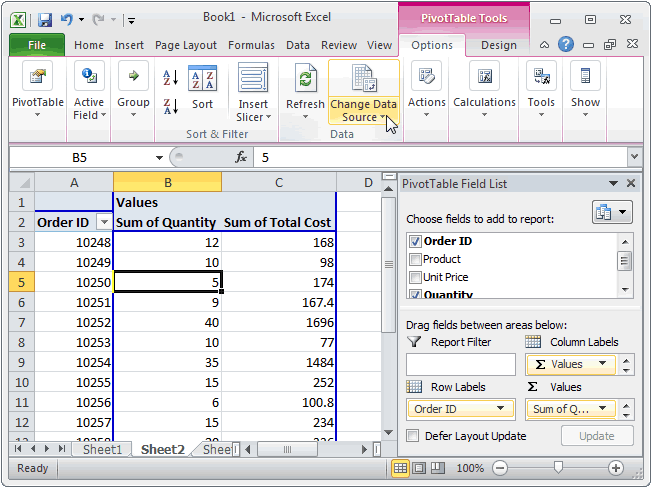


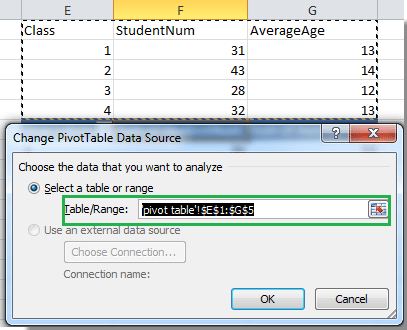
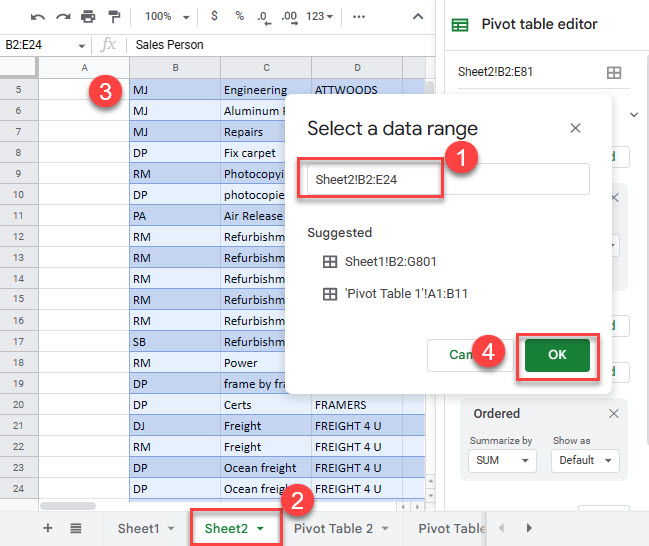

You can also use the images to explain the idea to someone else, and alignment happens in seconds instead of paragraphs.
What to Notice in Each Picture
Beyond the first impression, each image contains useful details, noting the choices that give each example its character.
A closer look at one good image beats skimming twenty, so choose the closest matches and examine those thoroughly.
Why Visual References Work So Well
It is no accident that people search for images first, a picture removes interpretation and shows the thing itself.
This is precisely why galleries like this one are valuable, whether you need inspiration, confirmation, or a clearer definition of what you want.
Come Back to This Gallery Anytime
Bookmark this collection of How To Change Range In Excel Pivot Table examples, as your preferences may shift the second time you look.
Repeated exposure quietly builds real visual understanding, and each pass through the images adds to what you already know.