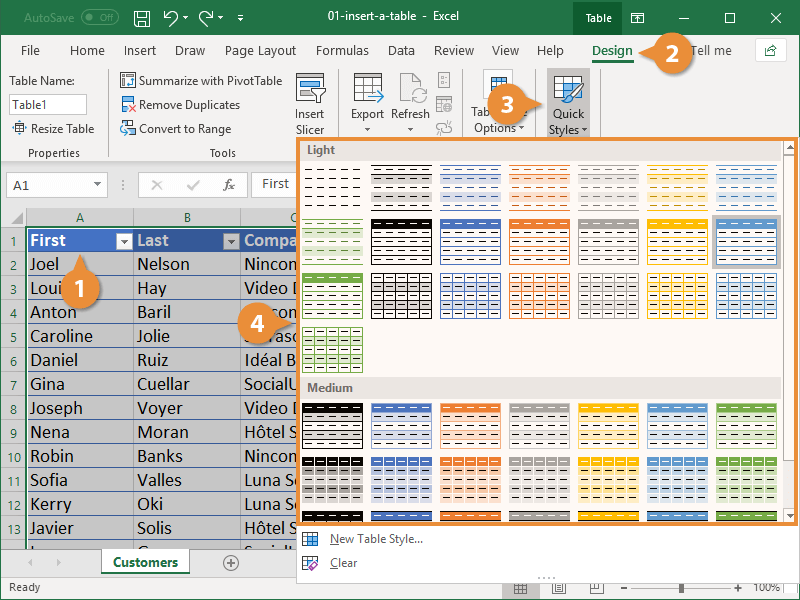
How To Put A Table On Excel with Steven Flynn blog

You Searched for How To Put A Table On Excel — Here It Is

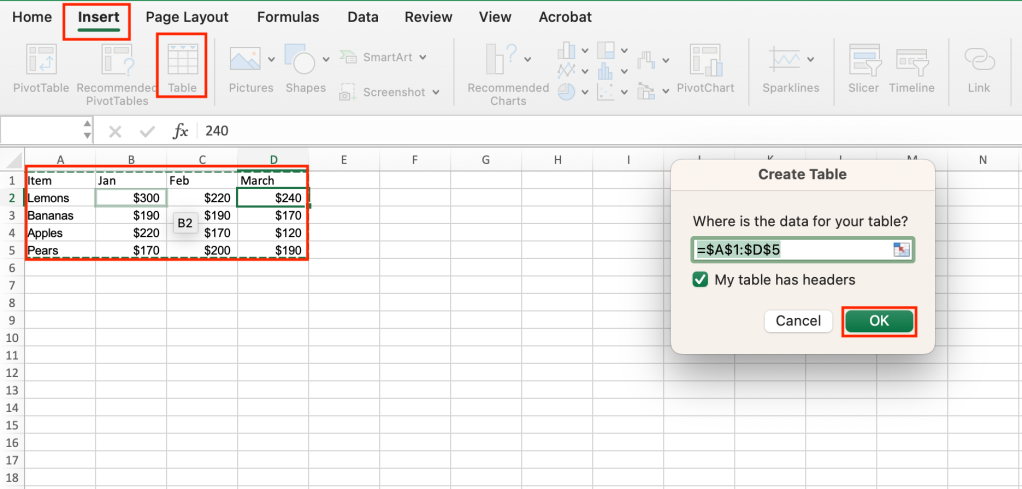
Create Excel Table & Everything You Need To Know

If you arrived here looking for How To Put A Table On Excel, you are in the right place, presented through a broad set of image examples you can browse freely.
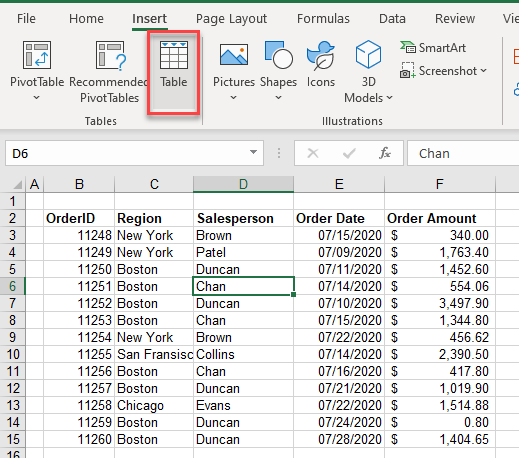
How to Create an Excel Table - Automate Excel

Text can only take your search so far, which is why browsing through the images is often the fastest way to understand it.

How To Put A Table On Excel in Actual Pictures
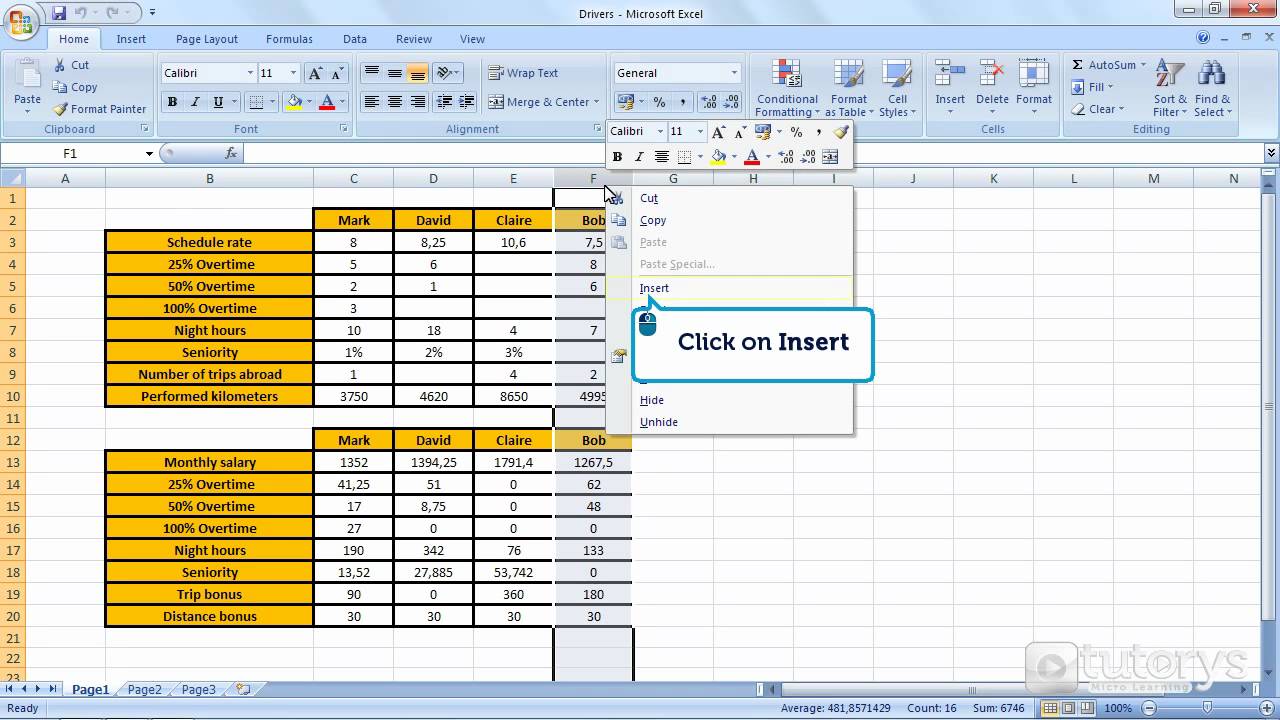
How To Insert Table In Excel Cell

Each picture captures How To Put A Table On Excel from a different angle or context, giving you a fuller picture than any single example could.

Scroll slowly and let each image register, and familiarity builds faster than you might expect.
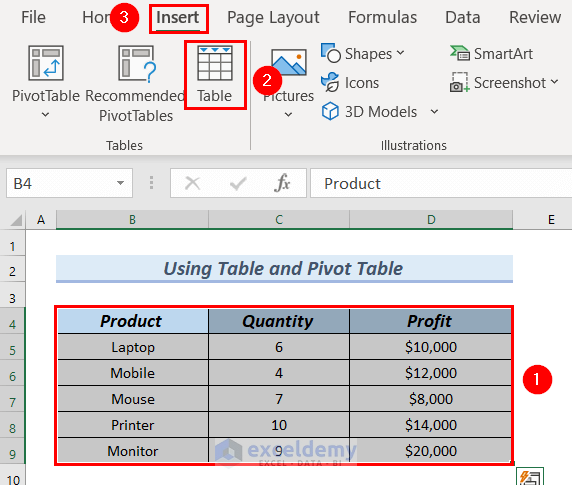
Create a Table in Excel Based on Cell Value (4 Easy Methods)

What the Images Can Show You

Think of each example as a visual definition, making it much easier to judge what fits your needs.

Notice which details stay consistent across the pictures, and those repeated features are what make it recognizable.
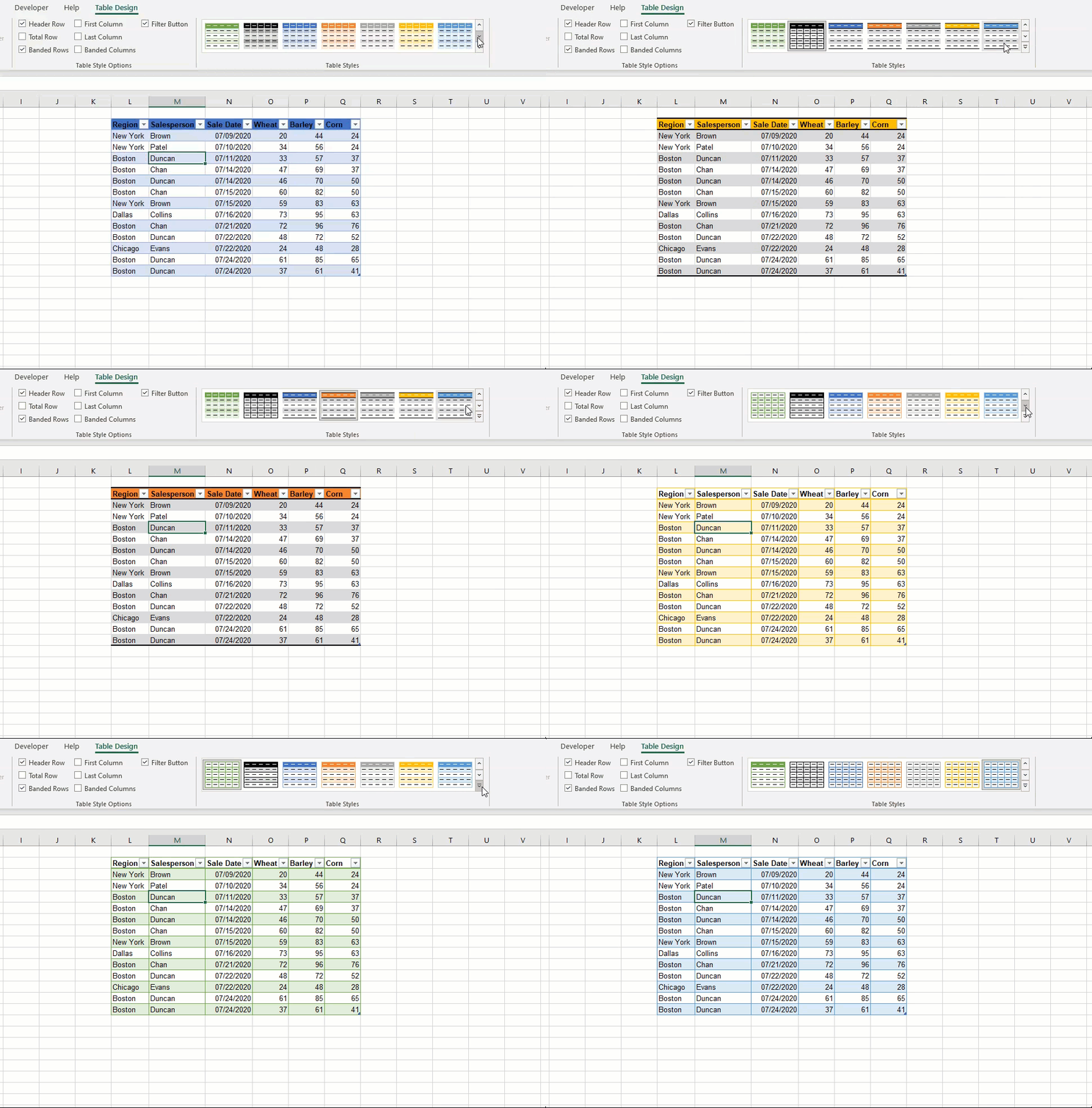
How to Use Table Tools in Excel - Automate Excel

From One Style to Another

Variety is the whole point of a reference collection, a few lean traditional while others feel modern, and that discovery is exactly what a reference gallery is for.

A strong reaction to one example is always useful information, because that instinct usually points toward what you are really looking for.
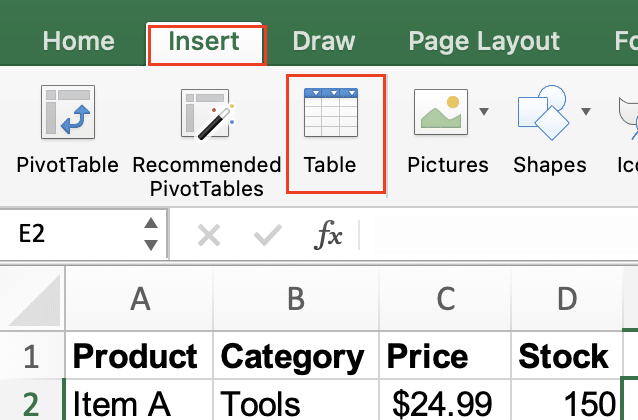
Master Excel Tables in Minutes: Complete Tutorial for 2025

Making the Most of the Gallery

Every picture here can serve as a working reference, comparing your reaction across several examples.
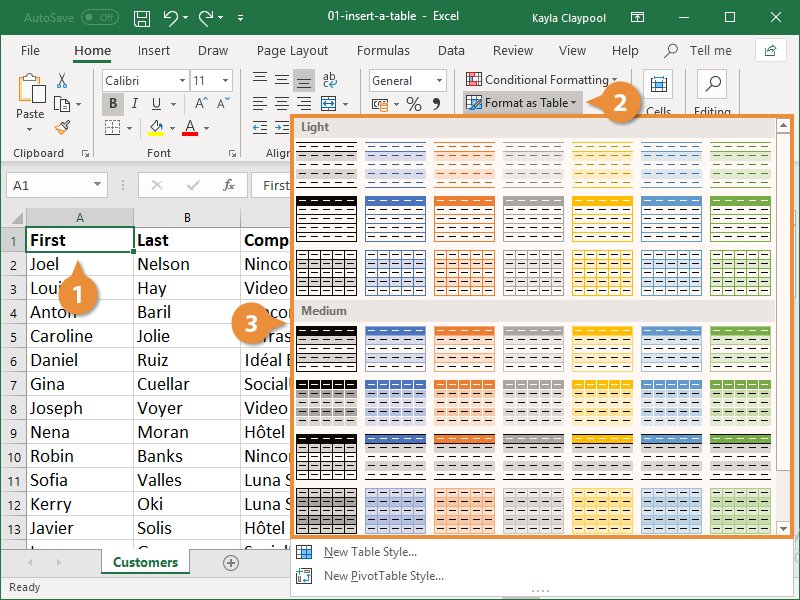
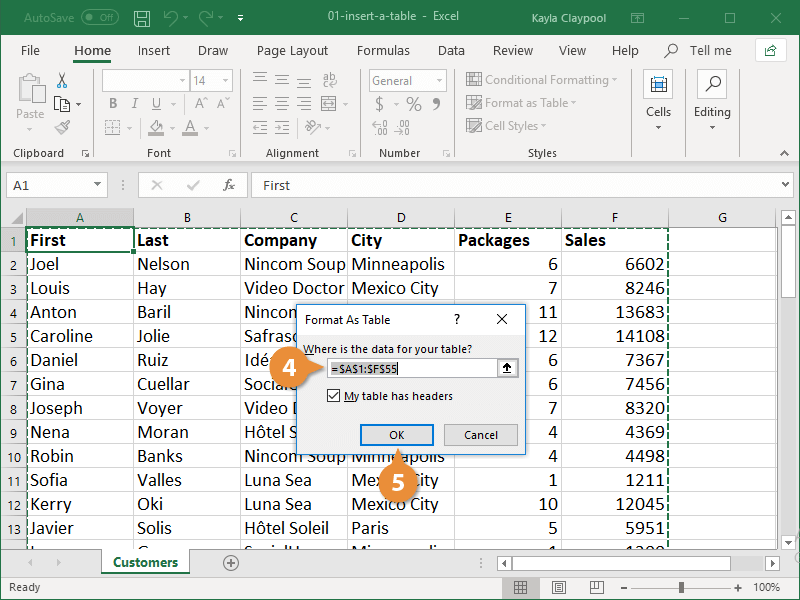
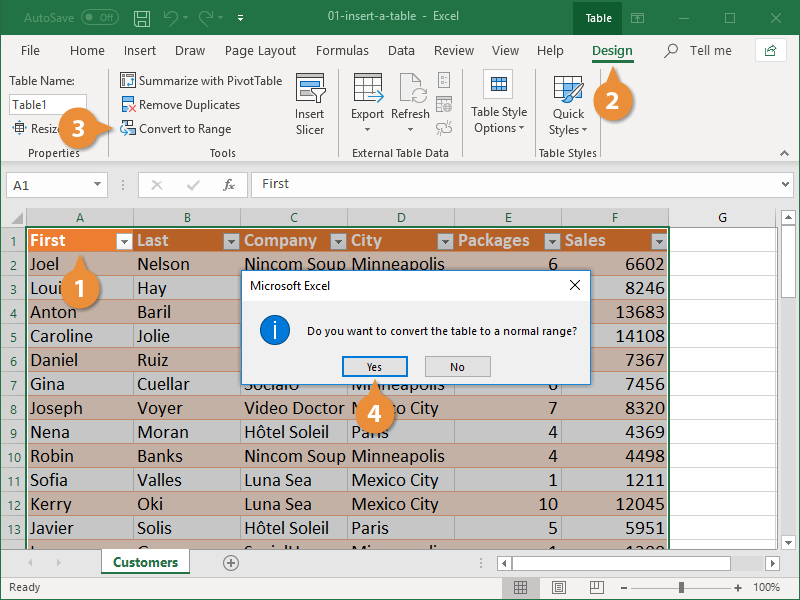
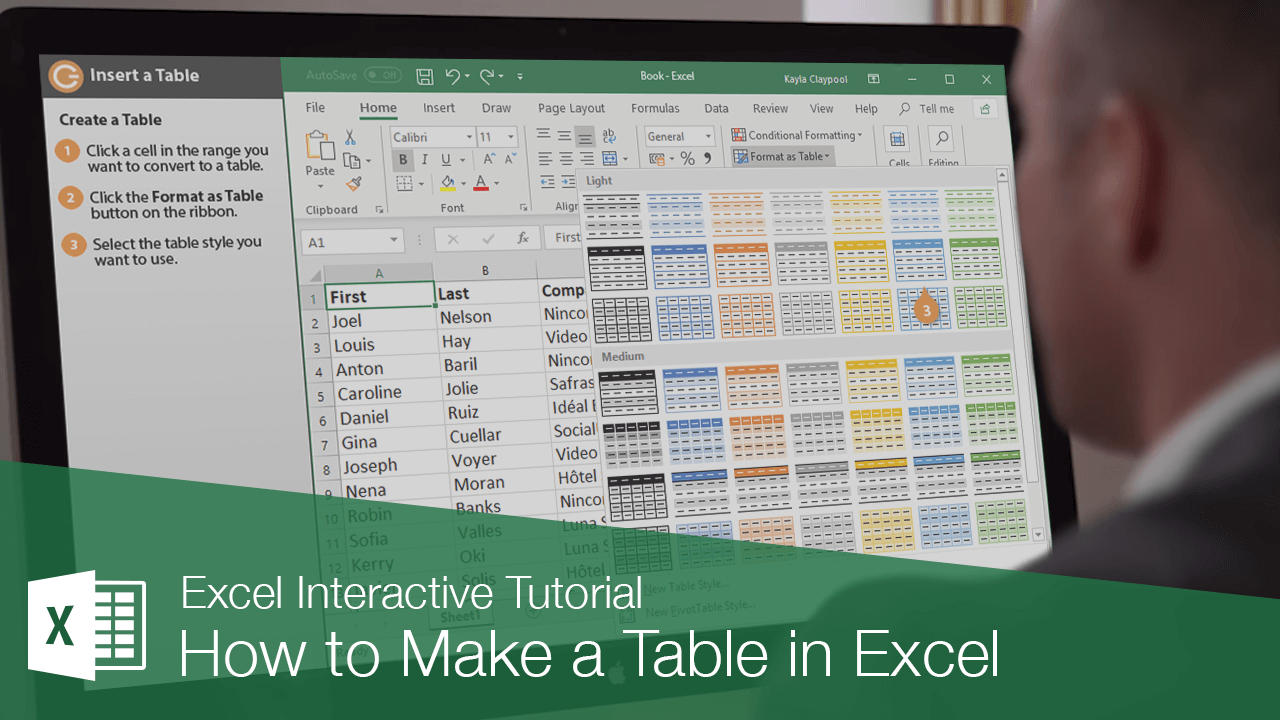
How to Create a Table in Excel | CustomGuide
Tables in Excel - Examples, How to Insert/Create/Customize?
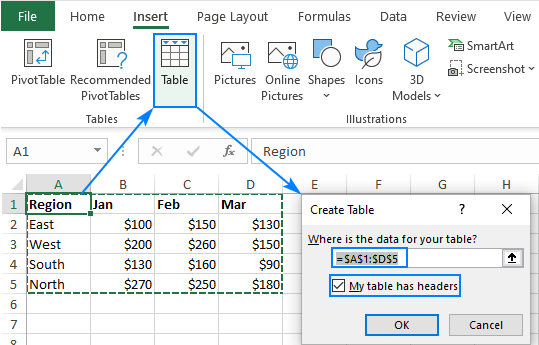
Excel table: comprehensive tutorial with examples
How To Insert Table In Excel Text Box at Charlott Leff blog
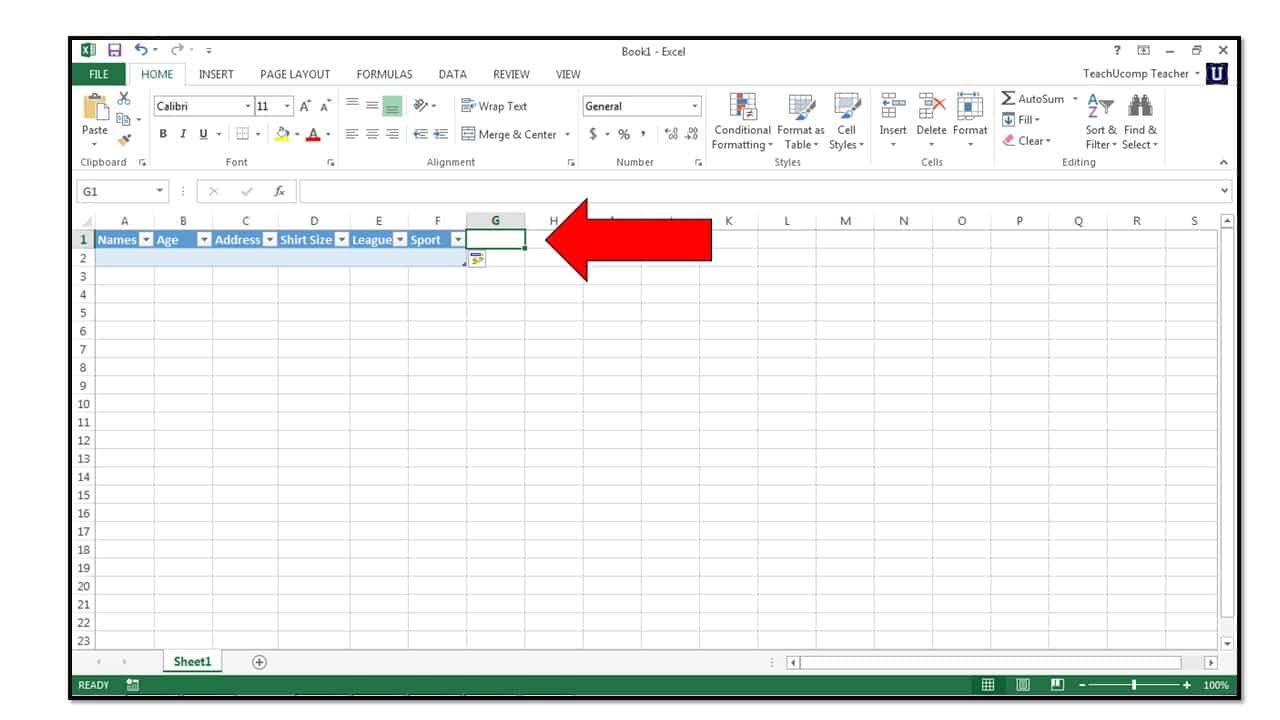
How to Create Tables in Microsoft Excel 2013 - TeachUcomp, Inc.
How To Put Table In Excel Formula
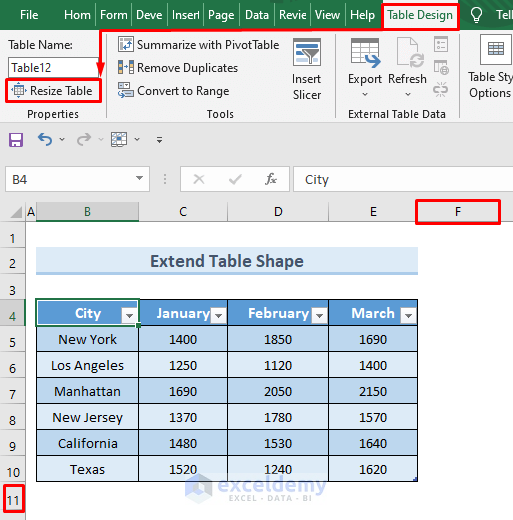
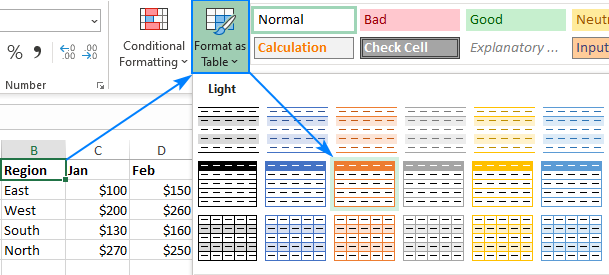
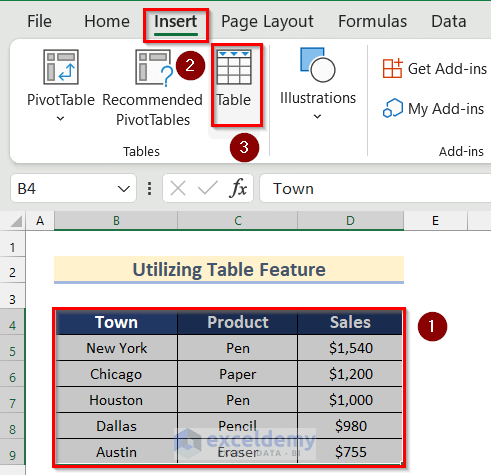
Excel Table (Insert, Customize, and Applications) - ExcelDemy
How to Create a Table in Excel | CustomGuide
How To Insert A Table In A Excel Cell at May Myers blog
Insert Table Di Excel at Layla Helms blog
How To Add A Table In A Table In Excel at Madeline Patrick blog
How To Make Table From Excel at Mark Lola blog
How to Create Tables in Excel (With Example)
How to Make a Table in Excel (Format as Table) - YouTube
How To Make Table From Excel at Mark Lola blog
How to Create a Table in Excel | CustomGuide
Excel basics: Get started with tables – Computerworld
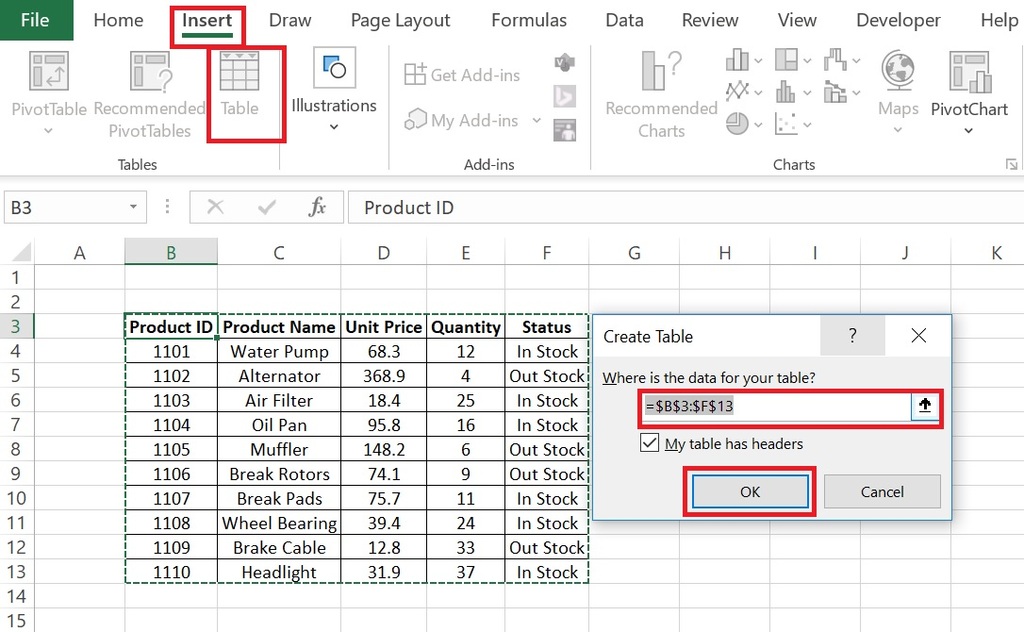
How to create a table in Excel
7 Ways to Make a Table in Microsoft Excel | How To Excel
Inserting A Table In Excel – Create Table With Existing Data – VSJA
How to add a table in excel cell (Full Guides) | WPS Office Academy
How to Create a Table in Excel (Spreadsheet Basics) - YouTube
How to Insert and Customize a Table in Microsoft Excel
Excel How To Add Rows Together - Images | Picstank.com
Tables in Excel (Uses, Examples) | How to Create Excel Table?
How to Insert a Table in Excel | A Step-by-Step Guide for Beginners ...
How to create a table in excel [Easy Way] - YouTube
How to Make a Table in Excel (2 Simple Ways) - ExcelDemy
Insert Table Column Excel at Claire Ryder blog

Visual references make it much easier to describe what you want, which prevents most of the usual misunderstandings.

Closer Looks at the Examples

Slow down and examine fewer images more carefully, looking at how each part relates to the whole.

The images you linger on will shape your understanding most, so instead of racing through all the examples, study a handful properly.

Pictures Explain Faster Than Words

Visual search exists because the human brain processes pictures instantly, a visual cuts straight past every possible misunderstanding.

That is why a varied collection like this is so effective, and whatever your reason was, the gallery has a use for it.

Browse More Images Whenever You Need

You can return to this page of How To Put A Table On Excel images anytime, and a fresh look at the same gallery often reveals something new.

Every return visit trains your judgment a little further, so treat every revisit as a chance to see something you skipped.