Relative Date Power Bi: Right Where You Need It

You came here for Relative Date Power Bi, and everything below is exactly that, presented through a broad set of image examples you can browse freely.

Reading about something is one thing; seeing it is another, and that is exactly why visual references work so well here.
Relative Date Power Bi in Actual Pictures

Each picture captures Relative Date Power Bi from a different angle or context, so you can compare them side by side as you scroll.
Scroll slowly and let each image register, and familiarity builds faster than you might expect.

How the Gallery Helps You Understand
Every photo tells you something a description would miss, capturing exactly the kind of details people usually ask about.
Look at how the same subject changes from image to image, and those repeated features are what make it recognizable.

Many Forms and Variations
Variety is the whole point of a reference collection, certain images favor a clean look while others go for something richer, and that discovery is exactly what a reference gallery is for.
If one image catches your eye, pause on it and ask why, since your natural preference reveals itself faster than you think.

Making the Most of the Gallery
Treat the gallery as a practical tool rather than decoration, comparing your reaction across several examples.


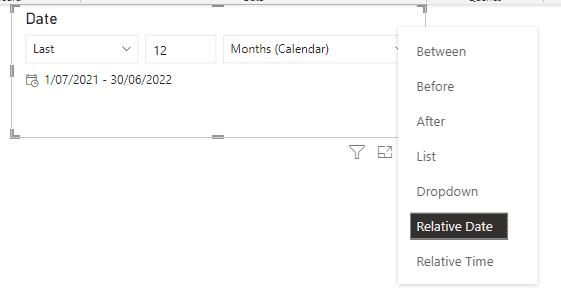


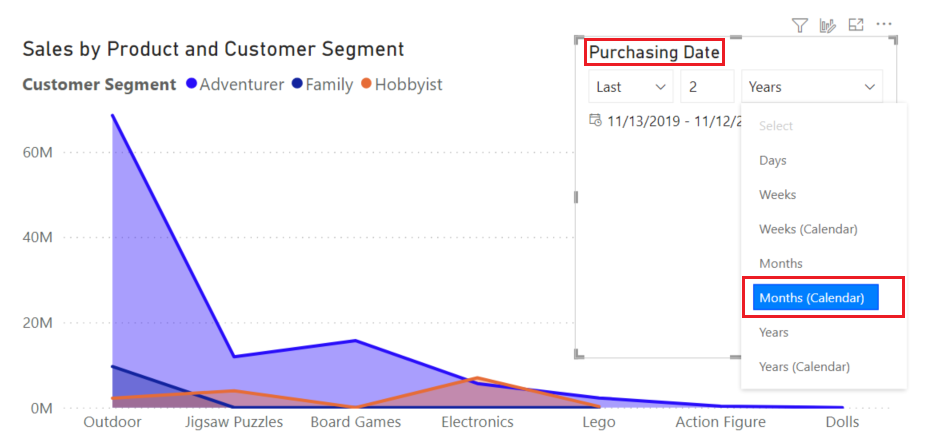
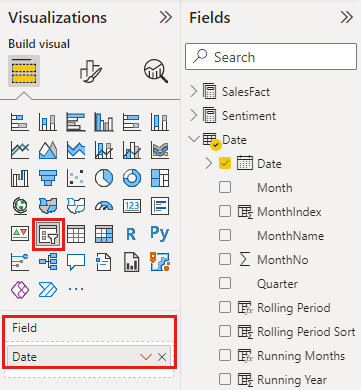


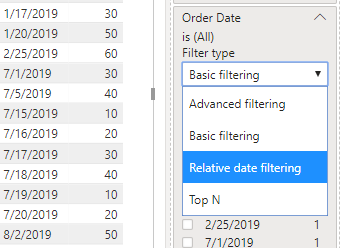

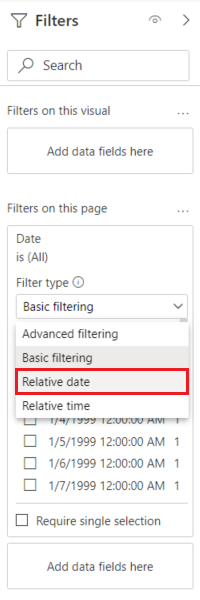


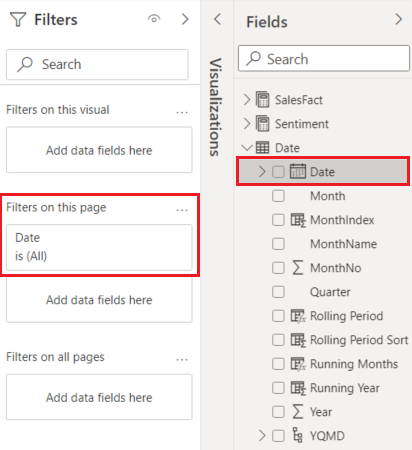


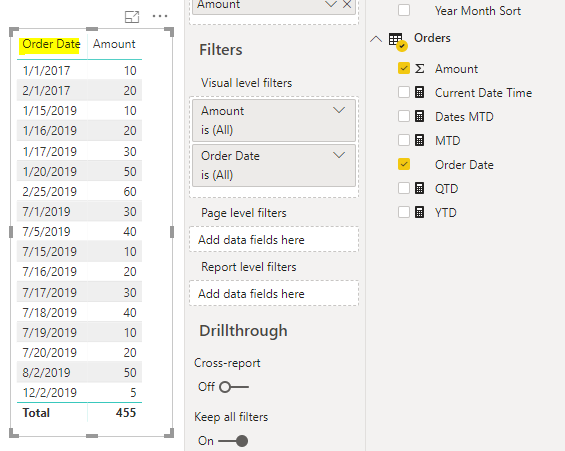
Sometimes the fastest way to communicate is to share the picture itself, and alignment happens in seconds instead of paragraphs.
Details Worth Zooming In On
Slow down and examine fewer images more carefully, looking at how each part relates to the whole.
The images you linger on will shape your understanding most, because a small set of well-understood images is worth a large pile of quick glances.
The Power of Example Images
There is a simple reason image searches are so popular, an image delivers the subject directly with no filter.
That is the strength of having many examples side by side, so whatever brought you here, the images can carry you the rest of the way.
Come Back to This Gallery Anytime
Keep this gallery close for whenever the question resurfaces, because needs change and new examples make old ones more useful.
Repeated exposure quietly builds real visual understanding, and each pass through the images adds to what you already know.