Autofill Features with Carl Johnson blog
You came here for Autofill Features, and everything below is exactly that, shown here as a varied gallery of reference images.
Autofill Features: Right Where You Need It

You came here for Autofill Features, and everything below is exactly that, shown here as a varied gallery of reference images.
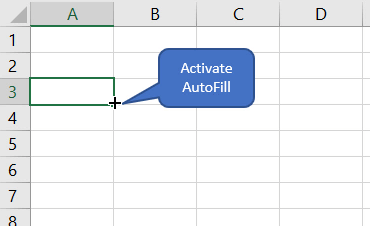
A description can only go so far before a picture does the job better, so looking at real examples explains far more than any description can.
Real Picture Examples for Autofill Features

The images below show Autofill Features in many different forms and settings, which makes it easy to spot the differences between variations.
There is no need to rush past the pictures, because the more images you see, the clearer the overall idea becomes.
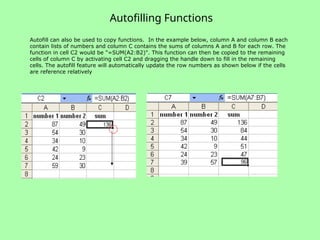
What These Pictures Explain
A single picture can communicate shape, scale, style, and context at once, so you can recognize the qualities worth noticing.
Compare a few examples and observe what repeats, since repetition across images signals what defines it.

All the Different Looks of Autofill Features
No two examples in the gallery look exactly the same, certain images favor a clean look while others go for something richer, and that discovery is exactly what a reference gallery is for.
If one image catches your eye, pause on it and ask why, since your natural preference reveals itself faster than you think.
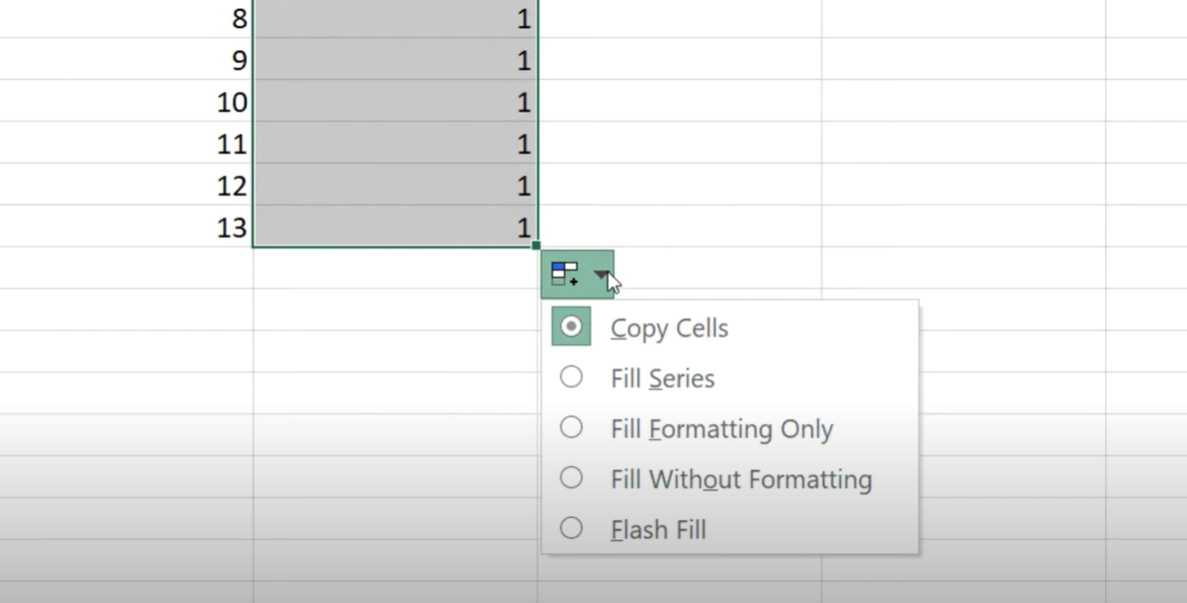
Turning Pictures Into Useful Reference
Treat the gallery as a practical tool rather than decoration, like marking the images that match your idea.
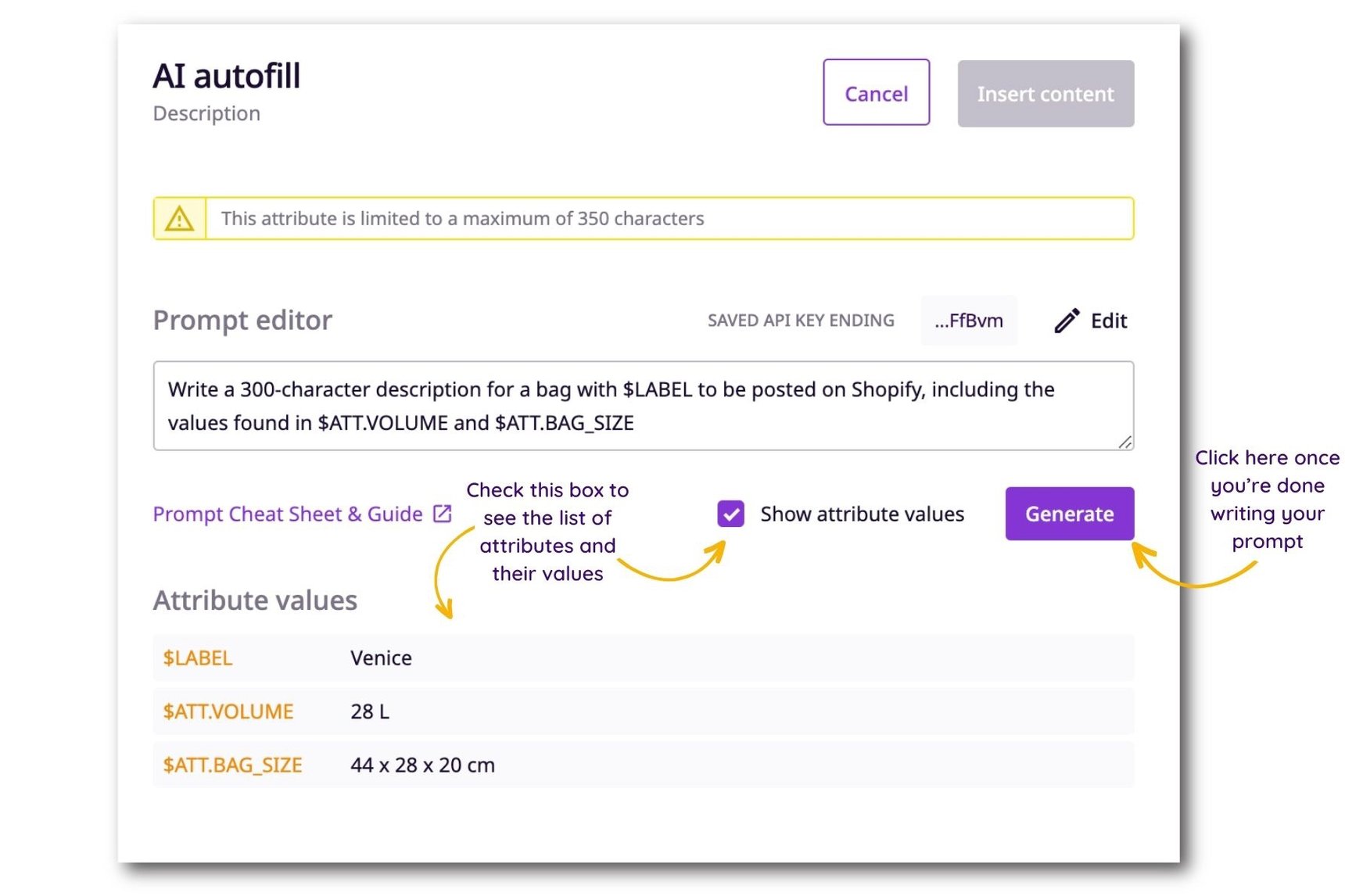





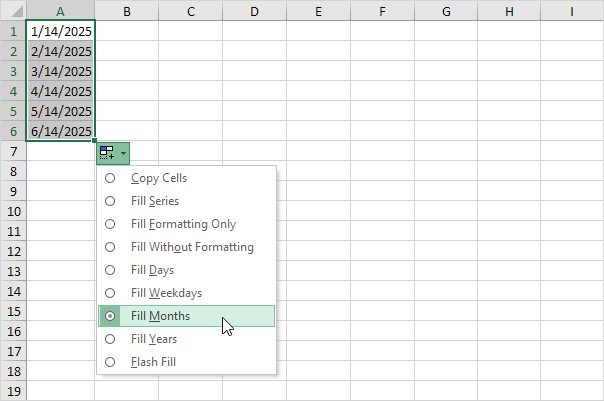


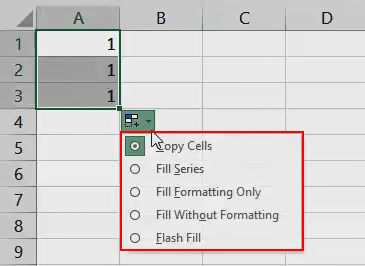

Visual references make it much easier to describe what you want, and alignment happens in seconds instead of paragraphs.
Details Worth Zooming In On
Slow down and examine fewer images more carefully, looking at how each part relates to the whole.
The pictures you look at longest often teach the most, and let a few carefully chosen references guide your direction.
Seeing Is Understanding
It is no accident that people search for images first, a visual cuts straight past every possible misunderstanding.
This is precisely why galleries like this one are valuable, be it ideas, verification, or simply knowing what to call it.
Come Back to This Gallery Anytime
Whenever Autofill Features comes up again, these images will be here, since every revisit tends to surface details you missed.
Every return visit trains your judgment a little further, so scroll back up and give the collection another look.