Find Process Using Pid In Unix with Carl Johnson blog
Find Process Using Pid In Unix is what brought you here, and this page delivers it, presented through a broad set of image examples you can browse freely.
You Searched for Find Process Using Pid In Unix — Here It Is
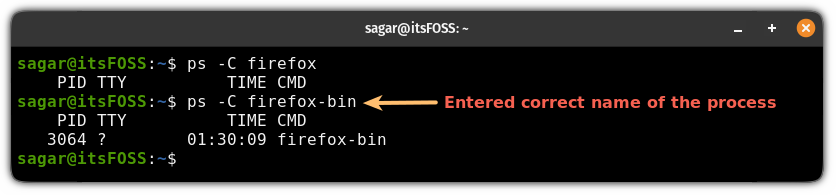
Find Process Using Pid In Unix is what brought you here, and this page delivers it, presented through a broad set of image examples you can browse freely.
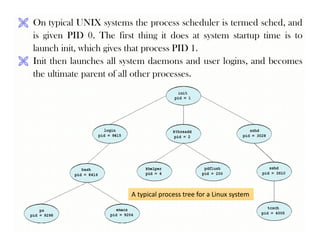
Sometimes words are not enough to describe what you have in mind, and that is exactly why visual references work so well here.
Real Picture Examples for Find Process Using Pid In Unix

The images below show Find Process Using Pid In Unix in many different forms and settings, which makes it easy to spot the differences between variations.
Scroll slowly and let each image register, and repeated details across images reveal what truly matters.

What the Images Can Show You
Each image works as a small explanation of its own, so you can recognize the qualities worth noticing.
Look at how the same subject changes from image to image, because consistent details are usually the essential ones.

From One Style to Another
There is a surprising range of styles and interpretations here, a few lean traditional while others feel modern, and seeing them together makes your own preference obvious.
A strong reaction to one example is always useful information, because that instinct usually points toward what you are really looking for.
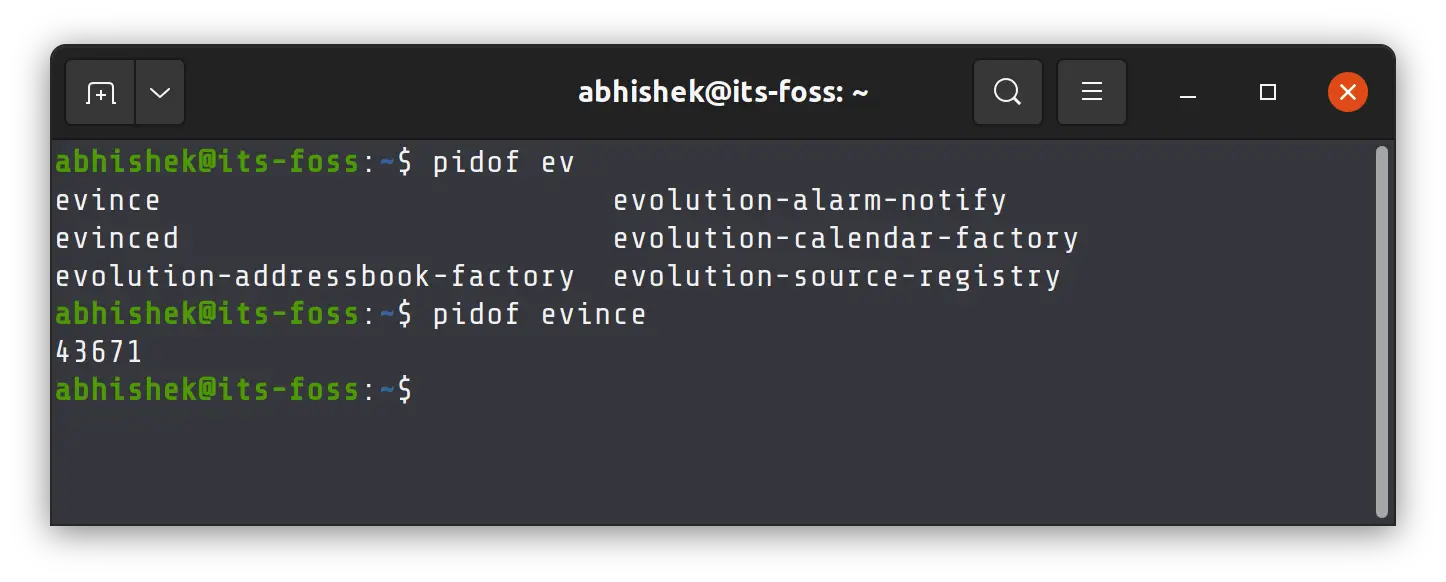
Turning Pictures Into Useful Reference
The collection works best when you do something with it, comparing your reaction across several examples.
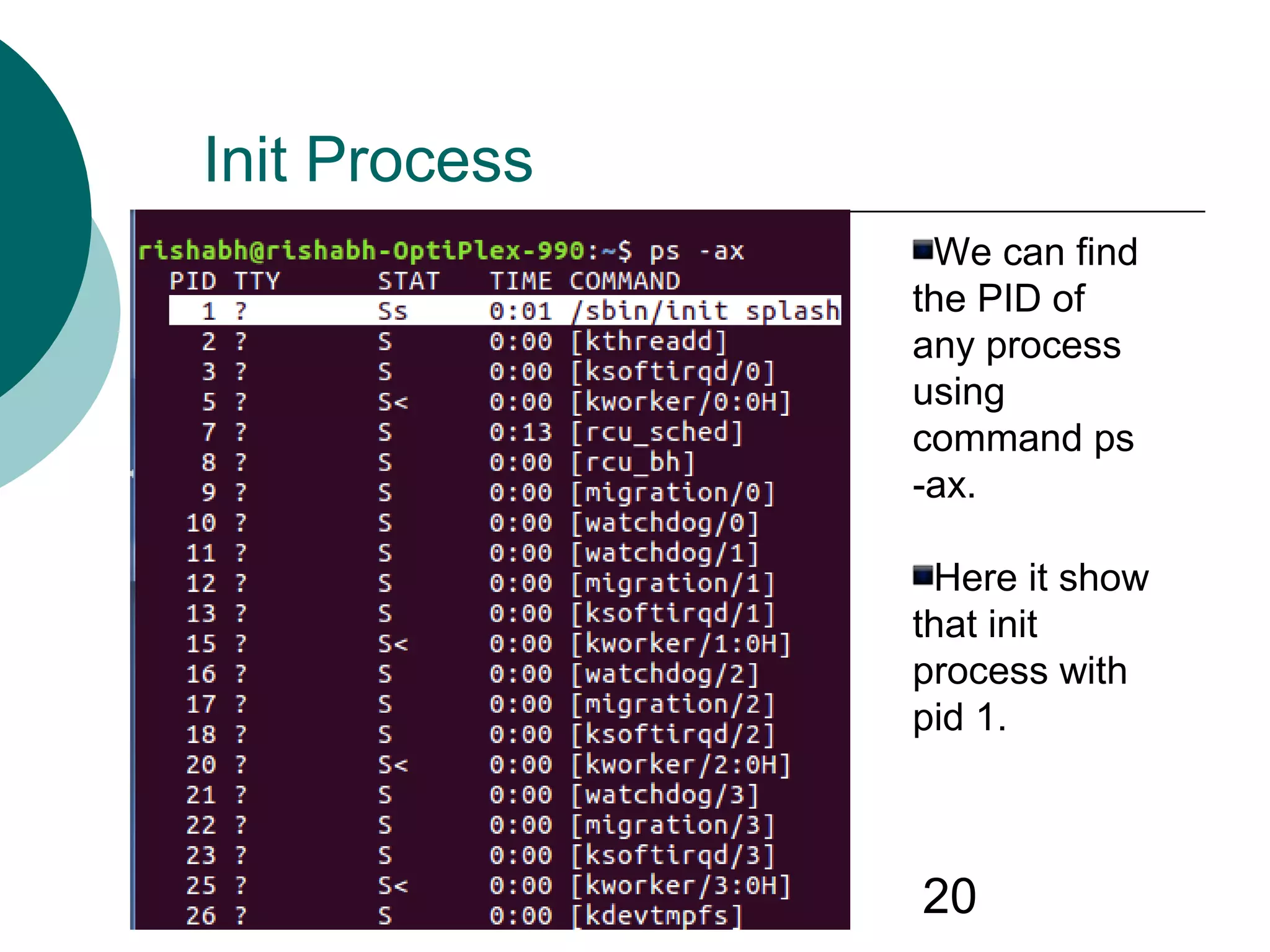















Pictures remove the guesswork from conversations, and alignment happens in seconds instead of paragraphs.
What to Notice in Each Picture
The second viewing always reveals more than the first, paying attention to textures, proportions, colors, and how things are arranged.
A closer look at one good image beats skimming twenty, because a small set of well-understood images is worth a large pile of quick glances.
Seeing Is Understanding
Visual search exists because the human brain processes pictures instantly, a real example eliminates the gap between description and reality.
That is why a varied collection like this is so effective, and whatever your reason was, the gallery has a use for it.
Browse More Images Whenever You Need
Bookmark this collection of Find Process Using Pid In Unix examples, and a fresh look at the same gallery often reveals something new.
The more examples you absorb, the sharper your eye becomes, so scroll back up and give the collection another look.