Found It: Microsoft Edge Settings Gpo in One Place

If you arrived here looking for Microsoft Edge Settings Gpo, you are in the right place, supported by a wide range of real example pictures for reference.
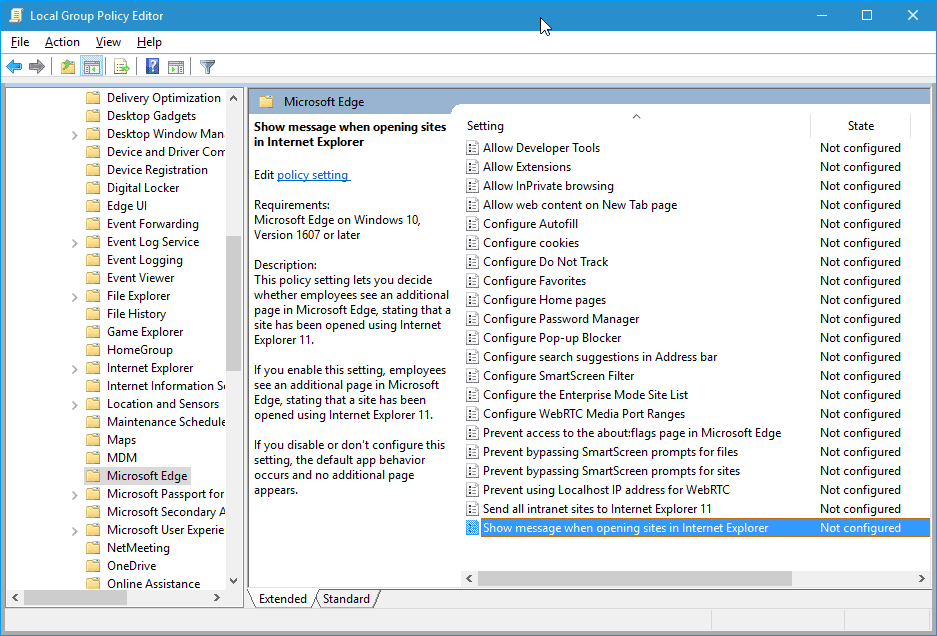
Reading about something is one thing; seeing it is another, which is why browsing through the images is often the fastest way to understand it.
Example Images of Microsoft Edge Settings Gpo
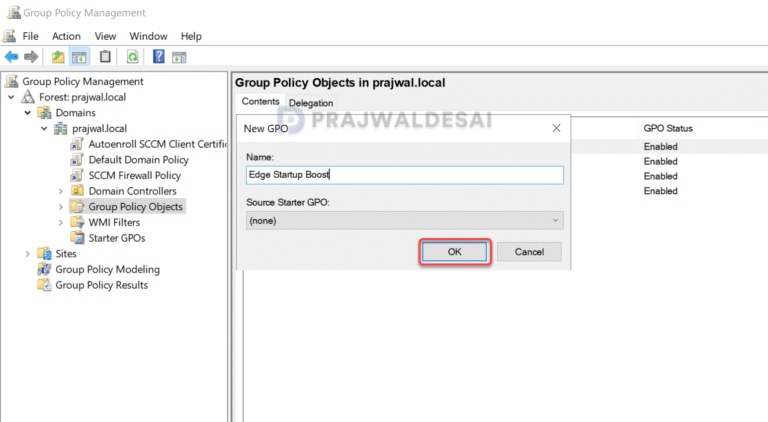
The images below show Microsoft Edge Settings Gpo in many different forms and settings, giving you a fuller picture than any single example could.
There is no need to rush past the pictures, since patterns start to appear after just a few examples.

What These Pictures Explain
Each image works as a small explanation of its own, capturing exactly the kind of details people usually ask about.
Notice which details stay consistent across the pictures, and those repeated features are what make it recognizable.
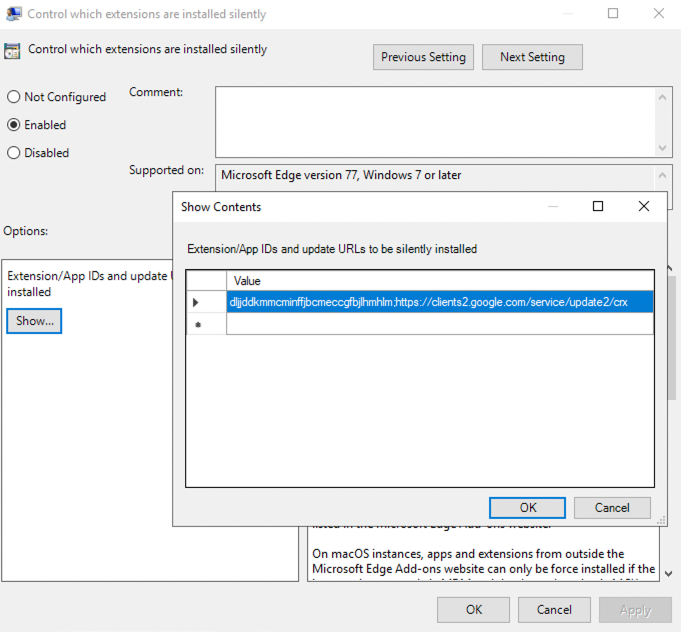
All the Different Looks of Microsoft Edge Settings Gpo
No two examples in the gallery look exactly the same, certain images favor a clean look while others go for something richer, and that discovery is exactly what a reference gallery is for.
Whenever a particular picture stands out, stop and study it, and it often matches what you will want in the end.

Making the Most of the Gallery
Treat the gallery as a practical tool rather than decoration, for instance, keeping a shortlist of your favorite pictures.


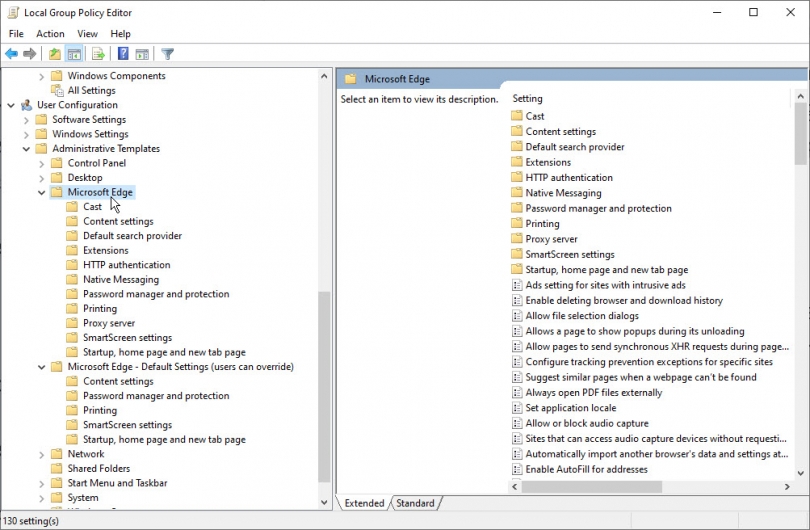
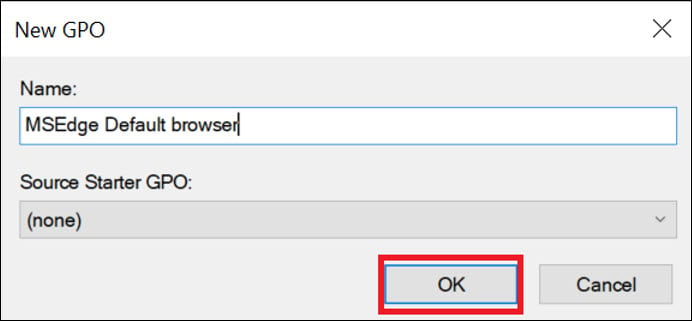


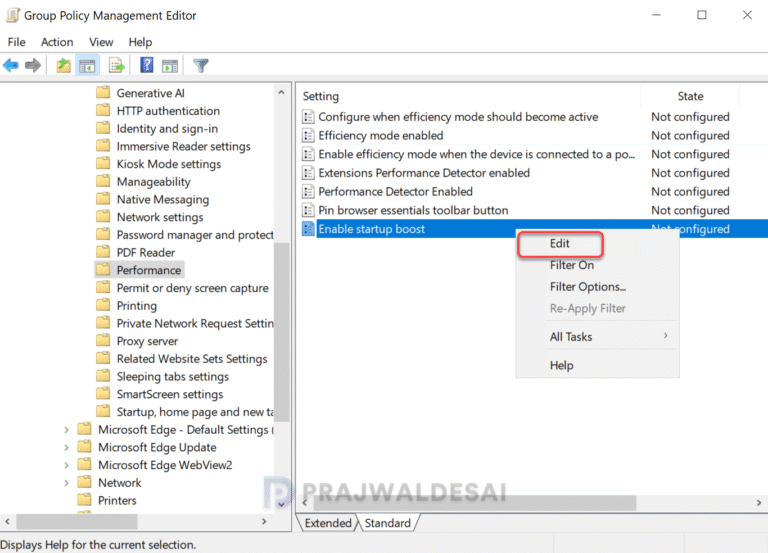
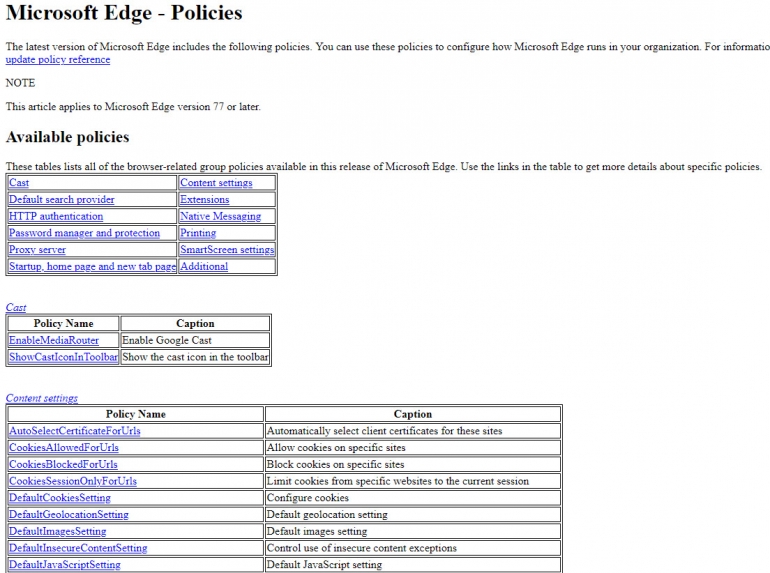


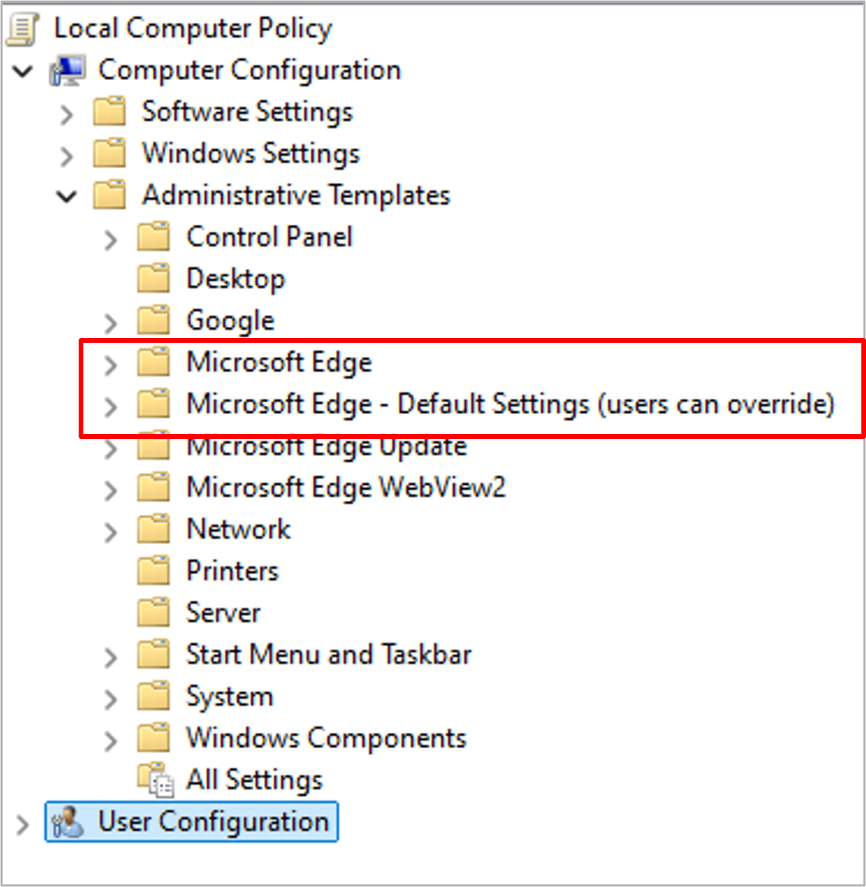
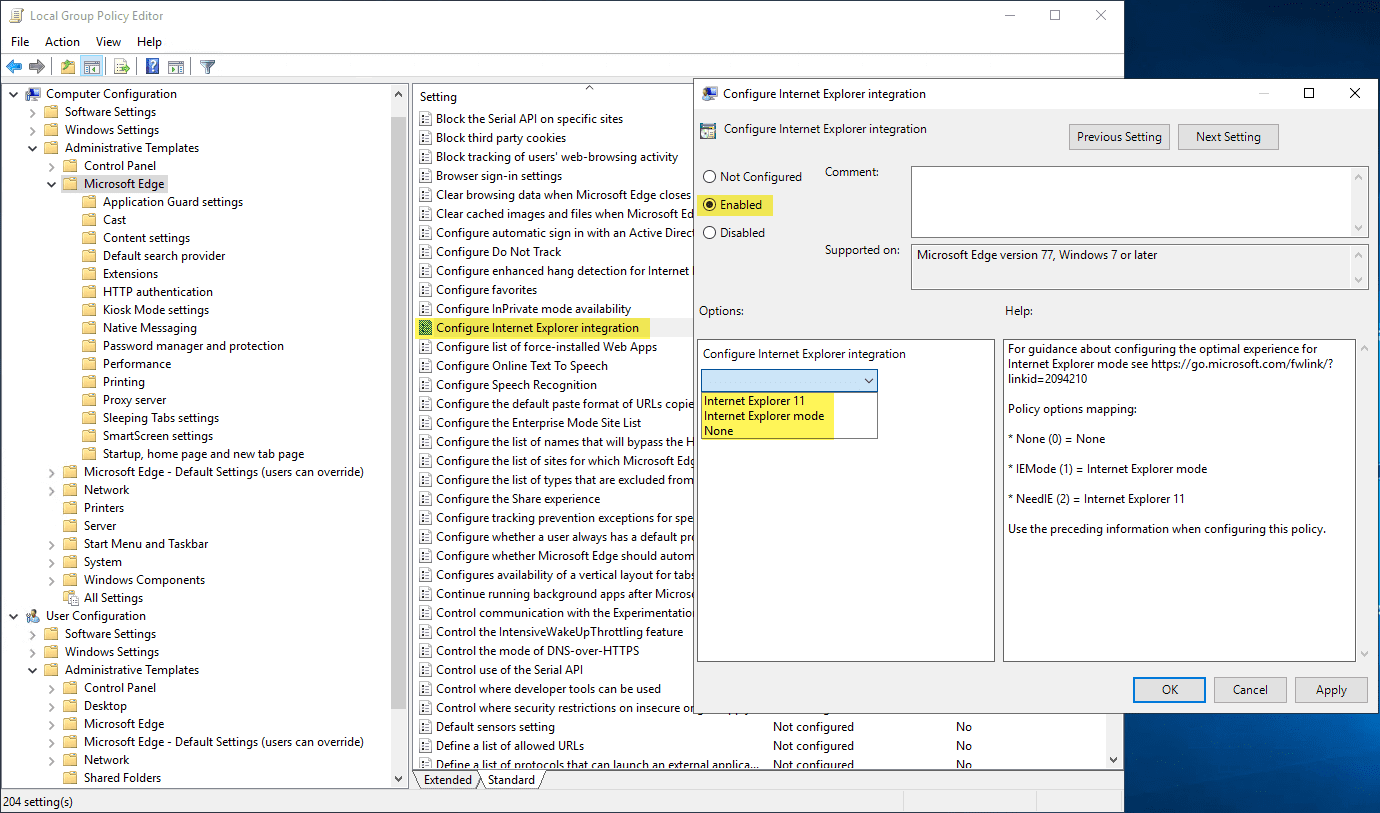

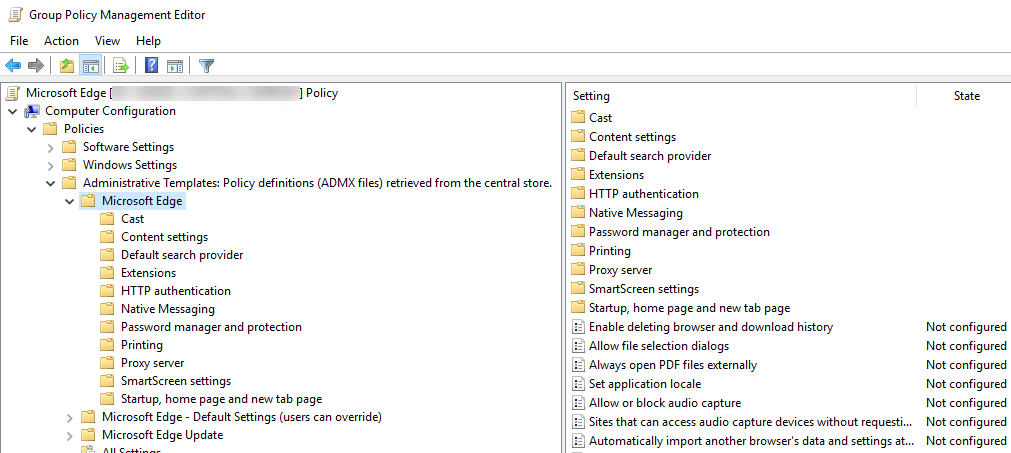


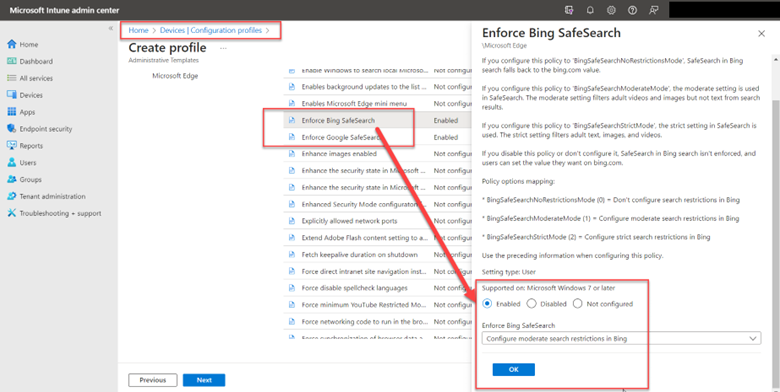

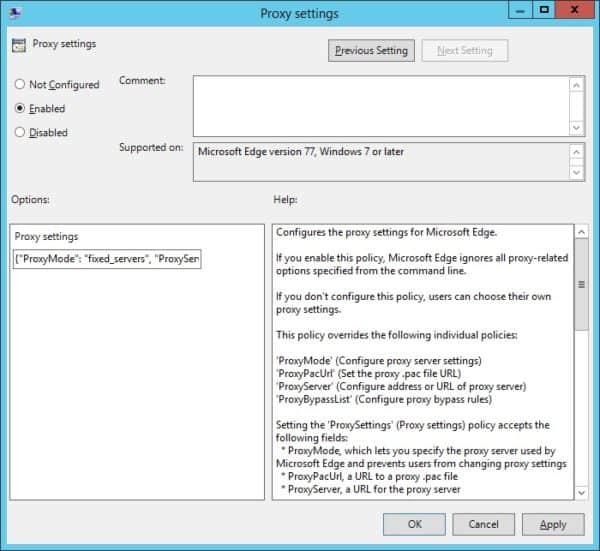

Visual references make it much easier to describe what you want, because pointing to a real example replaces a long and error-prone description.
Details Worth Zooming In On
Beyond the first impression, each image contains useful details, looking at how each part relates to the whole.
The images you linger on will shape your understanding most, so choose the closest matches and examine those thoroughly.
Why Visual References Work So Well
Our preference for images is not a trend, it is how understanding works, a visual cuts straight past every possible misunderstanding.
That is why a varied collection like this is so effective, be it ideas, verification, or simply knowing what to call it.
The Reference Is Here Whenever You Need It
Bookmark this collection of Microsoft Edge Settings Gpo examples, because needs change and new examples make old ones more useful.
Repeated exposure quietly builds real visual understanding, and let the gallery keep doing what it does best.