You Searched for Add Windows Autopilot Devices Csv — Here It Is
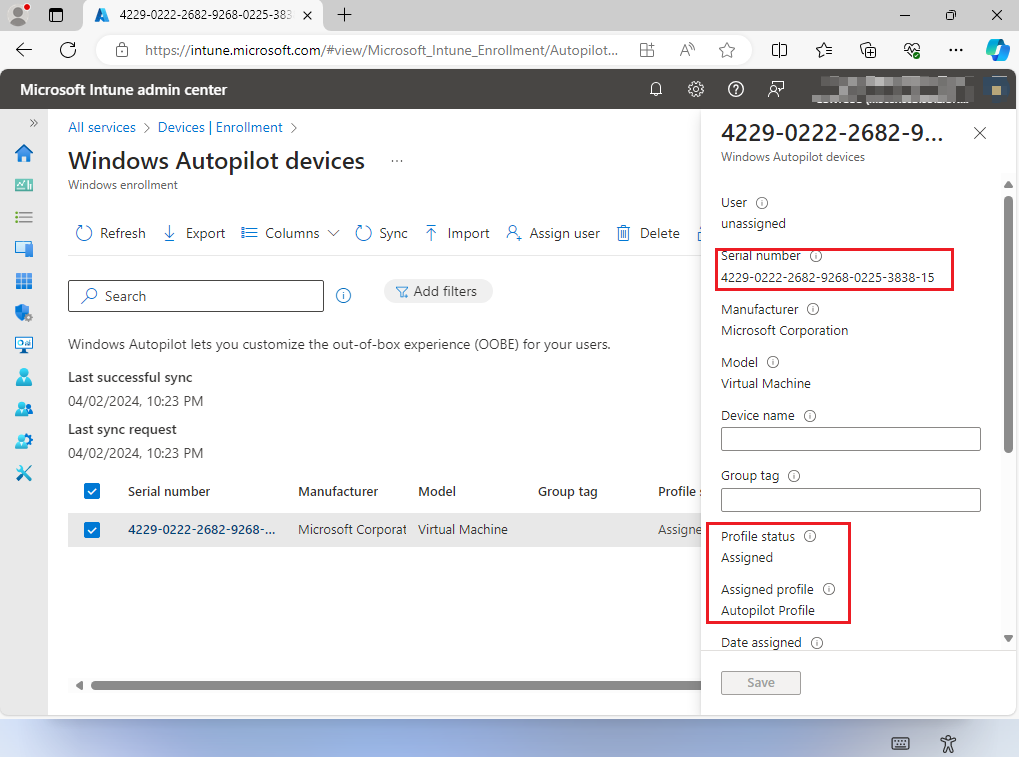
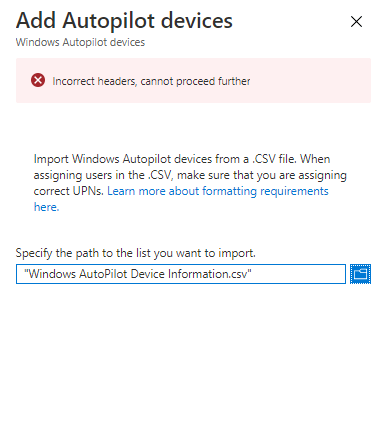
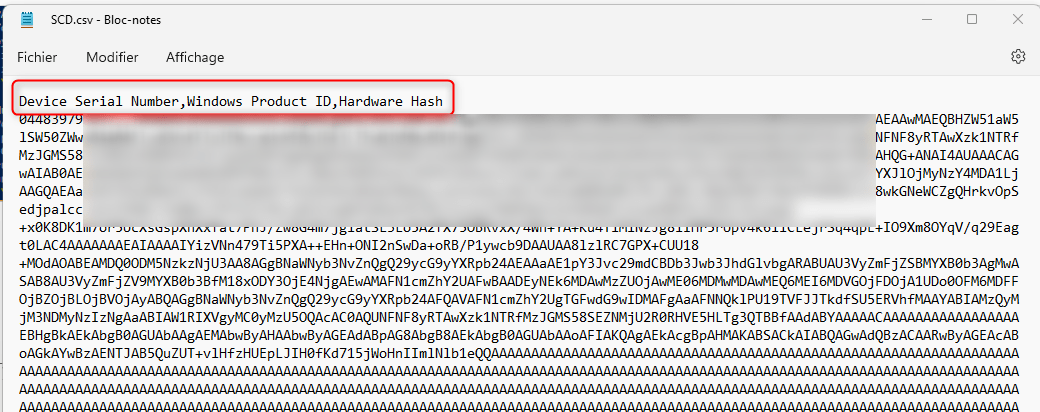
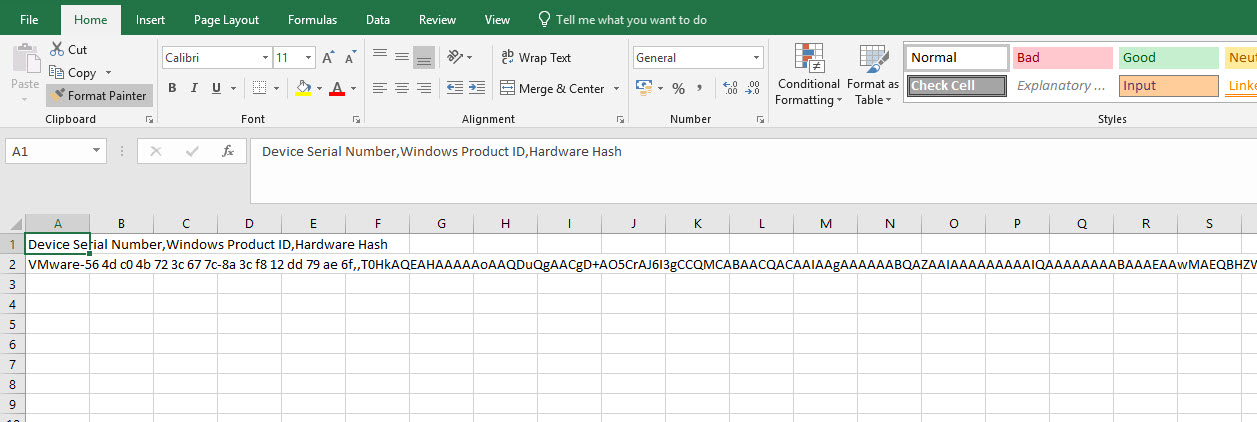
Add Windows Autopilot Devices Csv is what brought you here, and this page delivers it, presented through a broad set of image examples you can browse freely.

Sometimes words are not enough to describe what you have in mind, because one clear image can answer what paragraphs cannot.
A Visual Collection of Add Windows Autopilot Devices Csv
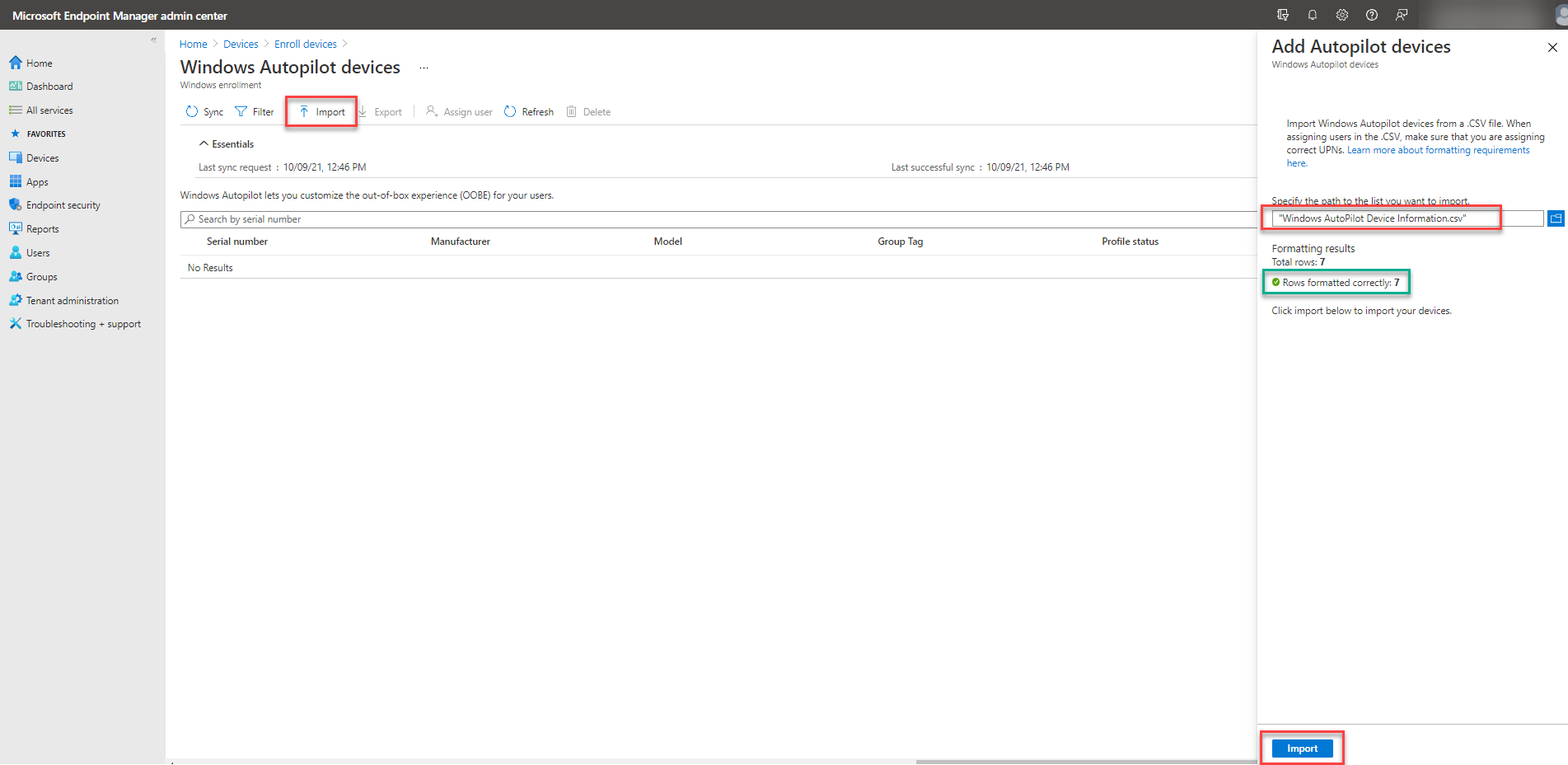
This collection gathers all kinds of Add Windows Autopilot Devices Csv in one scrollable view, so you can compare them side by side as you scroll.
Take your time moving through the collection, because the more images you see, the clearer the overall idea becomes.

How the Gallery Helps You Understand
Every photo tells you something a description would miss, so you can recognize the qualities worth noticing.
Notice which details stay consistent across the pictures, because consistent details are usually the essential ones.
Different Variations, Different Styles
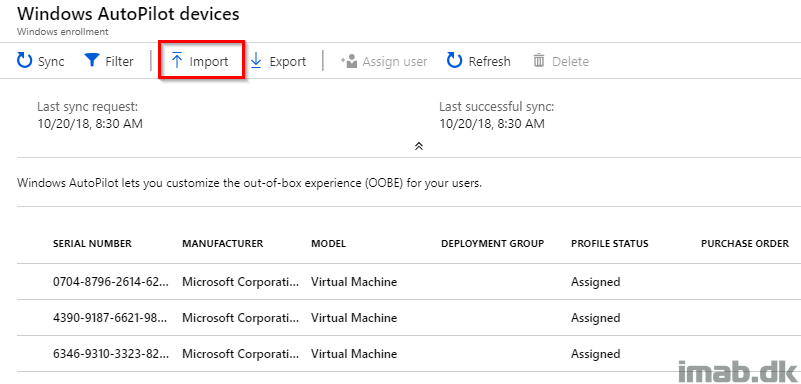
No two examples in the gallery look exactly the same, a few lean traditional while others feel modern, so studying the range helps you identify which style suits you best.
If one image catches your eye, pause on it and ask why, that reaction is a better guide than any checklist.

Making the Most of the Gallery
Treat the gallery as a practical tool rather than decoration, for instance, keeping a shortlist of your favorite pictures.
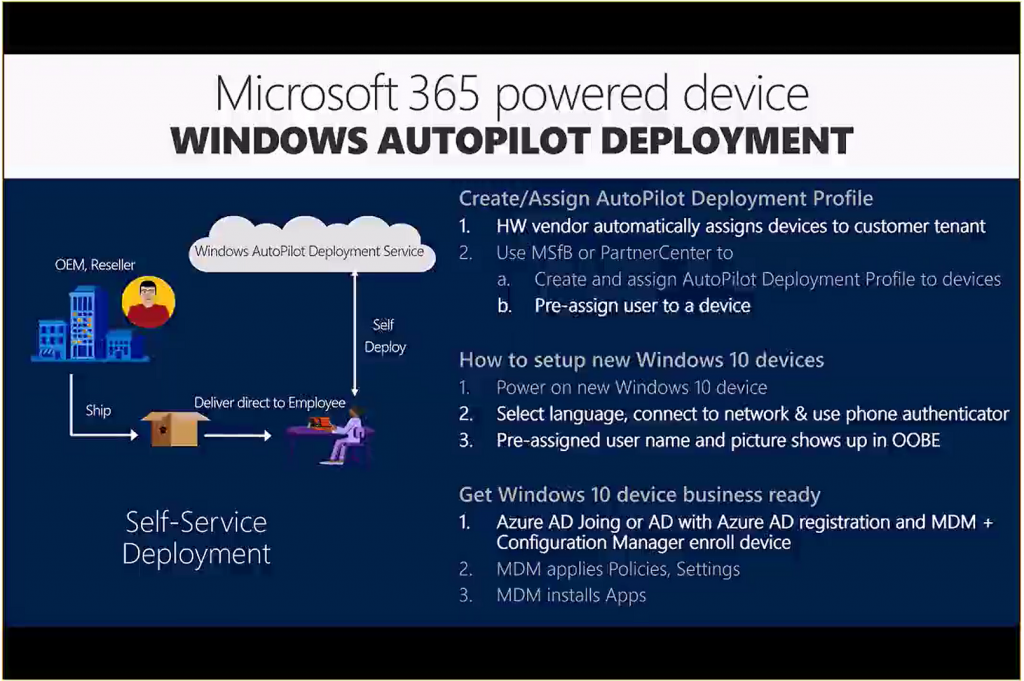


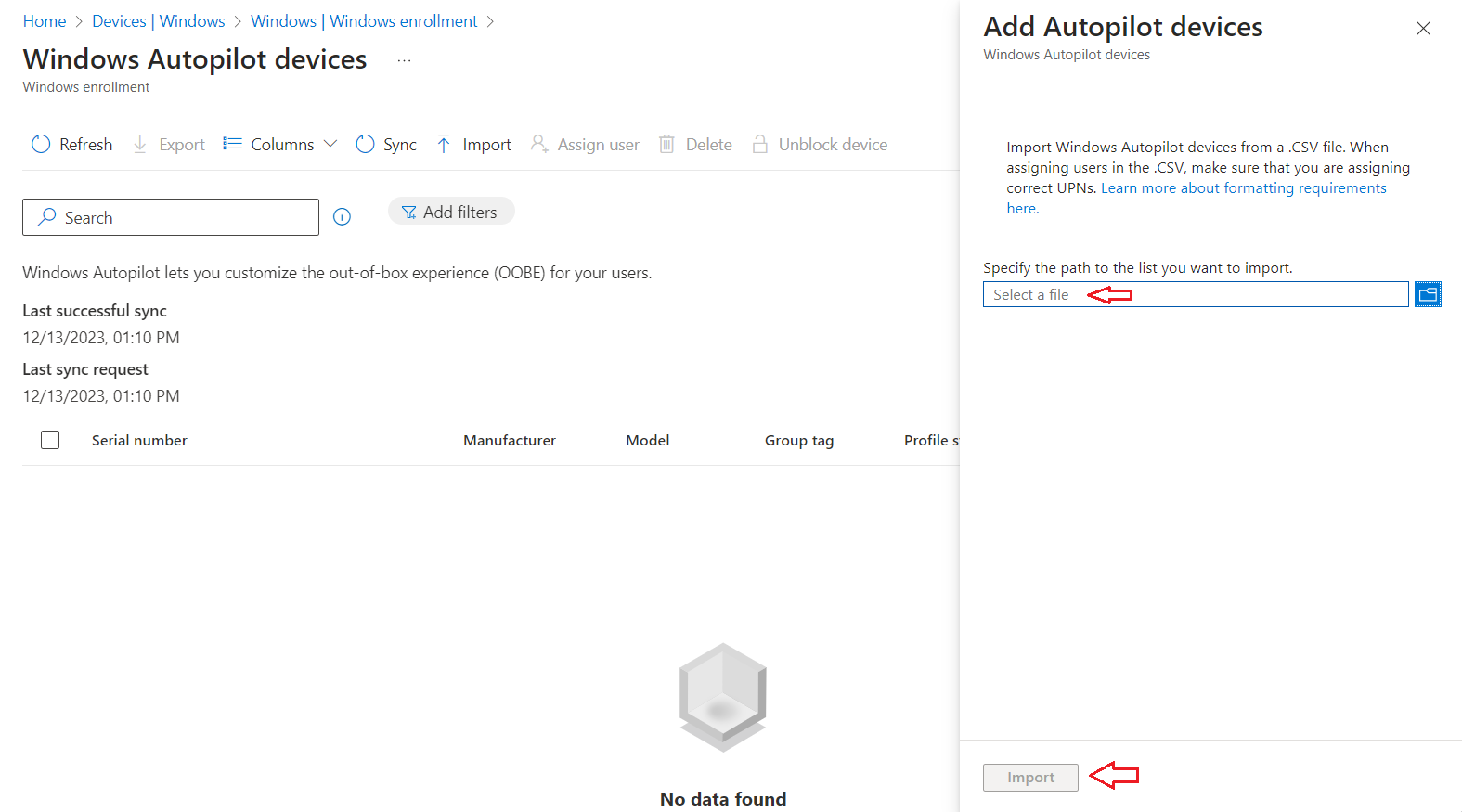


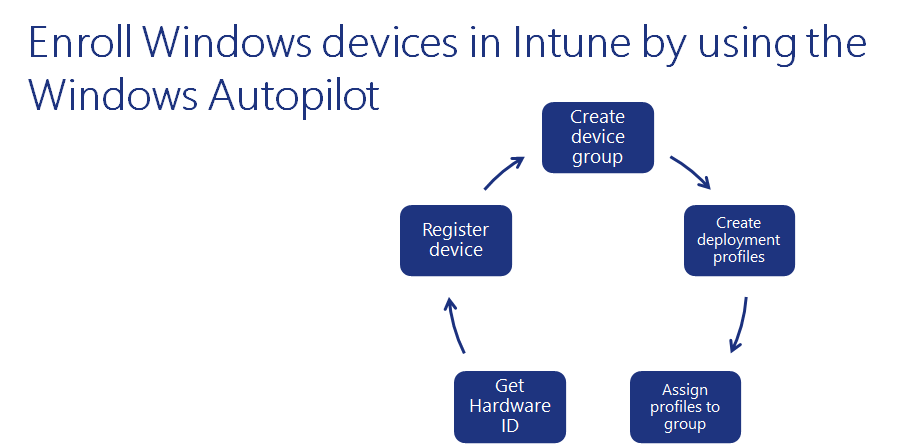


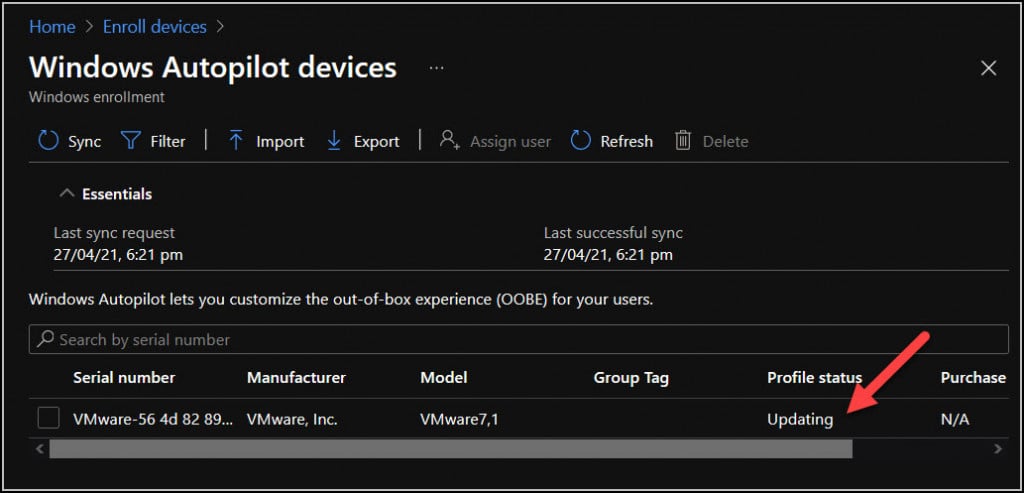
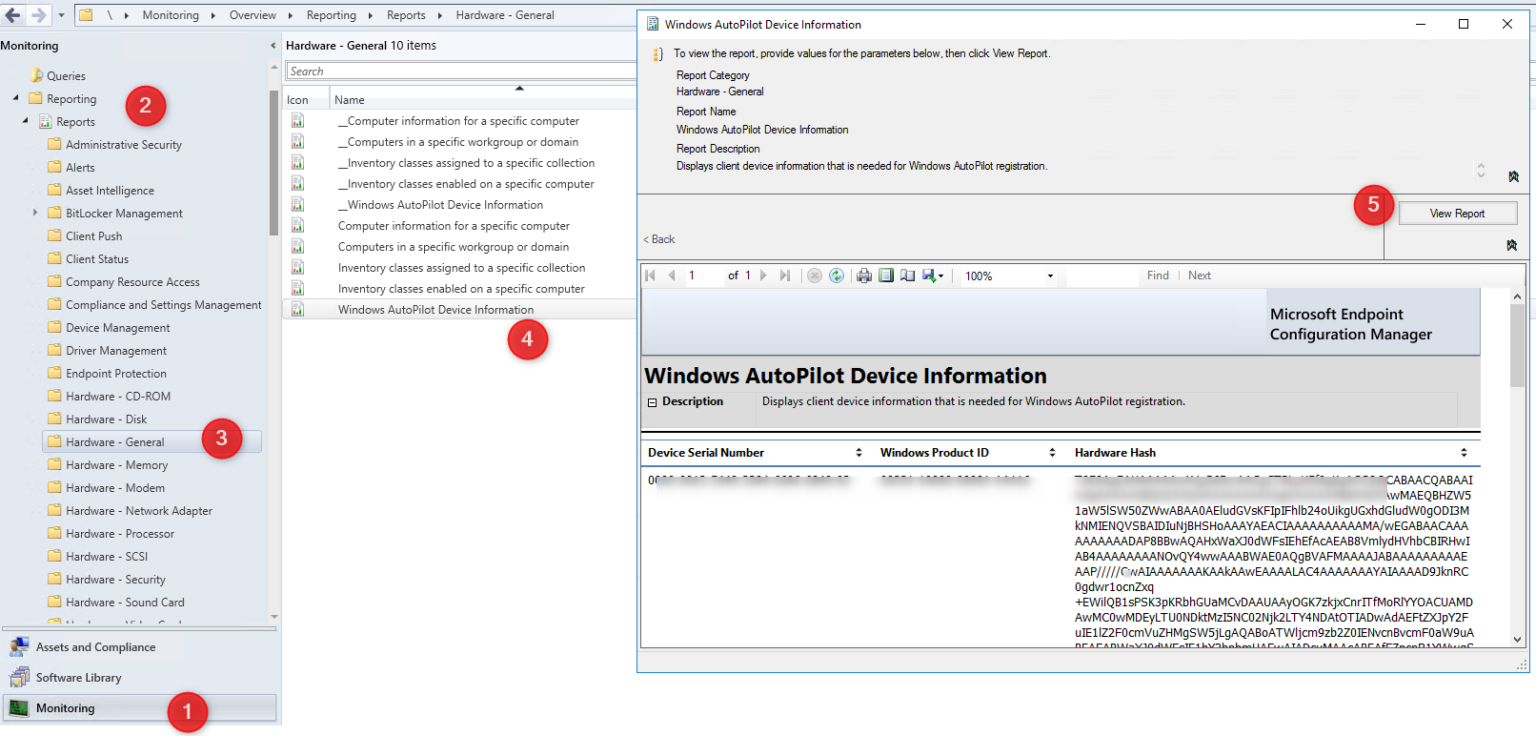




You can also use the images to explain the idea to someone else, and alignment happens in seconds instead of paragraphs.
Closer Looks at the Examples
Beyond the first impression, each image contains useful details, paying attention to textures, proportions, colors, and how things are arranged.
The images you linger on will shape your understanding most, because a small set of well-understood images is worth a large pile of quick glances.
Seeing Is Understanding
Visual search exists because the human brain processes pictures instantly, an image delivers the subject directly with no filter.
This is precisely why galleries like this one are valuable, be it ideas, verification, or simply knowing what to call it.
Keep Exploring the Collection
You can return to this page of Add Windows Autopilot Devices Csv images anytime, and a fresh look at the same gallery often reveals something new.
The more examples you absorb, the sharper your eye becomes, and let the gallery keep doing what it does best.