docs / articles / Add Cookies To Chrome with Scott Davidson blog

Add Cookies To Chrome with Scott Davidson blog

Scott Davidson Nov 28, 2026 2026-11-28 16:23:16

You Searched for Add Cookies To Chrome — Here It Is
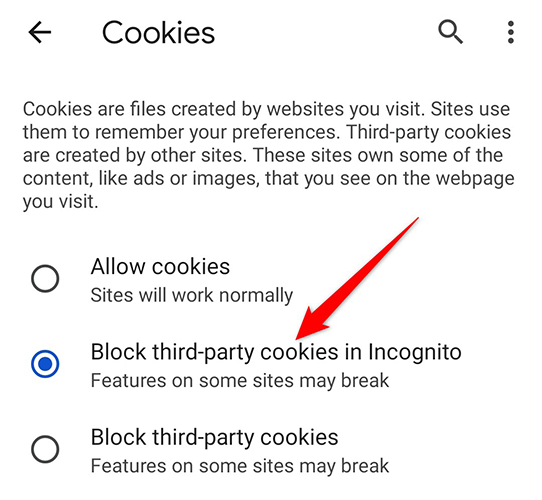
How to enable cookies on Google Chrome

You came here for Add Cookies To Chrome, and everything below is exactly that, supported by a wide range of real example pictures for reference.

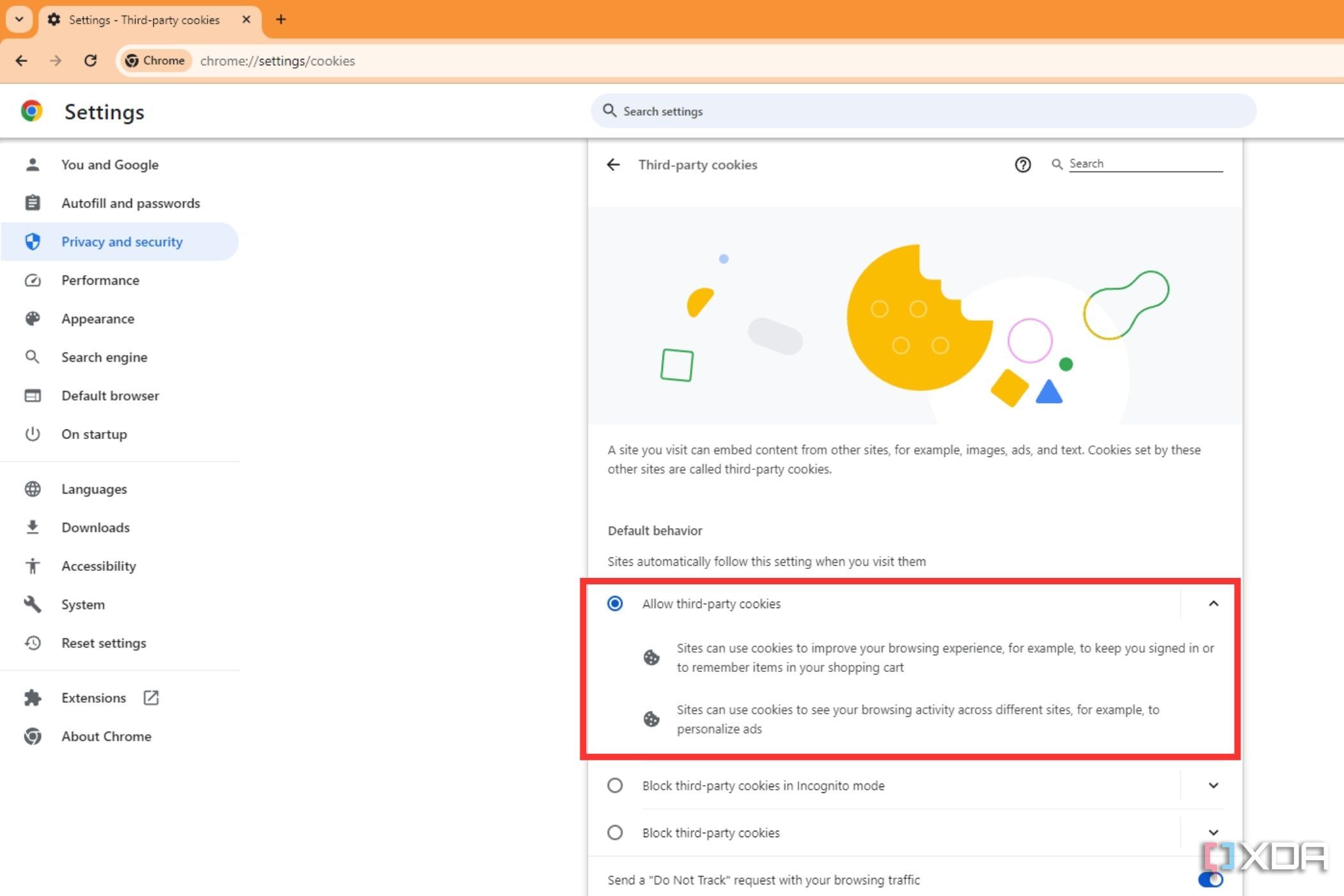
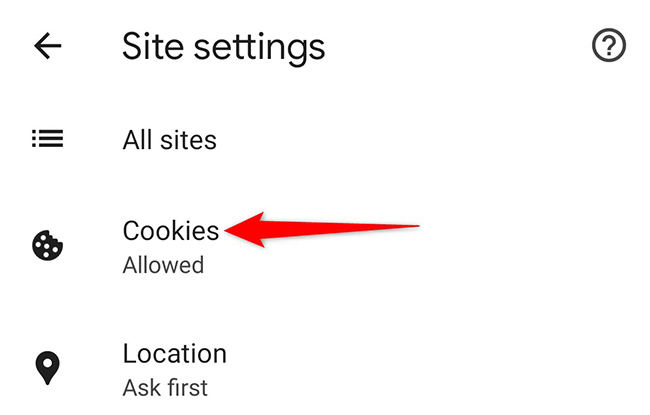
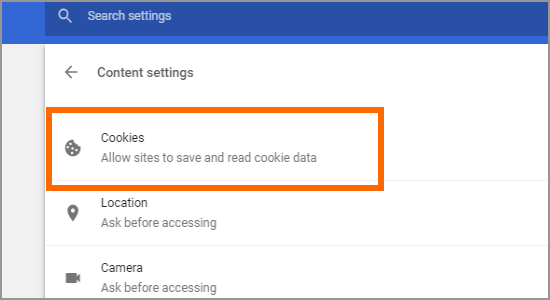
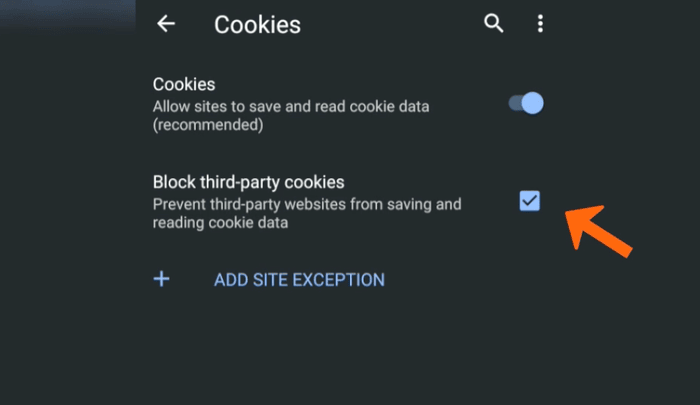
3 Ways to Enable Cookies on Google Chrome - wikiHow

Sometimes words are not enough to describe what you have in mind, so looking at real examples explains far more than any description can.

Add Cookies To Chrome in Actual Pictures

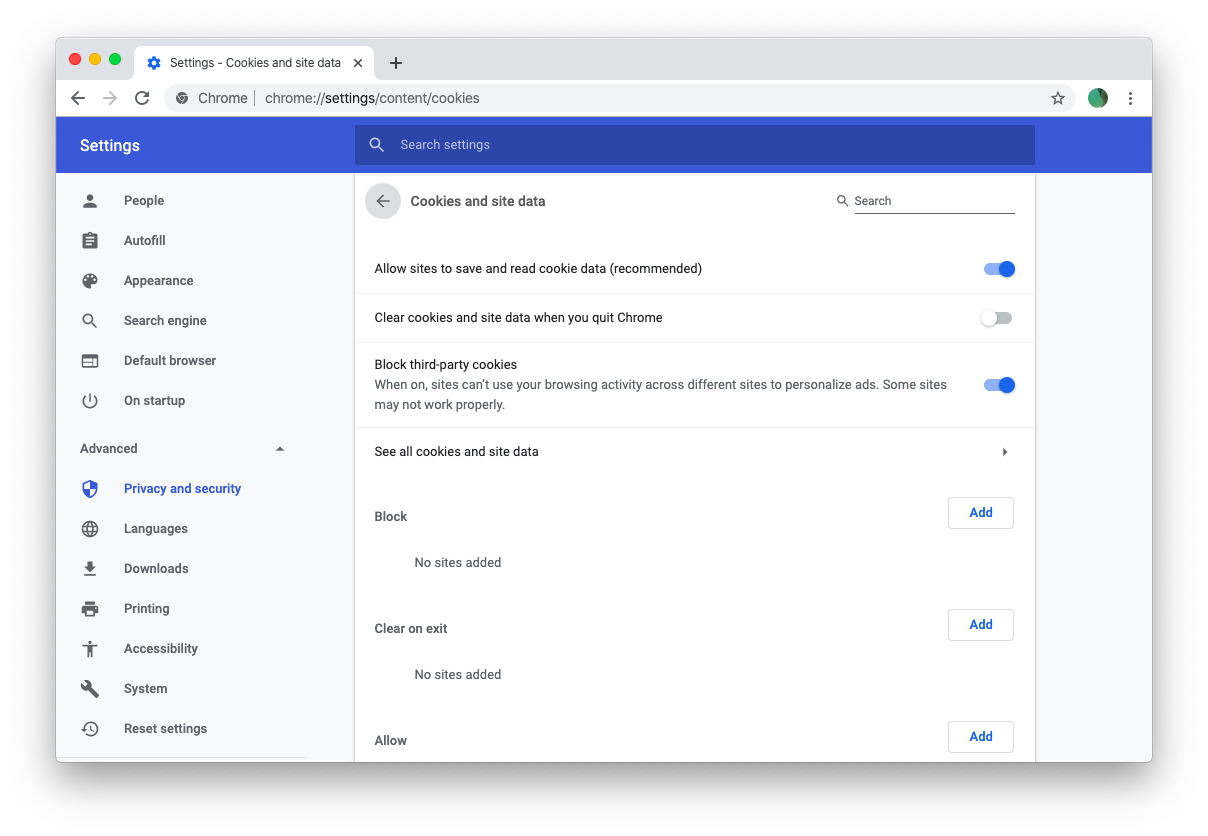
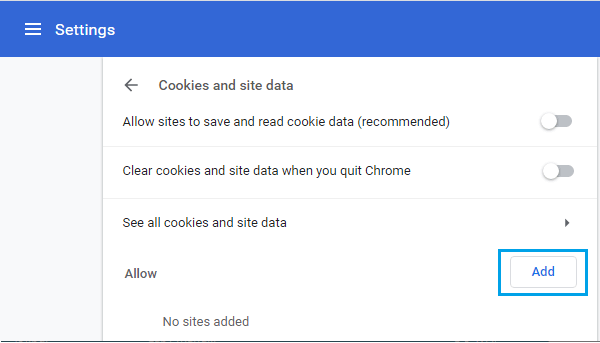
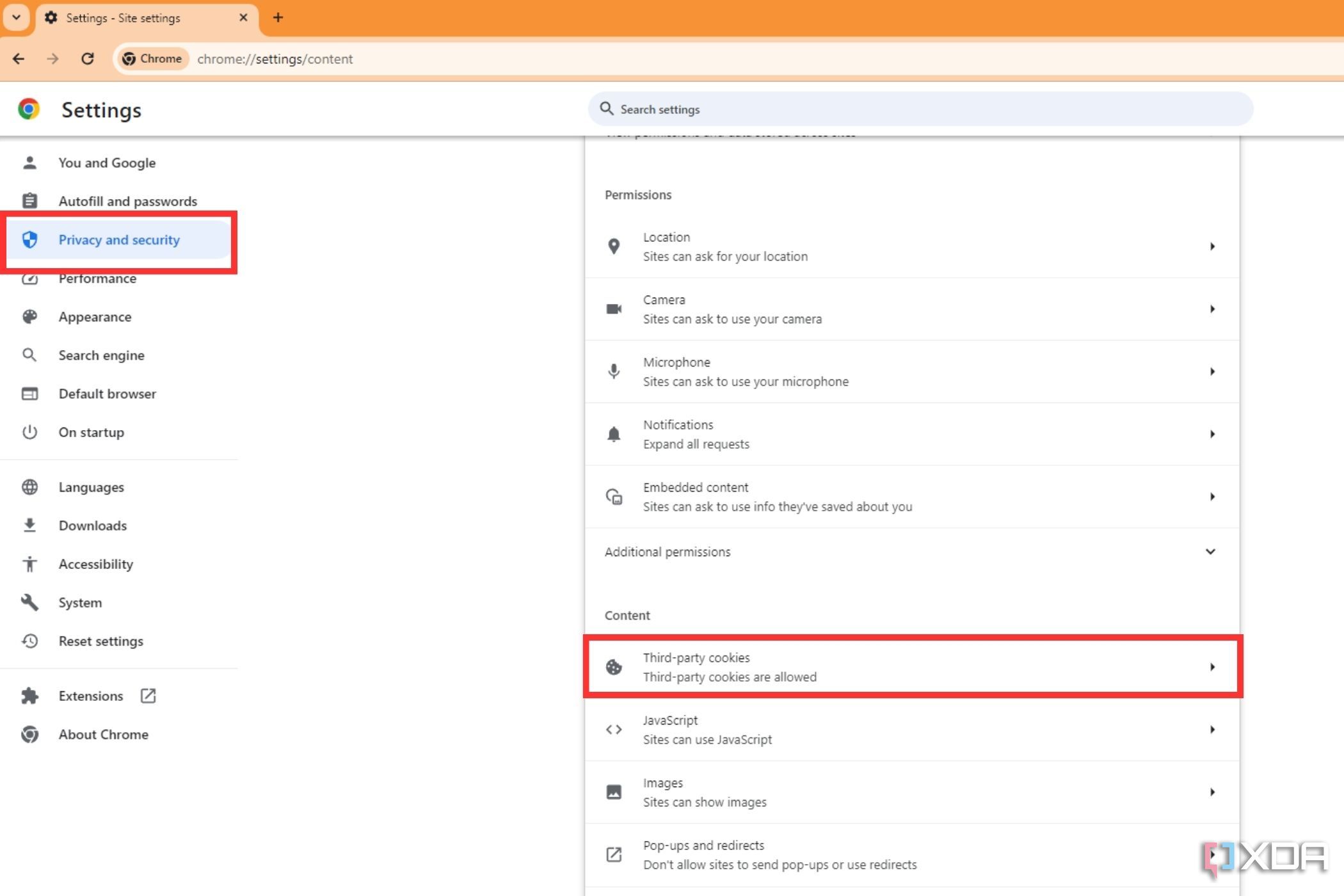
How do I view, add or edit Cookies in Google Chrome? - Super User

This collection gathers all kinds of Add Cookies To Chrome in one scrollable view, so you can compare them side by side as you scroll.

There is no need to rush past the pictures, since patterns start to appear after just a few examples.
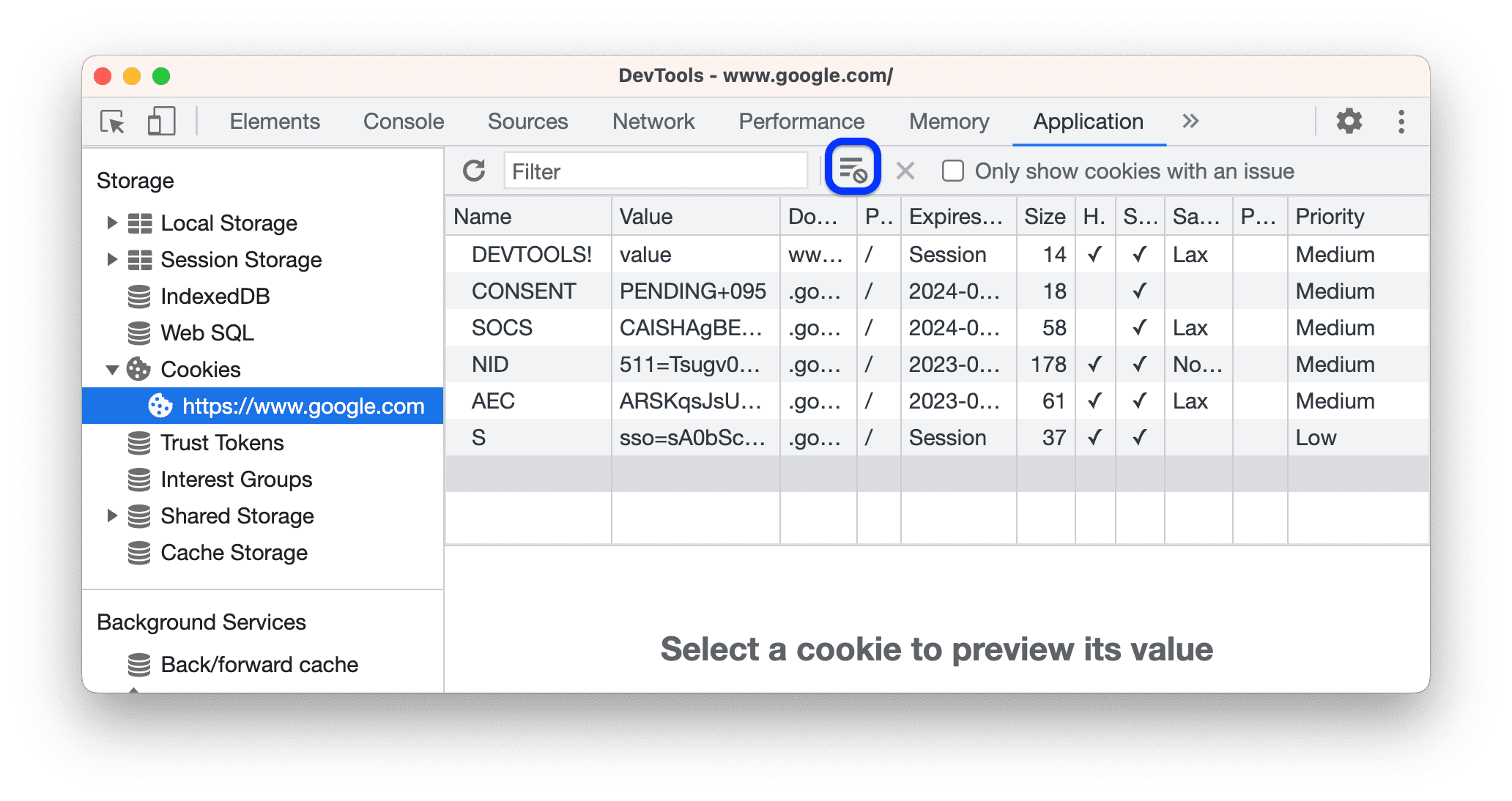
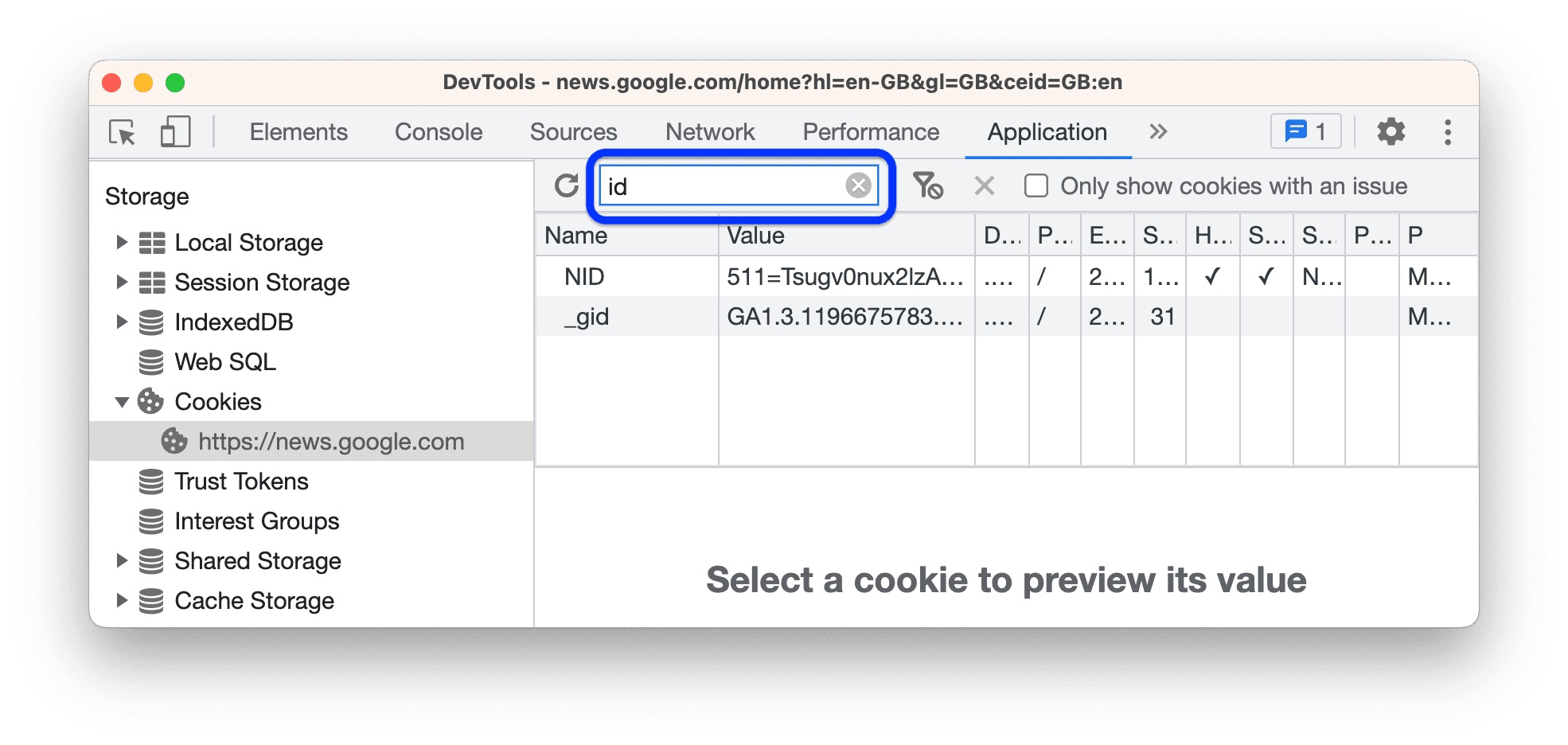
View, add, edit, and delete cookies | Chrome DevTools | Chrome for ...

Reading Add Cookies To Chrome Through Images

Each image works as a small explanation of its own, showing details that are hard to put into words.

Notice which details stay consistent across the pictures, and those repeated features are what make it recognizable.
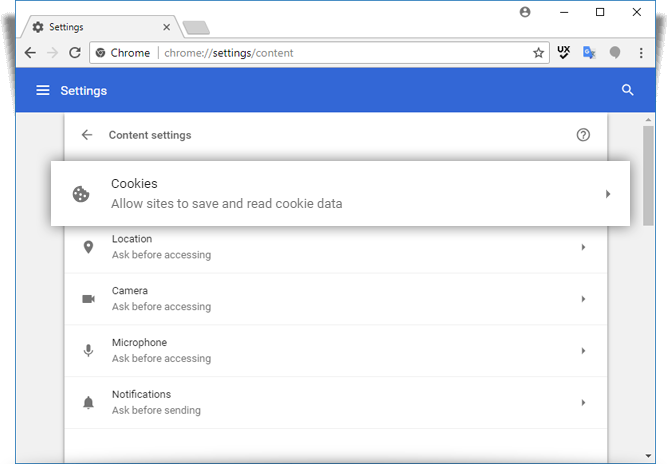
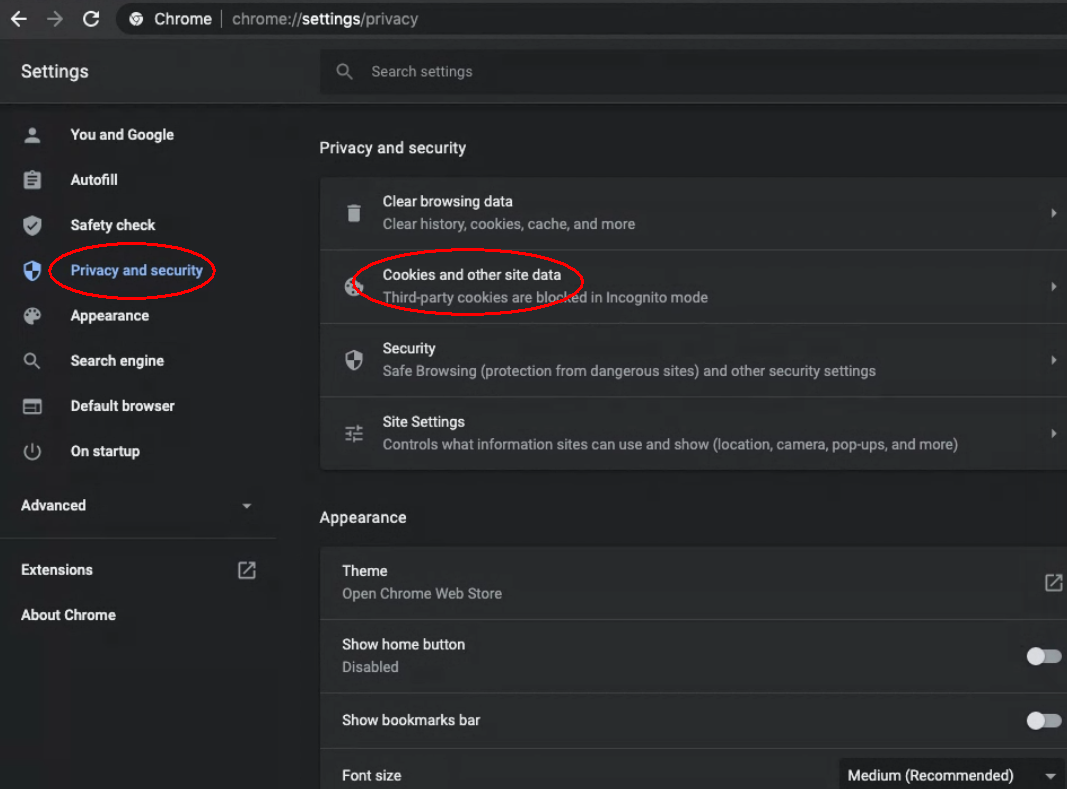
Managing Cookie Settings For Google Chrome – IDrive®

Many Forms and Variations

Variety is the whole point of a reference collection, each one leans toward a slightly different taste, and seeing them together makes your own preference obvious.

A strong reaction to one example is always useful information, because that instinct usually points toward what you are really looking for.

3 Ways to Enable Cookies on Google Chrome - wikiHow

Turning Pictures Into Useful Reference

Treat the gallery as a practical tool rather than decoration, like marking the images that match your idea.

3 Ways to Enable Cookies on Google Chrome - wikiHow
browser addons - Easy way to access cookies in Chrome - Super User
How To Enable Cookies On Google Chrome (2024 - Tutorial) - YouTube
3 Ways to Enable Cookies on Google Chrome - wikiHow
How to enable cookies in Chrome?
How To Enable Cookies For Google Chrome | TAFT Independent
View, add, edit, and delete cookies | Chrome DevTools | Chrome for ...
How To Enable Cookies On Google Chrome iPhone (EASY) - YouTube
How to Enable Cookies on Chrome: Allow Cookies in Chrome
How To Enable Cookies On Mac At Any Time
How To Enable Cookies For Google Chrome | TAFT Independent
How to enable cookies on Google Chrome
How to Enable Cookies in Chrome Browser [With Screenshots]
3 Ways to Enable Cookies on Google Chrome - wikiHow
How To Enable Cookies On Chrome - YouTube
How to Enable Cookies in Chrome Browser [With Screenshots]
How to Enable Cookies in Google Chrome
How to Allow Cookies in Google Chrome - Tech Recipes
View, add, edit, and delete cookies | Chrome DevTools | Chrome for ...
Enable Cookies in Chrome - WhatIsMyBrowser.com
How to enable and disable cookies in Chrome browser
3 Ways to Enable Cookies on Google Chrome - wikiHow
How to Enable Cookies in Google Chrome on Mac, Windows, Android, and iOS?
How to Enable Cookies in Google Chrome
3 Ways to Enable Cookies on Google Chrome - wikiHow
How to Enable Cookies
How to Enable Cookies in Google Chrome – PALCS HelpDesk

Visual references make it much easier to describe what you want, so the other person sees exactly what you see.

The Small Details That Matter

Slow down and examine fewer images more carefully, noting the choices that give each example its character.

Depth beats speed when it comes to visual learning, so instead of racing through all the examples, study a handful properly.

Why Visual References Work So Well

Our preference for images is not a trend, it is how understanding works, a picture removes interpretation and shows the thing itself.

A broad image set answers questions before they are asked, and whatever your reason was, the gallery has a use for it.

Keep Exploring the Collection

You can return to this page of Add Cookies To Chrome images anytime, since every revisit tends to surface details you missed.

Every return visit trains your judgment a little further, and let the gallery keep doing what it does best.